
A reverse tax calculator is used when the known amount already includes tax and the needed answer is the before-tax price or tax included. Common uses include checking receipts, verifying invoices, separating VAT or GST from gross prices, reviewing refunds, and splitting revenue from collected sales tax. The calculator needs the correct tax rate and taxable base; mixed-rate receipts, exempt items, discounts, shipping, and tips require grouped calculations.
This page explains when a reverse tax calculator is the right tool, when it is not, what information you need before using one, and how to avoid misleading results from mixed items, wrong rates, or payment totals.
What Is a Reverse Tax Calculator Used For?
A reverse tax calculator is used to remove included tax from a total. It converts a tax-inclusive amount into a before-tax amount and a tax amount.
For example, if a receipt total is $108.00 including 8% tax, the calculator returns $100.00 before tax and $8.00 tax. This is useful when the receipt or report does not clearly show the subtotal.
When Should You Use It for Receipts?
Use it for receipts when the total includes tax and you need to recover the before-tax price. This can happen when a receipt shows only the final total, when a subtotal is missing, or when you are checking whether the shown tax amount makes sense.

Before using the calculator, remove tips, gift cards, deposits, and non-tax payment items if they are not part of the taxable base. The receipt reverse tax guide covers that cleanup process.
When Should You Use It for Invoices?
Use it for invoices when the invoice shows a gross tax-inclusive amount but does not clearly show the net amount. This is common in some VAT, GST, or tax-inclusive pricing contexts.
If the invoice already shows net amount and tax amount, use those invoice values as direct evidence. The calculator is best for missing values, checking values, or rebuilding totals from a known rate.
When Should You Use It for Refunds?
Use it for refunds when the refund total includes tax and you need to split the refund into price and tax portions. This can help with returns, partial refunds, and reconciliation.
If the refund record shows tax separately, subtract the shown tax instead of estimating it. If the refund is partial or includes restocking fees, use the reverse tax refunds guide for a more careful workflow.
When Should You Use It for VAT or GST?
Use it for VAT or GST when the displayed price already includes tax. VAT-inclusive and GST-inclusive prices can usually be reversed by dividing by 1 plus the applicable rate.
The calculator still needs the correct official rate and category. A UK VAT example, Canadian GST example, and New Zealand GST example may use different rates and rules even though the arithmetic structure is similar.
When Should You Use It for Bookkeeping?
Use it for bookkeeping when gross sales include collected tax and you need to split revenue from tax payable. This can be useful when cleaning POS exports, ecommerce reports, marketplace orders, or old receipts.
Do not treat the calculator output as the only accounting evidence. Keep the original receipt, invoice, or export row. The article on separating revenue from collected tax explains that bookkeeping workflow.
When Should You Not Use It?
Do not use a reverse tax calculator when the price is already tax-exclusive. In that case, tax should be added forward, not removed. Also avoid it when the total includes mixed tax rates, exempt items, tips, deposits, or payment fees that have not been separated.
Do not use it to decide whether tax should have applied. That requires tax rules, not only arithmetic.
What Information Do You Need First?
You need the tax-inclusive total, the tax rate or shown tax amount, and context about what the total includes. Useful context includes receipt labels, invoice lines, transaction date, location, item category, and whether the total includes shipping, discounts, or tips.
If the rate is missing, the calculator may not be enough. If subtotal and total are both known, an implied tax-rate calculation may help. If only the total is known, the result would be a guess.
How to Decide If the Calculator Fits
Use this decision table before calculating:

| Situation | Use reverse tax calculator? | Reason |
|---|---|---|
| Total includes one tax rate | Yes | Clean tax-inclusive base |
| Tax amount is shown | Usually no | Subtract shown tax directly |
| Price excludes tax | No | Add tax forward |
| Mixed taxable and exempt items | Not until split | One rate cannot describe all items |
| Payment payout includes fees | Not directly | Source amount is not clean |
| Rate is unknown | Only with more data | Need rate or tax amount |
The table is a calculation filter, not a legal taxability test.
How to Check the Calculator Result
After using the calculator, rebuild the original total. Add the calculated before-tax amount and calculated tax amount together. The result should match the original total except for rounding.
If the result does not match, check the rate, total, rounding method, item groups, and whether the total was truly tax-inclusive. The calculator mismatch guide explains these failure patterns.
This check turns the calculator from a black box into an auditable method. If the rebuilt total matches, the formula and inputs are at least internally consistent. If it does not match, the problem is usually the source amount, tax rate, item mix, or rounding method.
What Results Should You Expect?
The calculator should return at least two values: before-tax amount and included tax amount. A stronger calculator may also show the formula, divisor, rounded result, and a rebuilt-total check.
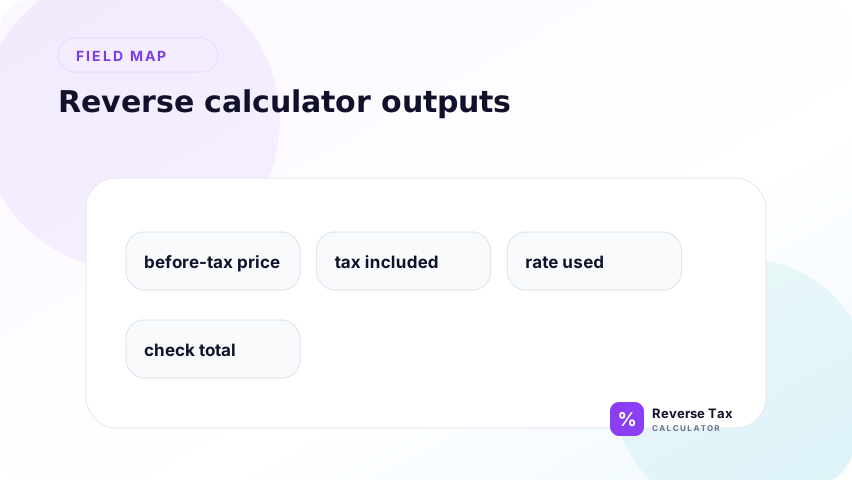
Those extra outputs are useful because they make the calculation auditable. A result with no formula or source assumptions is harder to trust.
For a serious tax-related tool, the best output is not just a number. It should show enough context for the user to understand how the number was created and what assumption controlled it. That is especially important when receipts differ by one cent.
What This Calculator Cannot Prove
A reverse tax calculator cannot prove product taxability, exemption status, correct jurisdiction, filing treatment, input tax recovery, or whether a business should have collected tax.
It also cannot know whether your total includes tips, gift cards, deposits, shipping, discounts, refunds, or exempt items unless you provide that context.
This limitation is practical, not just legal. The calculator sees numbers entered by the user. It does not see the receipt image, invoice terms, product category, transaction location, or tax authority rule that explains why tax was charged.
Trust Boundary
A reverse tax calculator is a math tool. It helps split a known tax-inclusive amount into before-tax price and tax amount. It does not replace receipts, invoices, official tax authority guidance, accounting records, or professional tax advice.
Use it as a calculation aid, then verify the source document and applicable rules before using the result for compliance-sensitive work.
This is especially important for business users. A calculator output can help with reconciliation, but the original document and official rule source remain the evidence. Treat the calculator as a support step, not the final authority.
Frequently Asked Questions
When is a reverse tax calculator most useful?
It is most useful when you have a tax-inclusive total and a known rate, but the before-tax amount is missing. Receipts, VAT-inclusive prices, refunds, and gross sales reports are common examples.
Should I use it if the receipt shows tax separately?
Usually no. If the receipt shows the tax amount, subtract that shown amount from the total. Use the calculator only to check the receipt or when the shown amount is missing.
Can it calculate the correct tax rate for me?
Not from the total alone. If you know subtotal and total, you can calculate an implied rate. If you know only the total, the rate cannot be determined reliably.
Sources and Notes
- IRS Publication 583 recordkeeping guidance
- Formula source: arithmetic relationship between tax-inclusive total, tax rate, before-tax amount, and tax amount.