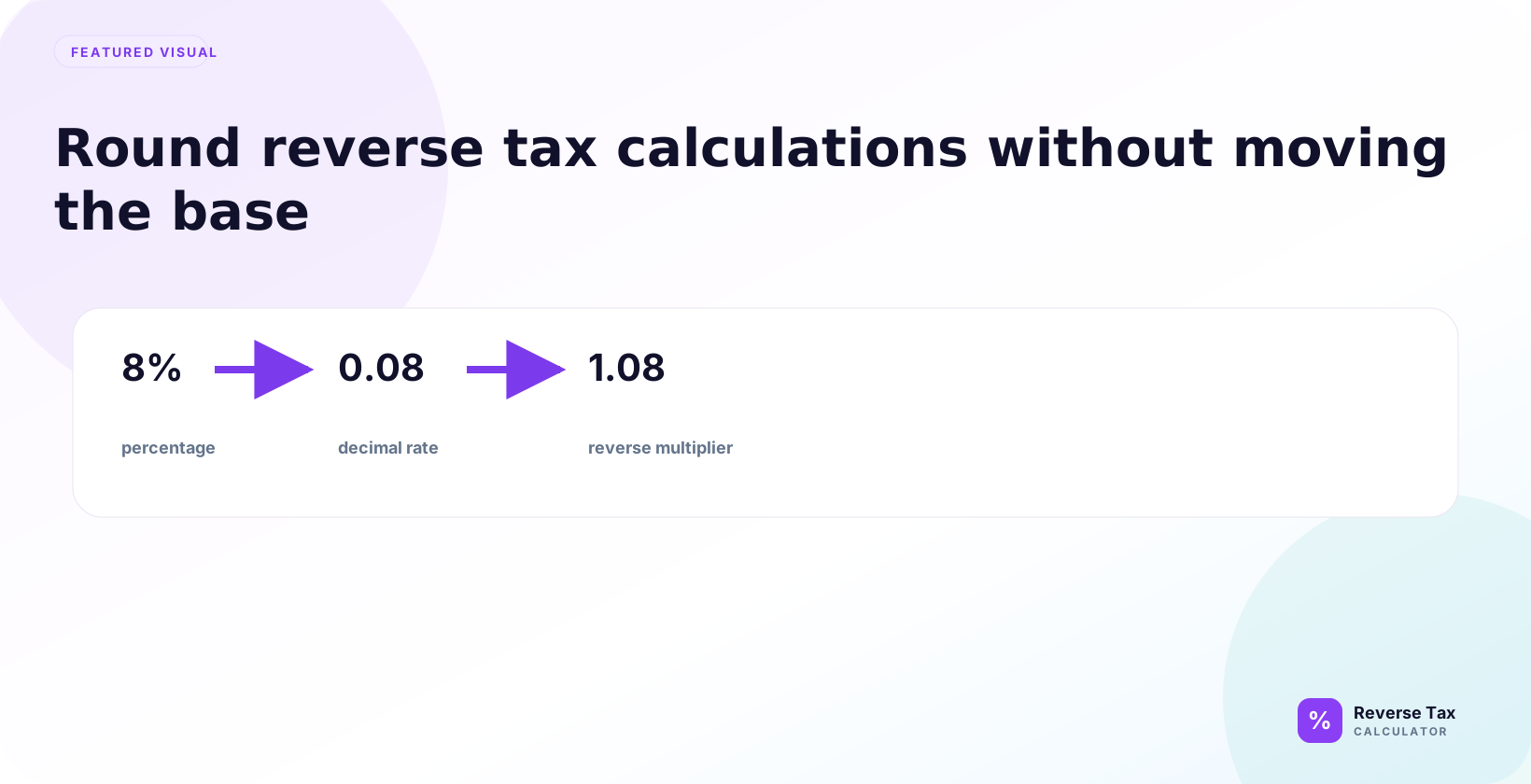
Reverse tax rounding controls why a calculated tax amount differs from a receipt by one cent or another small amount. Stores can round tax per line, per item, per tax group, or at the final receipt total, and each method creates a different included-tax result. Accurate checking requires the same tax rate, taxable base, decimal precision, and rounding order used by the receipt or invoice.
Rounding matters because reverse tax often produces decimal results. A receipt, invoice, calculator, and spreadsheet may differ by one cent if they round at different stages.
Why Rounding Matters in Reverse Tax
Rounding matters in reverse tax because the formula often creates decimals that cannot be displayed exactly as cents. A tax-inclusive total may divide cleanly at one rate and produce repeating decimals at another. If you round too early, the pre-tax amount and tax amount may no longer add back to the receipt total. Good rounding practice preserves precision first and rounds display values last.
Rounding matters because money is usually displayed with fixed currency precision.
The formula may produce 93.457943925, but a receipt usually shows 93.46. That rounding can affect the displayed tax amount.
Why Reverse Tax Creates Long Decimals
Reverse tax divides by a tax multiplier.
Division often creates repeating or long decimals, especially with rates like 7.25 percent, 8.875 percent, 9.975 percent, or 13 percent.
Why Rounding Can Change the Tax Line
The tax amount is often calculated as total minus pre-tax price.
If the pre-tax price is rounded first, the tax amount may change by a cent.
When Should You Round?
You should round after the calculation has produced the pre-tax amount and included tax amount, not before the division step. Keep enough precision in the working calculation so the final rounded numbers can still reconcile to the original total. If a receipt uses line-level rounding, match that method. If it uses total-level rounding, calculate the total first and round after.
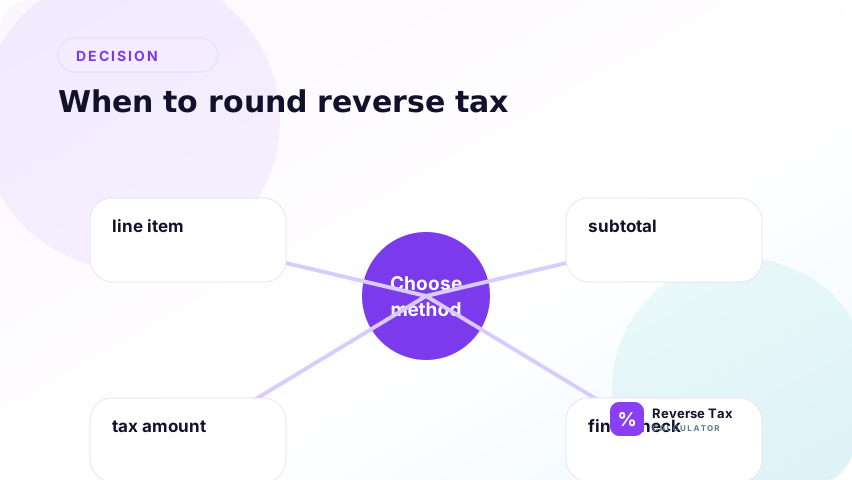
Round at the end of the calculation unless your specific receipt or accounting system requires line-level rounding.
The safest general process is:
- Calculate the pre-tax price with extra precision.
- Calculate the included tax.
- Round the final displayed amounts.
- Check whether rounded pre-tax plus rounded tax equals the total.
What Does Calculate First, Round Last Mean?
Calculate first, round last means the spreadsheet should store the full formula result before showing a two-decimal display value. The rule prevents rounding errors from compounding across multiple steps. In reverse tax, this usually means dividing the gross amount by 1 plus rate, keeping the raw pre-tax value, then deriving the tax amount and only then formatting for cents.
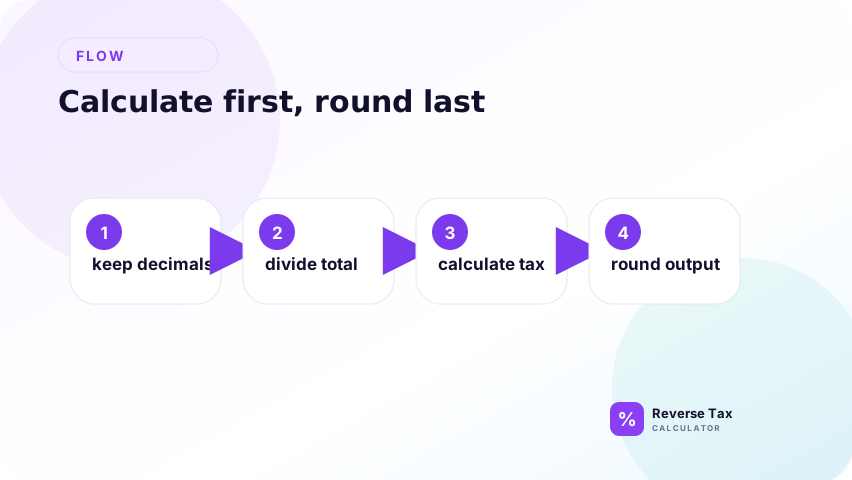
Calculate first, round last means the formula should use the most precise value available before display rounding.
Example:
100 / 1.07 = 93.457943925
Do not shorten this to 93.45 or 93.46 before the rest of the calculation unless you are intentionally matching a receipt display.
The raw value explains the math. The rounded value explains what a user sees.
How Many Decimal Places Should You Keep?
Keep at least four to six decimal places during the calculation when possible.
Then round the final currency amounts to two decimals if the currency uses cents.
| Stage | Suggested precision |
|---|---|
| Formula calculation | 4 to 6 or more decimals |
| Displayed pre-tax price | 2 decimals |
| Displayed tax amount | 2 decimals |
| Spreadsheet audit | Keep raw values plus displayed values |
How to Round Pre-Tax Price
Round the pre-tax price only after the reverse formula has calculated it from the tax-inclusive total. If the total is $19.99 and the rate creates a long decimal, store the raw value in the calculation and show the rounded value in the output. Then calculate or display tax so the rounded pre-tax amount and rounded tax still explain the original total.
First calculate the pre-tax price.
Example:
100 / 1.07 = 93.457943925
Rounded to cents:
93.46
The unrounded result is useful for checking. The rounded result is useful for display.
How to Round Included Tax
Round included tax after you calculate the pre-tax amount. The safest display method is often included tax equals original total minus rounded pre-tax amount, because it ensures the two displayed values add back to the visible receipt total. If the seller rounded tax by line, however, your total-level method may differ by one cent.
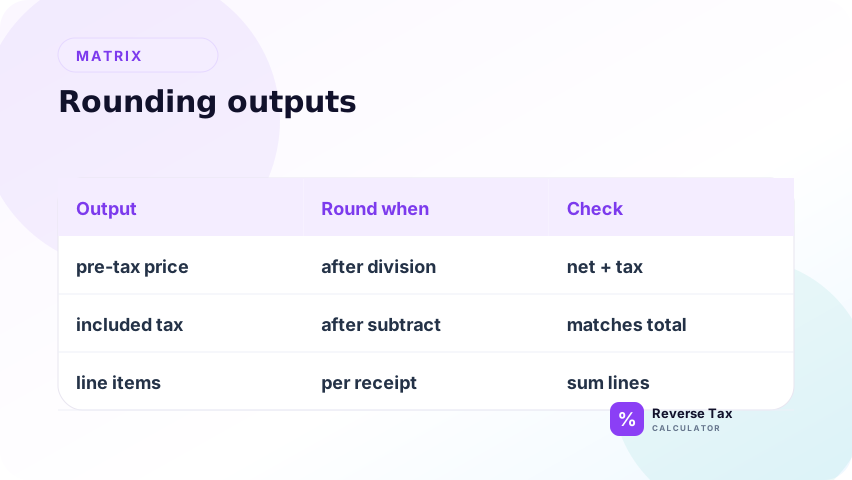
After finding the pre-tax price, subtract it from the total.
Using the unrounded pre-tax price:
100 - 93.457943925 = 6.542056075
Rounded to cents:
6.54
Now check:
93.46 + 6.54 = 100.00
Line-Level vs Total-Level Rounding
Line-level and total-level rounding answer different receipt structures. Line-level rounding calculates and rounds tax for each item or tax group, then adds those rounded values. Total-level rounding adds the taxable base first, calculates tax once, and rounds the final tax amount. Both can be valid, but they can produce different cents on multi-line receipts.
Line-level rounding and total-level rounding can produce different results.
What Is Line-Level Rounding?
Line-level rounding calculates and rounds tax for each item or line.
This can cause small differences when many items are added together.
What Is Total-Level Rounding?
Total-level rounding calculates tax on the whole subtotal or total.
This may produce a different tax amount from adding rounded line-level tax amounts.
Why Receipts May Use Either Method
Receipts may be generated by point-of-sale systems, ecommerce platforms, invoicing tools, or accounting software. Each system may apply its own rounding workflow within legal and configuration constraints.
How to Decide Which Rounding Method to Use
| Goal | Rounding method to check first |
|---|---|
| Match a receipt | Use receipt method if visible |
| Estimate a simple total | Round at the end |
| Reconcile many items | Check line-level rounding |
| Build a spreadsheet | Keep raw and displayed columns |
| Audit an invoice | Compare tax line and total-level math |
If the goal is display, round the final output. If the goal is reconciliation, mirror the source document.
Why Results Differ by One Cent
Reverse tax results often differ by one cent because the calculator and receipt use different rounding order. One system may round by item, another by tax group, and another by final total. Small totals, multiple quantities, and rates with three decimal places increase the chance of differences. A one-cent variance is usually a rounding investigation, not proof that the rate is wrong.
Reverse tax results often differ by one cent because the calculation has more precision than the receipt displays.
Common causes include:
- Line-level rounding
- Total-level rounding
- Decimal tax rates
- Multiple tax lines
- Discounts
- Currency precision
- Manual data entry
Rounding Decision Matrix
| Situation | Recommended action |
|---|---|
| One total and one rate | Calculate first, round last |
| Many item lines | Check line-level rounding |
| Receipt differs by one cent | Compare rounding method |
| Spreadsheet audit | Keep raw and rounded columns |
| Multiple taxes | Round each component carefully |
| Accounting record | Follow system and policy rules |
Worked Rounding Examples
Worked examples show how the same formula can produce different display values depending on rounding method. Use them to decide whether a mismatch is caused by formula error, rate error, or rounding order. The strongest example compares line-level and total-level outputs because that is where most receipt disputes appear.
Read the examples as diagnostic patterns. A simple total shows the normal workflow. A raw-tax example shows why stored precision matters. A multi-line receipt shows why seller rounding can differ from calculator rounding. A rate with three decimal places shows why precision matters more for complex rates. A spreadsheet display example shows why visible cells can hide stored values.
Example 1: Simple Total
Total: 100.00
Rate: 7 percent
Pre-tax:
100 / 1.07 = 93.457943925
Rounded pre-tax:
93.46
Included tax:
100 - 93.46 = 6.54
Example 2: Raw Tax First
If you calculate raw tax first:
100 - 93.457943925 = 6.542056075
Rounded tax:
6.54
Both display results match in this simple case.
Example 3: Multi-Line Receipt
If three items are each rounded separately, the final summed tax can differ from tax calculated on the total.
| Item | Raw tax | Rounded tax |
|---|---|---|
| Item A | 0.334 | 0.33 |
| Item B | 0.334 | 0.33 |
| Item C | 0.334 | 0.33 |
| Total | 1.002 | 0.99 |
If the total-level method rounded 1.002 to 1.00, the receipt and calculator could differ by 0.01.
Example 4: Rate with Three Decimal Places
Suppose a total is 114.98 and the combined tax rate is 14.975 percent.
Raw pre-tax amount:
114.98 / 1.14975 = 100.004348...
Rounded pre-tax amount:
100.00
Included tax:
114.98 - 100.00 = 14.98
The small difference is caused by rounding from a raw total such as 114.975 to a displayed total of 114.98.
Example 5: Spreadsheet Display vs Stored Value
A spreadsheet cell may display 93.46 but store 93.457943925. If a later formula uses the stored value, the result may differ from a manual calculation that uses 93.46.
| Spreadsheet value | Meaning |
|---|---|
| Stored value | Full precision used by formulas |
| Displayed value | Rounded value shown to user |
| Rounded formula | Explicitly rounded value used in later math |
Use explicit rounding only when you want later formulas to use the rounded value.
Operational Table: Spreadsheet Rounding
| Spreadsheet task | Recommended formula approach |
|---|---|
| Keep raw pre-tax | Do not round formula cell |
| Display pre-tax | Use cell formatting or ROUND |
| Calculate displayed tax | Total minus rounded pre-tax |
| Audit exact math | Use raw values |
| Match receipt | Mirror receipt rounding method |
What Rounding Can and Cannot Prove
| Rounding can explain | Rounding cannot prove |
|---|---|
| One-cent mismatch | Legal rate |
| Display difference | Taxability |
| Line-level total difference | Whether seller configured system correctly |
| Spreadsheet mismatch | Official reporting treatment |
Rounding is a math and display issue. It should not be used to justify an unsupported rate or tax treatment.
Common Rounding Mistakes
Common rounding mistakes include rounding the rate, rounding before division, rounding every intermediate step, trusting spreadsheet display formatting, and expecting every receipt to match exactly. The practical fix is to preserve raw calculation values, document the rounding method, and reconcile displayed pre-tax plus displayed tax back to the original total.
The best prevention is to separate calculation precision from presentation precision. Store full values in helper columns, format outputs to cents, and use a final reconciliation check. If the receipt differs by one cent, compare whether tax was rounded by item, tax group, or total before changing the rate or formula.
Rounding the Rate
Do not round the tax rate unless the rate itself is stated that way.
Rounding Before Division
Do not round the multiplier too aggressively before dividing.
Rounding Every Step Without Need
Rounding every step can accumulate errors because each rounded value becomes the input for the next calculation. In reverse tax, that can change both the pre-tax amount and the included tax amount before the final reconciliation. Keep raw formula results in hidden or helper cells, then round only the final values that need to be displayed. Round every step only when you are intentionally matching a source system that also rounded every line or calculation stage. Otherwise, preserve precision until the final receipt-style output.
Ignoring Display Formatting
A spreadsheet may display two decimals but store more decimals. The visible value may not be the actual value used in later formulas.
Expecting Every Receipt to Match Exactly
Some receipts will differ by one cent because of system rounding.
> Accuracy note: this page explains rounding methods. Tax reporting, invoice rules, and accounting policies may require specific rounding treatment. Verify official or professional requirements when preparing records.
What This Page Does Not Cover
| Topic | Better page |
|---|---|
| Receipt mismatch troubleshooting | Why a Reverse Tax Calculator May Not Match Your Receipt |
| One-cent differences | Why Reverse Tax Results Differ by One Cent |
| Formula basics | Reverse Tax Formula |
| Multiple taxes | Reverse Formula for Multiple and Stacked Taxes |
Frequently Asked Questions
Should I round before or after reverse tax?
Round after the calculation. Rounding before the formula can change the result.
How many decimals should I keep?
Keep extra precision during calculation, then round final money values to the currency format you need.
Why is my reverse tax result off by one cent?
The difference is usually caused by line-level rounding, total-level rounding, multiple tax lines, or display precision.
Should tax and pre-tax amount always add to the total?
The displayed rounded amounts should usually add to the displayed total. If they do not, check which amount should absorb the rounding difference.
Can spreadsheet formatting hide rounding problems?
Yes. A spreadsheet can display two decimals while storing more decimals in the cell.