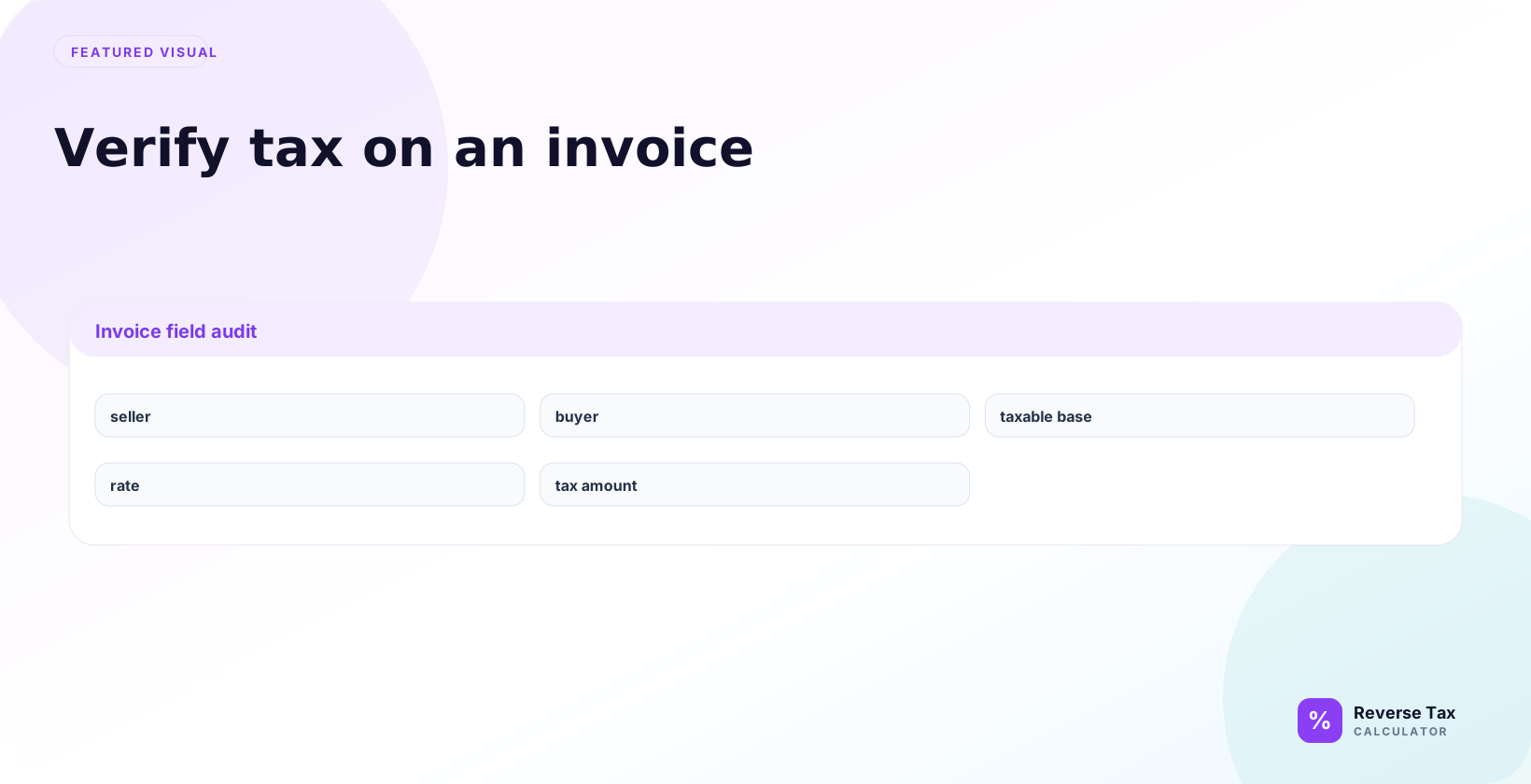
Invoice tax verification checks whether the printed tax line matches the invoice subtotal, tax rate, taxable base, and final tax-inclusive total. The forward check multiplies the taxable subtotal by the rate, while the reverse check divides the gross total by the tax multiplier to recover the net amount. Invoice mismatches usually come from rounding, exempt lines, discounts, shipping, reverse-charge treatment, or using the wrong rate.
The arithmetic is simple. The difficult part is deciding what belongs in the taxable base.
How Do You Verify Invoice Tax?
Use this workflow:
- Identify taxable invoice lines.
- Exclude non-taxable or exempt lines.
- Apply the correct tax rate to the taxable base.
- Compare your calculated tax with the invoice tax.
- Check rounding and multiple-rate lines before flagging an error.
Formula:
Invoice tax = Taxable base multiplied by tax rate
If the invoice is tax-inclusive:
Pre-tax base = Tax-inclusive amount divided by (1 plus tax rate)
What Does It Mean to Verify Tax on an Invoice?
Invoice tax verification means checking whether the invoice tax line is mathematically and structurally reasonable. It does not automatically prove legal correctness.
A strong verification answers four questions:
| Question | Why it matters |
|---|---|
| What was taxed? | Defines the taxable base |
| Which rate was used? | Connects tax to jurisdiction and date |
| How was tax rounded? | Explains penny differences |
| Were exemptions or fees handled separately? | Prevents false error flags |
Which Invoice Fields Matter Most?
The most important invoice fields are invoice date, seller, buyer, item lines, subtotal, discounts, shipping, taxable base, tax rate, tax amount, and total. These fields show whether the invoice tax was calculated from the correct base and whether reverse tax should use the gross total, shown tax amount, or line-level groups.
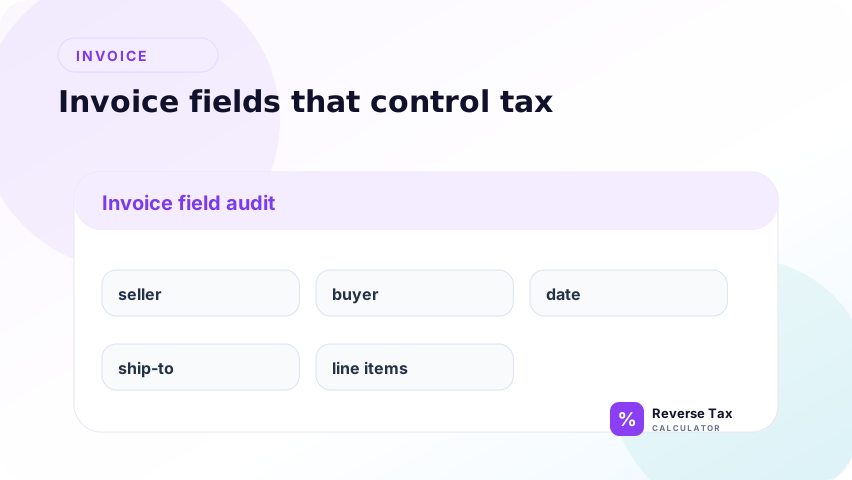
An invoice usually has more tax clues than a receipt. Use them.
Seller Information
Seller name, address, tax registration number, and invoice issuer can affect where you verify the transaction. The seller record helps confirm whether the invoice belongs to the expected legal entity, store location, marketplace account, or service provider. It also helps when an invoice uses one billing address but another shipping or service location. For audit support, keep seller details with the calculation so the tax check can be tied back to the original issuer.
Buyer Information
Buyer location, exemption certificate status, and ship-to address can affect the taxable treatment. A business buyer may have an exemption certificate, resale certificate, direct pay permit, or special contract term that changes the visible tax result. A consumer buyer may still have different sourcing facts based on delivery address. Buyer details matter because the same seller and item can produce different tax outcomes for different buyers.
Invoice Date
Rates and rules can change over time. Verify the rate for the transaction date, not only the current date. This is especially important for older invoices, subscription invoices, backdated service periods, and credit memos tied to prior sales. A current rate lookup can make an old invoice look wrong even when it was correct on the invoice date, so date discipline protects the verification from false exceptions.
Ship-To or Service Location
Sales tax, GST, VAT, and similar consumption taxes often depend on place of supply, delivery location, or sourcing rules. For goods, the ship-to address is often the strongest clue. For services, the place of use, customer location, performance location, or contract terms may matter. If the location field is missing or inconsistent, the invoice tax can be mathematically correct but still unverifiable from the document alone.
Line Items
Line descriptions reveal whether goods, services, shipping, discounts, deposits, or fees are included. This is where most invoice tax verification problems begin because the subtotal may contain taxable products, exempt products, non-taxable services, shipping, installation, environmental fees, credits, or deposits. Treat each material line as an entity with attributes such as category, amount, taxability, rate, and evidence. That entity-first review is stronger than verifying only the invoice total.
How Do You Verify the Taxable Base?
Verify the taxable base by identifying which invoice lines were subject to tax before the rate was applied. The taxable base may exclude exempt items, non-taxable shipping, discounts, deposits, or credits. If the base is wrong, the tax amount will be wrong even when the rate is correct.
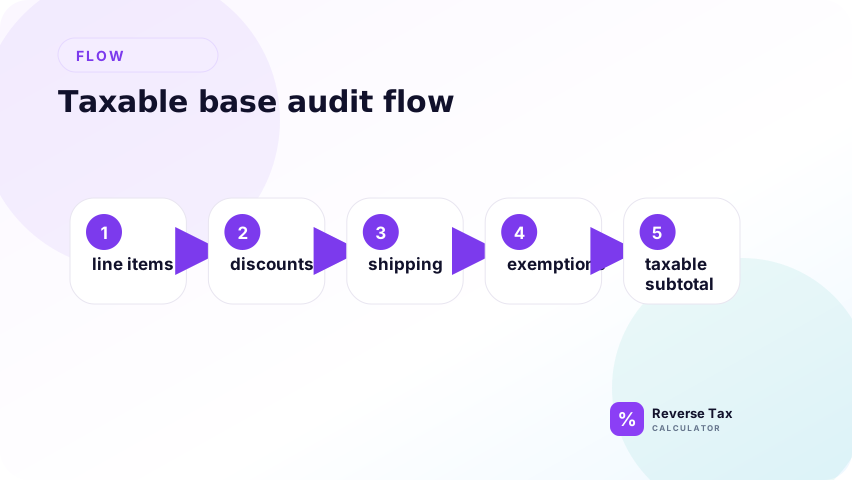
Start with the invoice subtotal, then adjust it.
Taxable base = taxable goods plus taxable services plus taxable fees minus taxable discounts
Do not automatically use the invoice subtotal. Some lines may be exempt or non-taxable.
How Do You Verify the Tax Rate?
Verify the tax rate against the transaction date, jurisdiction, tax type, product category, and invoice labels. Do not assume the current rate applies to an old invoice, and do not use a state-only rate when the invoice used a combined local rate.
Use the rate shown on the invoice if it is visible. Then compare it with the official rate for the relevant jurisdiction and date when the use case is compliance-sensitive.
If the invoice does not show a rate, calculate the effective rate:
Effective rate = Tax amount divided by taxable base
This tells you what percentage the invoice implies.
How Do You Verify the Tax Amount?
Verify the tax amount by multiplying the taxable base by the tax rate, then comparing the result with the invoice tax line. Small differences may come from rounding, but larger differences usually mean the taxable base, rate, or invoice structure needs review.
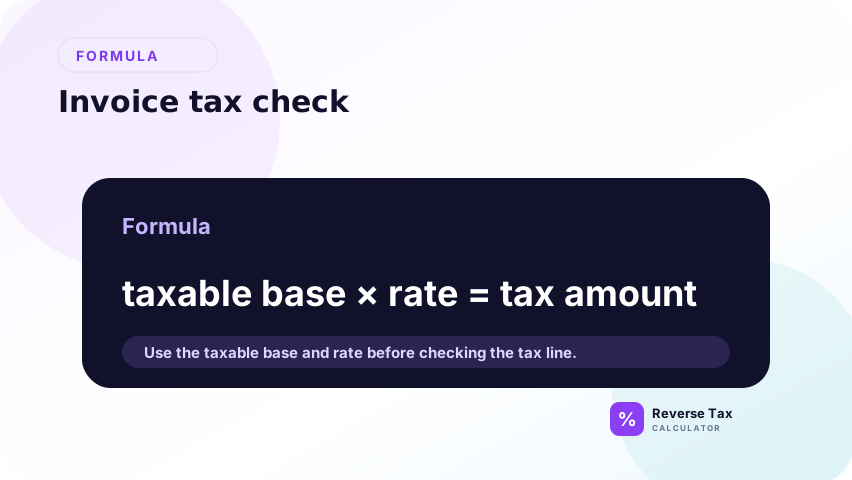
Use this formula:
Tax amount = Taxable base multiplied by tax rate
Example:
Taxable base: $1,250.00
Rate: 8%
Expected tax = $1,250.00 multiplied by 0.08 = $100.00
If the invoice tax line is $100.00, the arithmetic matches.
How Do You Verify the Invoice Total?
Verify the invoice total by rebuilding it from the invoice parts: taxable base, exempt lines, tax amount, shipping, discounts, fees, and credits. The rebuilt total should match the invoice total except for rounding. If it does not match, review the sequence of discounts and charges.
After checking tax, recalculate the final amount.
Invoice total = taxable lines plus non-taxable lines plus tax plus fees minus discounts minus credits
This prevents a common mistake: verifying the tax line but missing a credit memo, deposit, payment, or adjustment that changes the final balance.
What If the Invoice Has Multiple Tax Rates?
If the invoice has multiple tax rates, verify each tax group separately. A single reverse formula for the whole invoice can fail when one line uses VAT, another uses a reduced rate, and another is exempt. Group-level checks are safer than total-level estimates.
Do not average the rates first. Group lines by rate.
A multiple-rate invoice should be treated like several small invoices inside one document. Each group needs its own taxable base, rate, tax amount, and rounding check. The invoice total is only a final reconciliation layer after the groups are verified. This protects the review from blended-rate errors, especially when food, clothing, shipping, service fees, and exempt items appear together.
Single Rate Invoice
One taxable base multiplied by one rate is enough when every taxable line is subject to the same rate and the invoice has no exempt, reduced-rate, or special-fee lines. Even then, confirm that discounts and shipping were handled before calculating the base. A single-rate invoice is the safest case for a total-level reverse tax calculation because the relationship between subtotal, rate, tax, and total is clean.
Multiple Rate Invoice
Calculate each tax group separately because the final tax line may be the sum of several smaller calculations. A multiple-rate invoice cannot be checked reliably by dividing total tax by total invoice amount unless the result is used only as an implied blended signal. The stronger method is to map each line to a tax group, calculate tax inside that group, then reconcile group tax to the invoice tax total.
Example:
| Group | Taxable base | Rate | Tax |
|---|---|---|---|
| Standard goods | $500.00 | 8% | $40.00 |
| Reduced-rate item | $200.00 | 4% | $8.00 |
| Exempt item | $100.00 | 0% | $0.00 |
| Total | $800.00 | Mixed | $48.00 |
A blended rate would hide this structure.
How Do Discounts Affect Invoice Tax?
Discounts affect invoice tax when they reduce the taxable base before tax is calculated. A post-tax credit may reduce the amount due without changing the original taxable base. The invoice should show whether discounts appear before or after the tax line.
Discount timing matters.
If the discount reduces the taxable price before tax, calculate tax after the discount. If the discount is a payment adjustment after tax, it may not reduce tax.
Invoice systems do not always label this clearly, so check whether the taxable base matches the pre-discount or post-discount amount.
How Do Shipping and Delivery Affect Invoice Tax?
Shipping and delivery affect invoice tax when they are included in or excluded from the taxable base. If shipping is taxable, it may belong in the base. If it is non-taxable, it should be separated before reverse tax. Invoice wording and jurisdiction rules matter.
Shipping and delivery can be taxable, exempt, or partially taxable depending on jurisdiction and product type. Treat shipping as its own line until you verify its rule.
If shipping was included in the taxable base, the implied rate may match the invoice. If you exclude taxable shipping by mistake, the invoice will appear overcharged.
How Do Exemption Certificates Affect Invoice Tax?
Exemption certificates can explain why an invoice has no tax or reduced taxable sales. They should be matched to the customer, transaction date, product type, and invoice. Without exemption support, an untaxed invoice may need further review.
If the buyer has an exemption certificate, some or all tax may be removed from the invoice. The invoice should usually preserve evidence of the exempt treatment in the customer record, order record, or exemption field.
For audit and reimbursement work, do not assume zero tax is an error. Check whether the buyer, item, or transaction was exempt.
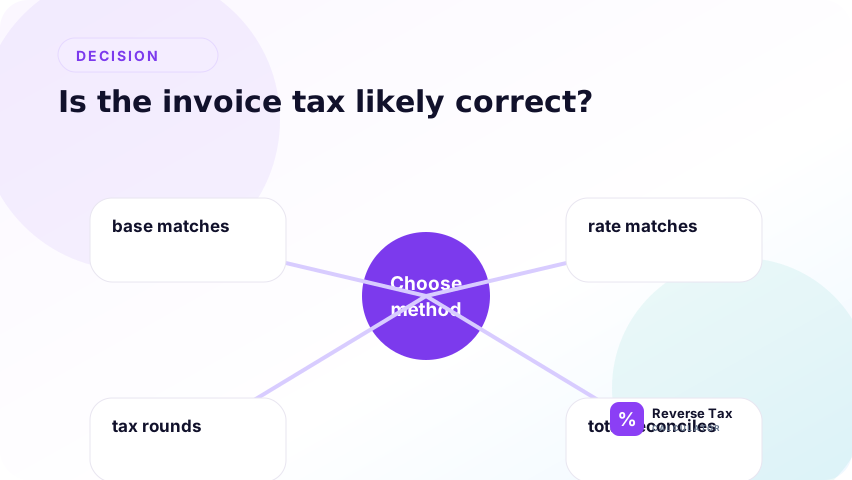
Decision Matrix: Is the Invoice Tax Likely Correct?
| Finding | Likely status | Next action |
|---|---|---|
| Tax matches taxable base and rate | Likely correct | Save calculation |
| Difference is one cent | Likely rounding | Check line-level rounding |
| Difference is large | Needs review | Check taxable base and rate |
| Effective rate is lower than official rate | Possibly exempt lines | Separate taxable and exempt items |
| Effective rate is higher than official rate | Possible fee or special tax | Review fee lines |
| No tax charged | Could be exempt or wrong | Check exemption and nexus facts |
Operational Invoice Verification Table
| Step | Action | Evidence to keep |
|---|---|---|
| 1 | Save original invoice | PDF, image, or system record |
| 2 | Capture invoice date | Rate period support |
| 3 | Identify location | Ship-to, service place, or store |
| 4 | Classify lines | Taxable, exempt, fee, discount |
| 5 | Verify rate | Invoice rate or official lookup |
| 6 | Recalculate tax | Spreadsheet or calculator record |
| 7 | Compare differences | Rounding or error note |
Common Invoice Tax Errors
| Error | How it appears | How to test it |
|---|---|---|
| Wrong rate | Tax line does not match jurisdiction | Calculate effective rate |
| Wrong base | Tax matches subtotal poorly | Remove exempt or fee lines |
| Discount mistake | Tax calculated before or after discount unexpectedly | Compare both bases |
| Shipping mistake | Tax too high or low | Test with and without shipping |
| Rounding mismatch | Difference is one or two cents | Recalculate by line and by total |
| Mixed rates hidden | Effective rate looks unusual | Group items by tax category |
How Do You Verify Tax on a Tax-Inclusive Invoice?
For a tax-inclusive invoice, divide the gross amount by 1 plus the rate to calculate the net amount, then subtract the net amount from the gross amount to calculate tax. If the invoice already shows tax separately, use the shown value as the primary evidence.
Some invoices include tax in the listed price. In that case, remove tax first.
Formula:
Pre-tax amount = Tax-inclusive amount divided by (1 plus rate)
Tax = Tax-inclusive amount minus pre-tax amount
Example:
Tax-inclusive amount: $540.00
Rate: 8%
Pre-tax amount = $540.00 divided by 1.08 = $500.00
Tax = $40.00
How Do You Verify an Invoice When the Rate Is Missing?
If the rate is missing, use invoice subtotal and total to infer the rate only when the subtotal is the taxable base. If the invoice shows tax amount, divide tax amount by taxable base. If only the gross total is visible, the rate cannot be verified reliably from that number alone.
Calculate the implied rate:
Implied rate = Tax amount divided by taxable base
Then compare that implied rate with the rate expected for the invoice location and date.
If the invoice has multiple rates, an implied single rate may be only a blended signal.
Example: Fast Invoice Tax Check
A fast invoice tax check should still follow the evidence sequence: identify taxable base, confirm rate, calculate expected tax, rebuild total, and document any variance. The goal is not speed alone. It is to avoid accepting an invoice total that cannot be supported by its own lines.
An invoice shows a $900.00 taxable base, $72.00 tax, and a $972.00 total.
Implied rate = $72.00 divided by $900.00 = 8%
Rebuilt total = $900.00 plus $72.00 = $972.00
The arithmetic matches. The remaining question is whether 8% was the correct rate for that invoice date, location, and item type.
What Documentation Should You Keep?
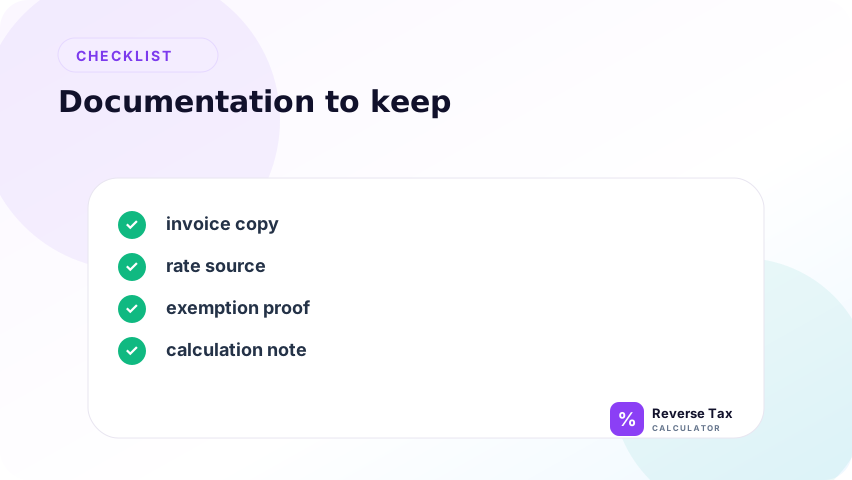
Keep the invoice, calculation, official rate lookup, exemption documentation if relevant, and any notes about assumptions.
IRS Publication 463 says documentary evidence such as receipts, canceled checks, or bills is generally needed to support expenses, and adequate evidence ordinarily shows amount, date, place, and essential character. It also warns that approximated or estimated amounts are not enough for certain substantiation. That makes a transparent invoice verification record more useful than a silent guess.
Information Gain: Invoice Tax Verification Is a Base Audit First
The main information gain is that invoice tax verification starts with the taxable base, not the formula. Most invoice mismatches happen because the wrong lines were included or excluded before tax was calculated. The formula only confirms the structure after the base is defined.
Many pages teach only the multiplication formula. The better workflow verifies the base first.
A wrong taxable base can make a correct rate look wrong. A wrong rate can make a correct taxable base look wrong. Separating those two failure points is the fastest way to find the real issue.
Trust Boundary for Invoice Tax Verification
Invoice verification is a calculation and documentation workflow. It does not decide taxability, exemption validity, filing treatment, or whether a seller complied with local rules. Use official guidance and source records for compliance-sensitive decisions.
A calculator can verify arithmetic, show the implied rate, and reveal mismatches. It cannot determine every legal taxability rule without jurisdiction, date, place of supply, item classification, exemption status, and invoice terms.
Use this process for review and reconciliation. For filing, disputes, or audit defense, confirm the rule with the official tax authority or a qualified tax professional.
If the invoice rate is missing, use calculating receipt tax when the rate is missing as the next evidence workflow.
If the invoice shows the tax amount but not the base, use pre-tax price from known tax amount.
If the invoice has many line items, the itemized receipt reverse tax method is safer than a single total-level formula.
Frequently Asked Questions
How do I check if invoice tax is correct?
Identify the taxable base, multiply it by the tax rate, and compare the result with the invoice tax line. Then rebuild the invoice total from subtotal, tax, discounts, shipping, credits, and fees. If your tax result differs by one or two cents, check whether the seller rounded by line instead of by total. If the difference is larger, review the rate and taxable base before assuming the seller made an error.
Should I use subtotal or taxable subtotal?
Use taxable subtotal. The full subtotal may include exempt items, discounts, non-taxable services, deposits, or non-taxable fees that should not be multiplied by the tax rate. If the invoice does not show taxable subtotal, build it from line items. This keeps the verification tied to tax base logic instead of using a convenient subtotal that may be too broad.
Why is invoice tax off by one cent?
Invoice tax is often off by one cent because the seller may round tax by line while you rounded tax at the invoice total level. The difference can also come from quantity-level rounding, imported system precision, or multiple tax components rounded separately. A one-cent variance is usually a rounding investigation, not proof of a wrong tax rate.
Can I verify tax if the invoice does not show a rate?
Yes, if you know the taxable base and tax amount. Divide tax by taxable base to find the implied rate, then compare that rate with the expected rate for the invoice location, date, and item category. If the invoice has multiple tax groups, the implied rate may be blended. In that case, use it as a diagnostic clue rather than a final compliance answer.
Does invoice verification prove legal compliance?
No. Invoice verification proves whether the arithmetic is reasonable and whether the invoice can be supported by visible fields. Legal compliance requires taxability, jurisdiction, exemption, sourcing, registration, and filing review. A correct calculation can still use the wrong rule, and a strange-looking calculation can sometimes be explained by an exemption, reduced rate, or special local tax.
Sources and Notes
- Formula source: arithmetic relationship between taxable base, tax rate, tax amount, and tax-inclusive total.
- IRS Publication 463, Recordkeeping and How To Prove Expenses
- Accuracy note: verify official tax rates and taxability rules with the relevant tax authority for the transaction date and location.