Finding pre-tax price from tax amount means treating the printed tax as a percentage of the taxable base, not as a percentage of the final total. The formula divides the tax amount by the tax rate as a decimal, then checks the result by adding the tax back to the base. The calculation needs one rate and one taxable base; split rates, rounded tax lines, exemptions, discounts, and taxable shipping can change the result.
Formula:
Pre-tax price = Tax amount divided by tax rate
If the tax amount is $6.00 and the rate is 7.5%, the pre-tax price is $6.00 divided by 0.075, which equals $80.00.
What Is the Formula?
If you know the tax amount and the tax rate, divide the tax amount by the tax rate:
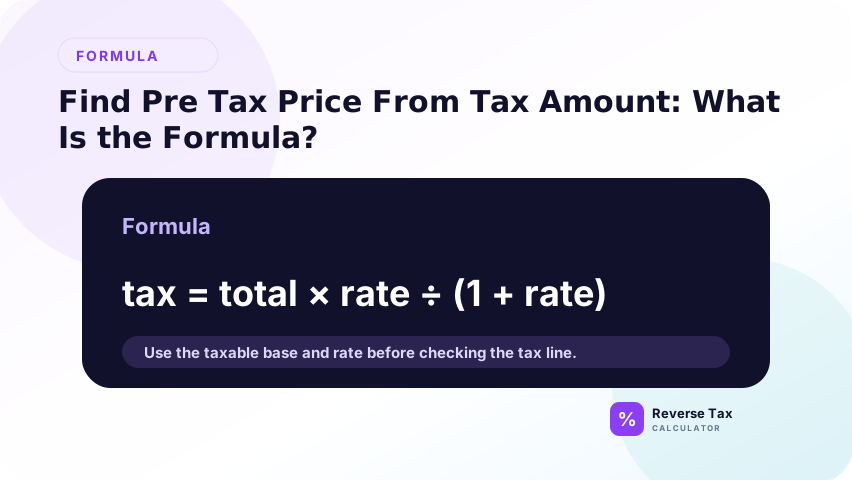
Pre-tax price = Tax amount / Tax rate
This formula works because tax amount equals pre-tax price multiplied by rate. It should not be confused with removing tax from a total, which uses a different formula.
Use this formula:
Pre-tax price = Tax amount divided by rate
Then calculate total if needed:
Total = Pre-tax price plus tax amount
The most common mistake is dividing by 7.5 instead of 0.075. A percentage must be converted to a decimal before the formula is used.
What Does It Mean to Know Only the Tax Amount?
Knowing only the tax amount means you can see the tax charged, but not the original taxable base. This happens on receipts, invoices, reimbursement forms, credit card exports, and accounting summaries.
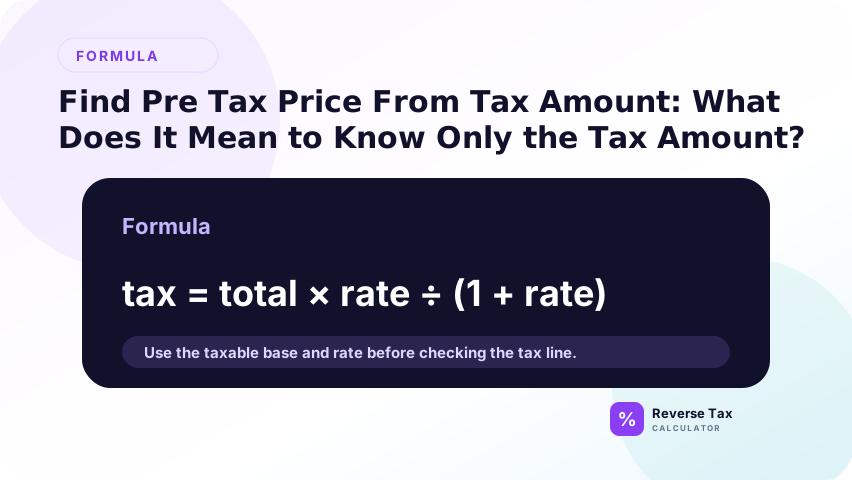
A tax amount is not a full calculation by itself. It tells you how much tax was charged, but it does not tell you the rate or the taxable base unless at least one of those two missing pieces is known.
Why Is Tax Amount Alone Not Enough?
Tax amount alone can match many possible pre-tax prices.
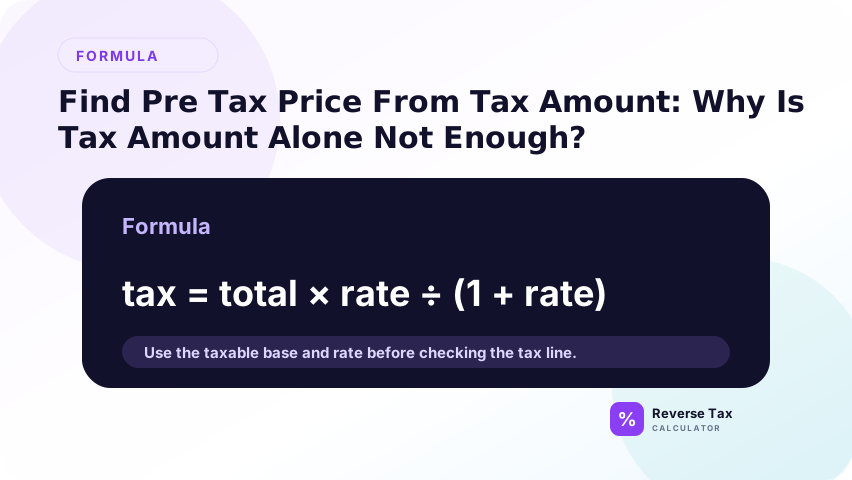
For example, a $5.00 tax amount could mean:
| Tax amount | Rate | Pre-tax price |
|---|---|---|
| $5.00 | 5% | $100.00 |
| $5.00 | 6.25% | $80.00 |
| $5.00 | 8% | $62.50 |
| $5.00 | 10% | $50.00 |
The same tax amount creates different pre-tax prices under different rates.
How Do You Convert a Tax Percentage to a Decimal?
Convert a tax percentage to a decimal by dividing by 100. For example, 8% becomes 0.08, 20% becomes 0.20, and 5% becomes 0.05. This matters because the formula original price equals tax amount divided by decimal rate. If you divide by 8 instead of 0.08, the result will be 100 times too small.
Divide the percentage by 100. An 8% rate becomes 0.08, a 13% rate becomes 0.13, and a 20% rate becomes 0.20.
This conversion is required because the formula divides by the decimal rate. If you divide by 8 instead of 0.08, the result will be 100 times too small.
Divide the percentage by 100.
5% Rate
5% becomes 0.05.
7.5% Rate
7.5% becomes 0.075.
8.25% Rate
8.25% becomes 0.0825.
The decimal rate is what the formula needs.
How Do You Find Pre-Tax Price from Tax Amount and Rate?
Use:
Pre-tax price = Tax amount / Decimal rate
Example: if tax amount is $8.00 and the rate is 8%, divide $8.00 by 0.08. The pre-tax price is $100.00.
This method requires both values. Tax amount alone is not enough.
Follow three steps:
- Convert the tax rate to a decimal.
- Divide the tax amount by the decimal rate.
- Add tax back if you need the final total.
Example:
Tax amount: $9.25
Tax rate: 9.25%
Decimal rate: 0.0925
Pre-tax price = $9.25 divided by 0.0925 = $100.00
Total = $100.00 plus $9.25 = $109.25
How Do You Find the Total After Finding Pre-Tax Price?
After finding the pre-tax price, add the tax amount back:
Total = Pre-tax price + Tax amount
If pre-tax price is $100.00 and tax amount is $8.00, the total is $108.00. This rebuilt total is also a useful QA check.
Add the tax amount to the pre-tax price.
Example:
Pre-tax price: $80.00
Tax amount: $6.00
Total = $86.00
This is useful when a receipt export gives separate tax but not a final tax-inclusive line.
How Does This Differ from Removing Tax from a Total?
This method starts with tax amount. Reverse tax from a total starts with a tax-inclusive total. The formulas are different because the known values are different.
If you know total and rate, divide total by 1 plus rate. If you know tax amount and rate, divide tax amount by rate. The reverse tax formula covers the total-and-rate case.
Removing tax from a total uses a different formula.
If you know total and rate:
Pre-tax price = Total divided by (1 plus rate)
If you know tax amount and rate:
Pre-tax price = Tax amount divided by rate
The first formula starts with a tax-inclusive amount. The second formula starts with the tax itself.
Receipt Example with Known Tax Amount
Suppose a receipt shows tax of $6.40 and the rate is 8%. The pre-tax price is:
$6.40 / 0.08 = $80.00
The total is:
$80.00 + $6.40 = $86.40
This is useful when the receipt shows tax but not a clear subtotal.
A receipt shows:
Tax: $4.80
Rate: 6%
Pre-tax price = $4.80 divided by 0.06 = $80.00
Total = $84.80
If the receipt also contains exempt items, this pre-tax price is only the taxable base, not necessarily the full merchandise subtotal.
Invoice Example with Known Tax Amount
Suppose an invoice shows VAT of GBP 20.00 at 20%. The net price is:
GBP 20.00 / 0.20 = GBP 100.00
The gross price is:
GBP 100.00 + GBP 20.00 = GBP 120.00
If the invoice already shows net price, use the invoice value as direct evidence.
An invoice shows:
Sales tax: $18.75
Rate: 7.5%
Taxable services and goods = $18.75 divided by 0.075 = $250.00
If the invoice subtotal is $300.00, the difference may be non-taxable, discounted, or separately charged.
What If the Rate Is Missing?
If the rate is missing, tax amount alone cannot identify the pre-tax price. The same tax amount can come from many different rates and bases.
You need another value, such as subtotal, total, jurisdiction rate, or source tax line detail. The page on calculating receipt tax when the rate is missing explains that evidence path.
You cannot find the exact pre-tax price from tax amount alone. You need the rate.
If you know the total as well, you can calculate the rate:
Pre-tax price = Total minus tax amount
Rate = Tax amount divided by pre-tax price
If total is missing too, the result is unknowable from the numbers alone.
What If the Tax Amount Combines Multiple Taxes?
If the tax amount combines multiple taxes, identify whether the rates share the same base. If they are additive on the same base, divide the total tax amount by the combined rate.
If the taxes apply to different bases or are stacked, split the calculation. One combined tax amount may not reveal one clean pre-tax price.
Some receipts combine state, county, city, district, GST, PST, VAT, or special taxes into one line. If the combined rate applies to the same taxable base, the formula still works.
If different taxes apply to different bases, the formula can mislead.
Same Base
If a state tax and local tax both apply to the same $100.00 taxable base, use the combined rate.
Different Base
If one tax applies to goods and another applies to lodging, alcohol, prepared food, or services, separate the bases before calculating.
How Does Rounding Affect the Pre-Tax Price?
Tax is often rounded to the nearest cent. That means the pre-tax price you calculate can be off by a few cents, especially on small receipts.
Example:
Tax amount: $0.08
Rate: 7.25%
Calculated base = $0.08 divided by 0.0725 = $1.1034
A seller may have taxed $1.10 and rounded tax to $0.08.
Round the final display to cents, but keep extra decimal places during calculation.
Decision Matrix: Can You Solve It?
| Known fields | Can you find pre-tax price? | Method | Confidence |
|---|---|---|---|
| Tax amount and rate | Yes | Tax divided by rate | High |
| Tax amount and total | Yes | Total minus tax | High |
| Tax amount only | No | Need another field | Low |
| Tax amount, rate, exempt items | Partly | Finds taxable base only | Medium |
| Combined tax amount, combined rate | Yes if same base | Tax divided by combined rate | Medium to high |
Operational Table: From Tax Amount to Pre-Tax Price
| Step | Action | Example |
|---|---|---|
| 1 | Identify tax amount | $12.00 |
| 2 | Verify rate | 8% |
| 3 | Convert rate | 0.08 |
| 4 | Divide tax by rate | $12.00 divided by 0.08 |
| 5 | Calculate pre-tax price | $150.00 |
| 6 | Add tax if total is needed | $162.00 |
What Should You Do If the Result Does Not Match the Receipt?
Rebuild the receipt. Add the calculated pre-tax amount and known tax amount, then compare the result with the receipt total.
If the rebuilt total does not match, check whether the tax amount includes multiple taxes, whether the rate is wrong, whether the receipt includes exempt items, or whether the tax amount was rounded.
Check these issues before assuming the seller made an error.
The Tax Amount May Be Rounded
One-cent differences are common.
The Receipt May Include Exempt Lines
Your calculated pre-tax price may represent only taxable lines.
The Rate May Be Wrong
State-only rates often miss local additions.
Discounts May Change the Base
Some discounts reduce the taxable base before tax appears.
Fees May Be Treated Separately
Shipping, delivery, service charges, deposits, and tips may not share the same tax treatment.
How Do You Use This Formula in a Spreadsheet?
A spreadsheet is useful when many receipt or invoice lines show tax amounts but not taxable bases.
Use one column for tax amount, one column for rate, one column for decimal rate, and one column for calculated taxable base.
| Field | Spreadsheet action | Example |
|---|---|---|
| Tax amount | Enter the visible tax | 6.50 |
| Rate | Enter the percentage | 8.125% |
| Decimal rate | Percentage cell can stay formatted as percent | 8.125% |
| Taxable base | Tax amount divided by rate | 80.00 |
If the rate is entered as 8.125 instead of 8.125%, divide by 100 first. This small formatting issue is one of the most common causes of wildly wrong spreadsheet results.
How Do You Audit Several Known Tax Amounts at Once?
Use spreadsheet columns for source ID, tax amount, rate, calculated pre-tax price, rebuilt total, original total, and variance.
Filter rows with blank rate, negative values, unusual rates, and non-zero variance. Batch calculations are safer when each row keeps its source evidence and method visible.
Group lines before calculating. Do not combine tax amounts from different rates unless the taxes apply to the same taxable base.
Group by Rate
Create one group for 5%, one for 7.5%, one for 8.25%, and so on. Then divide each group tax by its own rate.
Group by Tax Type
Separate sales tax, lodging tax, excise tax, VAT, GST, PST, QST, and service taxes if they appear separately. They may not all apply to the same base.
Group by Item Category
Separate merchandise, food, shipping, digital goods, services, deposits, and fees when the invoice gives enough detail.
Example: Known Tax Amount with Exempt Items
An invoice shows:
Subtotal: $220.00
Tax: $8.00
Rate: 8%
Taxable base = $8.00 divided by 0.08 = $100.00
This does not mean the invoice subtotal should be $100.00. It means $100.00 of the invoice appears taxable at 8%. The other $120.00 may be exempt, non-taxable, discounted, or outside the tax base.
This example gives a useful audit clue. Instead of asking why the tax does not equal 8% of $220.00, the better question is which $100.00 of the invoice was taxable.
Example: Known Tax Amount with a Tax-Inclusive Payment
Sometimes a payment report shows tax amount and payout amount, not invoice subtotal.
Payment collected: $216.00
Tax included in payment: $16.00
Pre-tax amount = $216.00 minus $16.00 = $200.00
Implied rate = $16.00 divided by $200.00 = 8%
When total and tax are both known, subtraction is stronger than dividing tax by an assumed rate because it uses the actual receipt fields first.
Information Gain: Taxable Base Is Not Always the Subtotal
Many calculators treat pre-tax price and subtotal as the same thing. That is sometimes wrong.
The formula finds the taxable base behind the tax amount. If the receipt includes exempt items, the taxable base can be smaller than the visible subtotal. This distinction is useful for invoice audits and reimbursement review because it explains why a tax line may be mathematically correct even when it does not match the full subtotal.
Trust Boundary for Known Tax Amount Calculations
This calculation can identify a mathematical taxable base. It cannot decide whether the seller applied the correct tax rule.
IRS Publication 463 is a useful recordkeeping reference for U.S. expense documentation because it explains that documentary evidence generally includes receipts, canceled checks, or bills, and that adequate evidence ordinarily shows amount, date, place, and the essential character of the expense. Sales tax rules, however, must be checked with the state, local, or country-level tax authority.
For receipt totals where the tax amount is not separated, use remove tax from a receipt instead.
For invoices with tax lines, use invoice tax verification to compare shown tax, net price, and gross price.
Frequently Asked Questions
Can I find pre-tax price from tax amount only?
No. You also need the tax rate or the final total.
What is the formula if I know the tax amount and rate?
Pre-tax price equals tax amount divided by decimal tax rate.
Do I divide by 7.5 or 0.075?
Use 0.075. Percentages must be converted to decimals.
Why is my answer different by one cent?
The receipt may round tax at the item level or the total level.
Does this formula work for VAT or GST?
Yes, if the tax amount and rate apply to one taxable base. For tax-inclusive totals, use the reverse tax formula instead.
Sources and Notes
- Formula source: arithmetic relationship between tax amount, tax rate, taxable base, and total.
- IRS Publication 463, Recordkeeping and How To Prove Expenses
- Accuracy note: verify official taxability rules before using a reconstructed base for compliance, audit, or dispute purposes.