Taxable and tax-exempt transactions produce different reverse tax results because only taxable transactions include recoverable tax in the final price. A taxable receipt can be divided by the correct multiplier to find the net price, while an exempt receipt may already equal the untaxed amount. Exemption certificates, zero-rated goods, nonprofit purchases, resale transactions, mixed baskets, and local rules can change which lines contain tax. The reverse calculation should follow the taxable lines.
What Is a Taxable Transaction?
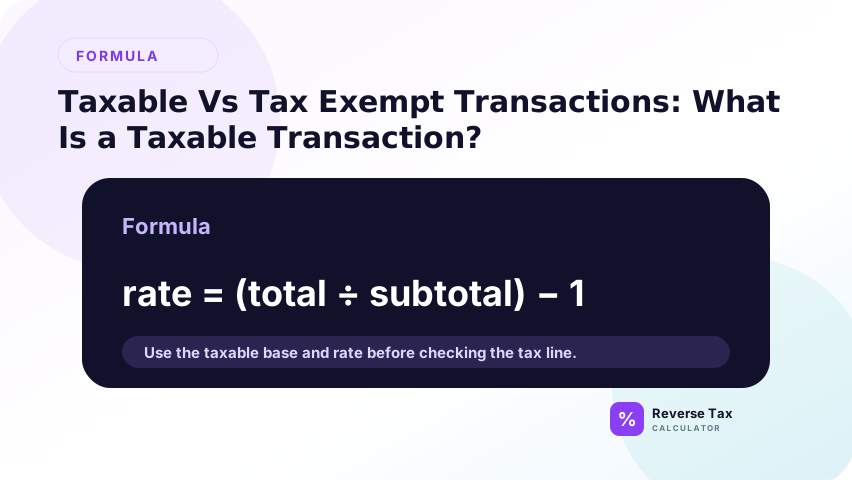
A taxable transaction is a transaction where the tax authority requires tax to be charged, collected, or included. In a sales-tax setting, this often means a taxable good or service sold to a non-exempt buyer in a taxable location.
| Element | Taxable transaction question |
|---|---|
| Item or service | Is this type of sale taxable? |
| Buyer | Is the buyer exempt? |
| Seller | Is the seller required to collect? |
| Location | Does tax apply in this jurisdiction? |
| Use | Is the purchase for taxable or exempt use? |
| Documentation | Is exemption certificate or proof required? |
What Is a Tax-Exempt Transaction?
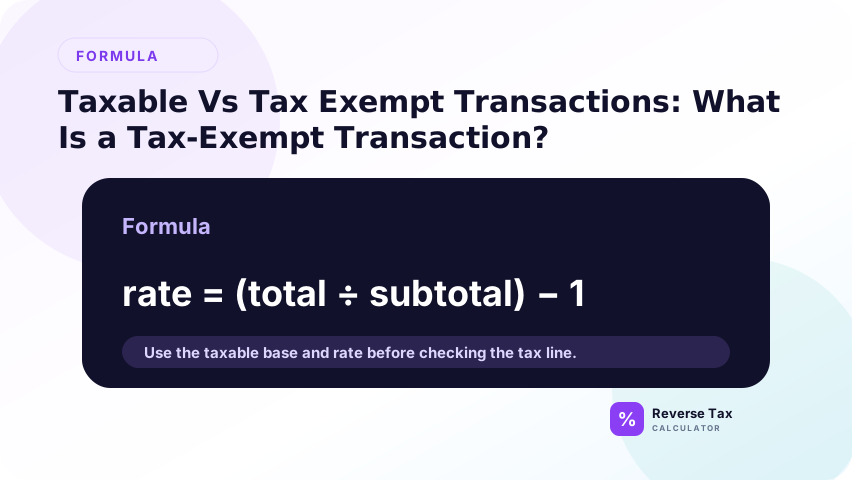
A tax-exempt transaction is one where no tax applies under the relevant rule. Exemption can come from different sources:
| Exemption type | Example concept |
|---|---|
| Item exemption | Product category is exempt |
| Buyer exemption | Exempt organization or government buyer |
| Use exemption | Purchase for resale or exempt use |
| Threshold exemption | Item below a price threshold |
| Location exemption | No applicable tax in the jurisdiction |
| Zero rate | Taxable category charged at 0 percent in some VAT systems |
The exact rules vary by jurisdiction.
Taxable vs Tax-Exempt Comparison
| Question | Taxable | Tax-exempt |
|---|---|---|
| Is tax included? | Usually yes if tax-inclusive | No |
| Should reverse tax be used? | Yes, if total includes tax | No for exempt amount |
| Does rate matter? | Yes | Usually no |
| Does documentation matter? | Sometimes | Often |
| Can it appear on same receipt? | Yes | Yes |
Why Taxability Matters for Reverse Tax
Taxability matters because reverse tax should be applied only to amounts that actually included tax. A receipt can contain taxable items, exempt items, zero-rated items, shipping, fees, and tips. If you reverse the entire total at one rate, you may remove tax from exempt amounts and understate revenue or pre-tax price.
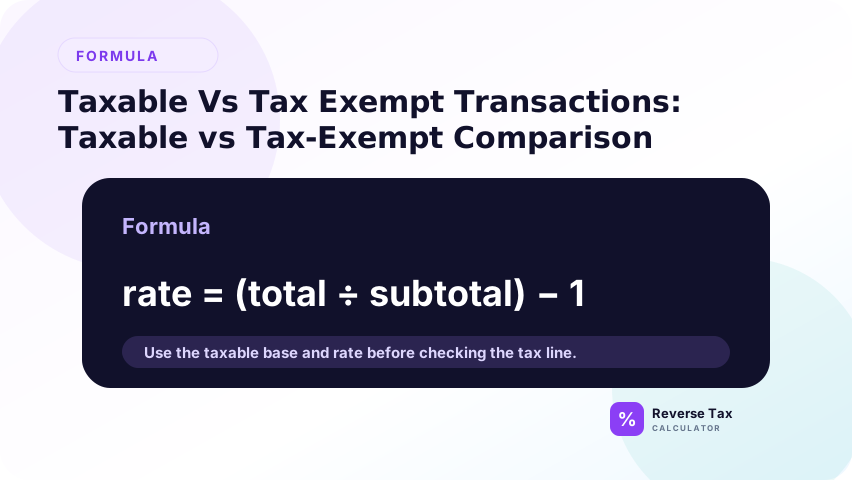
Reverse tax assumes tax is inside the total.
If the amount is exempt, the multiplier should be 1.00:
100.00 / 1.00 = 100.00
If the amount is taxable at 8 percent:
108.00 / 1.08 = 100.00
The two totals can look similar, but the interpretation is different.
Example 1: Fully Taxable Transaction
A fully taxable transaction is the cleanest reverse tax case because the whole taxable amount uses one rate. Divide the tax-inclusive total by 1 plus the rate to find the pre-tax amount, then subtract to find tax. This example should not be copied onto mixed receipts with exempt or zero-rated lines.
Suppose a tax-inclusive total is 216.00 and the rate is 8 percent.
216.00 / 1.08 = 200.00
216.00 - 200.00 = 16.00
The pre-tax amount is 200.00, and the included tax is 16.00.
Example 2: Fully Exempt Transaction
Suppose a receipt total is 200.00 and the transaction is exempt.
There is no tax to remove:
| Component | Amount |
|---|---|
| Total | 200.00 |
| Tax rate | 0 percent |
| Pre-tax amount | 200.00 |
| Included tax | 0.00 |
Do not divide by a standard local rate if the transaction was exempt.
Example 3: Mixed Taxable and Exempt Transaction
Suppose a receipt total is 254.00:
| Component | Amount |
|---|---|
| Taxable items after tax | 108.00 |
| Exempt items | 146.00 |
| Total | 254.00 |
Reverse only the taxable part:
108.00 / 1.08 = 100.00
108.00 - 100.00 = 8.00
The exempt amount stays 146.00. Total pre-tax value is:
100.00 + 146.00 = 246.00
Total included tax is 8.00.
Example 4: Exempt Buyer, Normally Taxable Item
Suppose a product is normally taxable, but the buyer provides valid exemption documentation. The receipt shows:
| Field | Amount |
|---|---|
| Item price | 500.00 |
| Tax | 0.00 |
| Total | 500.00 |
Do not reverse the 500.00 by the normal local rate. The transaction did not include tax.
This example shows why taxability depends on the transaction, not only on the item category.
Example 5: Taxable Item with a Non-Taxable Fee
Suppose a receipt shows:
| Field | Amount |
|---|---|
| Taxable item after tax | 108.00 |
| Non-taxable fee | 12.00 |
| Total | 120.00 |
Reverse only the taxable item amount:
108.00 / 1.08 = 100.00
Included tax:
108.00 - 100.00 = 8.00
The 12.00 fee is not part of the reverse-tax base in this example.
Transaction, Item, and Buyer Exemption
Taxability is not always just about the product.
| Exemption basis | What it means | Reverse-tax effect |
|---|---|---|
| Item exempt | The product category is not taxed | No tax to remove from that item |
| Buyer exempt | Buyer has exempt status | Tax may not apply |
| Use exempt | Purchase is for exempt use or resale | Tax may not apply if documented |
| Seller not required | Seller may not collect | Use tax may still matter |
| Location exempt | No rate applies | Use 0 percent for that tax |
This distinction is important because the same item can be taxable in one transaction and exempt in another.
Taxability Entity Map
Taxability depends on relationships between entities:
| Entity | Relationship |
|---|---|
| Item | May be taxable, exempt, zero-rated, or reduced-rated |
| Buyer | May be taxable or exempt |
| Seller | May be required or not required to collect |
| Location | Determines applicable jurisdiction rules |
| Use | Can change exemption status |
| Document | Provides evidence for exemption |
| Tax line | Shows whether tax was charged |
For reverse tax, the tax line and taxable base are the immediate calculation inputs. The other entities explain why the tax line exists or does not exist.
Decision Matrix
| Situation | Reverse-tax action |
|---|---|
| Entire total taxable at one rate | Reverse full total |
| Entire total exempt | Do not reverse tax |
| Mixed taxable and exempt items | Separate first |
| Exempt buyer certificate used | Treat documented exempt amount separately |
| Resale purchase | Verify documentation |
| Zero-rated VAT item | Rate may be 0 percent |
| Unknown taxability | Do not assume, verify rule |
How to Read a Receipt for Taxability
Look for:
| Receipt clue | Meaning |
|---|---|
| Taxable subtotal | Best base for rate calculation |
| Exempt subtotal | Do not reverse tax from this amount |
| Tax code per line | Group by code |
| Asterisk or symbol | May identify taxable items |
| Tax exempt label | Indicates no tax charged |
| Multiple tax lines | May indicate multiple tax bases |
If the receipt does not show enough detail, the reverse calculation may be an estimate.
Taxable vs Exempt Operational Workflow
Use this workflow before removing tax:
- Read the receipt or invoice line labels.
- Separate lines marked exempt, non-taxable, or zero tax.
- Group taxable lines by rate.
- Remove non-taxable fees, optional tips, or credits if they are not part of the taxable base.
- Reverse each taxable group with its rate.
- Add exempt amounts back after calculating taxable pre-tax amounts.
- Check the reconstructed total against the original total.
This workflow is especially useful for grocery, restaurant, nonprofit, resale, and business purchasing records.
Common Mistakes
Common mistakes include treating every receipt total as taxable, removing tax from exempt items, ignoring exemption certificates, mixing zero-rated and exempt concepts, and using a rate formula before identifying taxable lines. The safest workflow is to classify each line before calculating reverse tax.
The practical fix is to create separate groups before calculating: taxable, exempt, zero-rated, non-taxable fee, tip, shipping, discount, and refund. Reverse tax applies only to the taxable group that actually includes tax. If the classification is unclear, the result should be marked as an estimate until source records or official guidance confirm treatment.
Removing Tax from Exempt Amounts
This understates the real pre-tax amount and overstates tax.
Assuming Product Taxability Is Universal
Product taxability varies by jurisdiction.
Ignoring Buyer Exemption
An exempt buyer can change the tax result even when the item is normally taxable.
Treating Zero-Rated and Exempt as Identical
They can look the same to a shopper because both may show no tax, but they can differ for tax reporting in VAT systems.
Using One Rate on a Mixed Receipt
Separate taxable and exempt amounts first.
Assuming Exemption Means No Recordkeeping
Some exemptions require documentation. Reverse tax can show that no tax was charged, but it cannot prove that an exemption was properly documented.
What a Reverse Tax Calculator Can and Cannot Prove
| Calculator can prove | Calculator cannot prove |
|---|---|
| Arithmetic split from a rate and total | Legal taxability |
| Tax amount included in a taxable total | Valid exemption certificate |
| Effect of using 0 percent | Whether seller should have collected tax |
| Difference between mixed and full taxable total | Official compliance treatment |
This keeps the page honest and strengthens trust. The calculator is a math tool, not a legal ruling.
Example: Same Total, Different Taxability
Two receipts can both show 108.00 but mean different things.
| Receipt | Taxability | Interpretation |
|---|---|---|
| Receipt A | Taxable at 8 percent | 100.00 pre-tax plus 8.00 tax |
| Receipt B | Exempt | 108.00 exempt amount plus 0.00 tax |
Receipt A:
108.00 / 1.08 = 100.00
Receipt B:
108.00 / 1.00 = 108.00
The same total does not prove the same tax amount. Taxability determines the calculation.
Why This Page Supports Rate Selection
Rate selection and taxability are linked. You cannot choose the correct rate until you know what part of the transaction is taxable.
| If taxability is unknown | Rate problem |
|---|---|
| Exempt item included | Rate appears too low |
| Zero-rated item included | Tax amount may be 0 |
| Buyer exemption used | Standard rate may not apply |
| Mixed item receipt | One rate may not explain total |
| Special charge included | Tax base may be wrong |
This is why taxability pages belong inside the rate cluster, not only inside a legal-tax cluster.
What This Page Does Not Cover
| Topic | Better page |
|---|---|
| Clothing, food, and shipping taxability | Clothing, Food, and Shipping Taxability |
| Choosing a rate | How to Choose the Correct Tax Rate |
| Multiple items | Reverse Tax Example with Multiple Items |
| Receipt examples | Reverse Tax Example Using a Receipt |
Frequently Asked Questions
What is the difference between taxable and tax exempt?
Taxable means tax applies. Tax exempt means tax does not apply because of a rule, item, buyer, use, or location.
Do I use reverse tax on exempt items?
No. If no tax was included, there is no tax to remove.
What if a receipt has taxable and exempt items?
Separate the exempt amount, then reverse only the tax-inclusive taxable amount.
Is zero-rated the same as exempt?
Not always. Both may produce no tax charged to the customer, but they can have different reporting meanings in VAT systems.
How do I know if an item is taxable?
Check the receipt, seller documentation, and official tax authority guidance for the jurisdiction and date.
Sources and Verification Notes
These notes support verification boundaries. Reverse tax can calculate the tax portion of a taxable amount, but it cannot decide whether an item is legally taxable or exempt without jurisdiction, product category, date, buyer status, and documentation. Use official tax authority guidance and source records for compliance-sensitive taxability decisions.
- Formula source: arithmetic relationship between taxable base, tax rate, and tax-inclusive total.
- Accuracy note: taxability is jurisdiction-specific and product-specific. Verify official rules before using results for compliance.