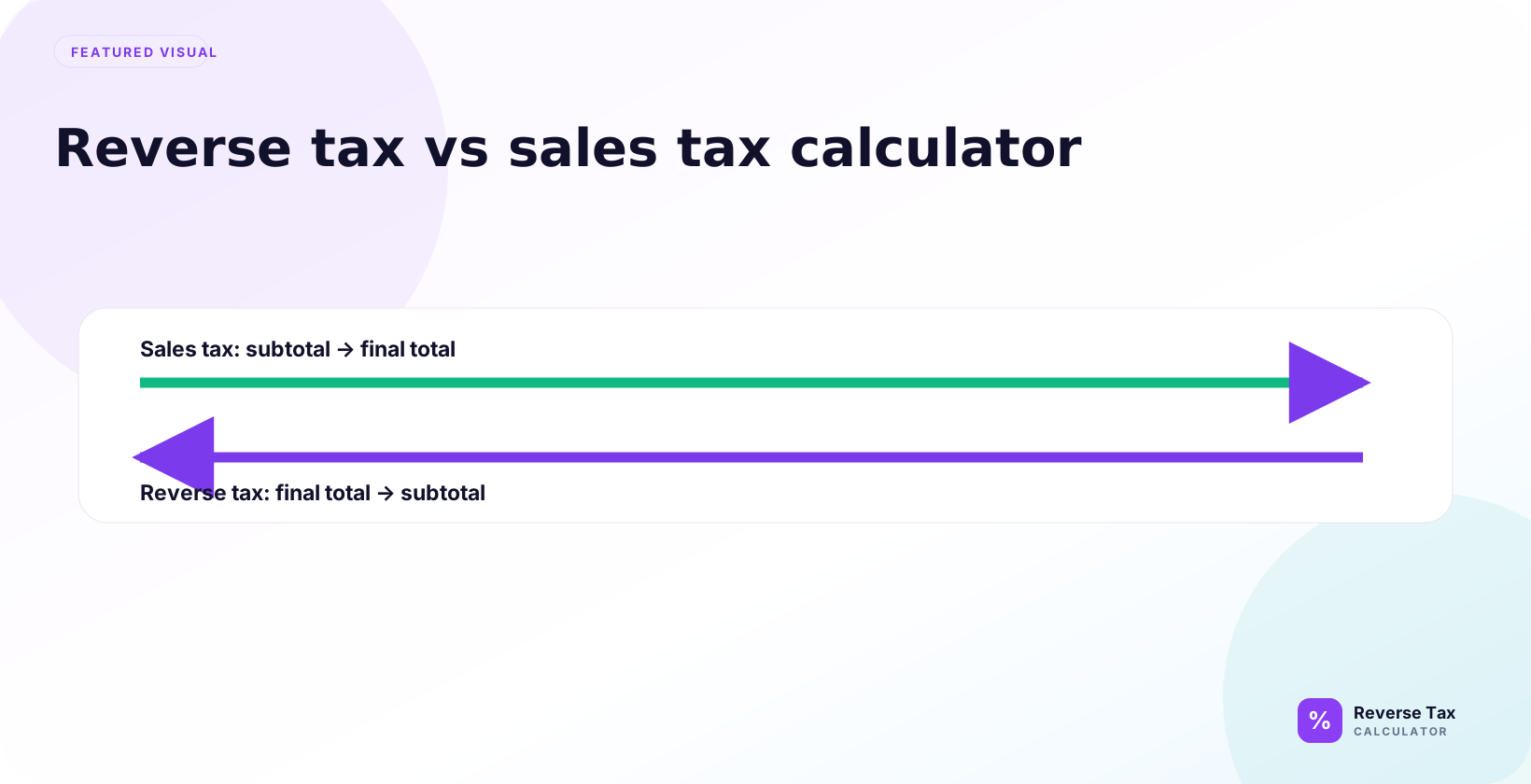
A reverse tax calculator starts with a tax-inclusive total and works backward, while a sales tax calculator starts with a before-tax price and adds tax forward. Reverse tax returns the net price and included tax; sales tax returns the final price and tax added. The calculator choice depends on the known value: use reverse tax for receipts and gross prices, and use sales tax for quotes, checkout estimates, and pre-tax pricing.
This page explains the difference, when to use each calculator, how the formulas compare, why using the wrong tool changes the result, and how to choose the correct workflow for receipts, invoices, refunds, VAT, GST, and sales tax.
What Is the Difference?
The difference is calculation direction. A sales tax calculator starts with a tax-exclusive price and adds tax. A reverse tax calculator starts with a tax-inclusive total and removes tax.
If the price is $100.00 before 8% tax, a sales tax calculator gives $108.00. If the total is $108.00 including 8% tax, a reverse tax calculator gives $100.00 before tax and $8.00 tax.
What Does a Sales Tax Calculator Do?
A sales tax calculator adds tax to a before-tax amount. It answers questions such as “What is the total after tax?” or “How much tax will be added at checkout?”
Formula:
Total = Pre-tax price * (1 + Tax rate)
Use this tool when the price excludes tax and the customer-facing total still needs to be calculated.
The input is the important clue. If the amount is a quote, shelf price, subtotal, or net price before tax, a sales tax calculator is probably the right direction. If the amount already came from a receipt total, it may not be.
What Does a Reverse Tax Calculator Do?
A reverse tax calculator removes included tax from a total. It answers questions such as “What was the before-tax price?” or “How much tax is inside this total?”
Formula:
Pre-tax price = Tax-inclusive total / (1 + Tax rate)
Use this tool when the total already includes tax. The reverse tax formula page explains the math in more detail.
The reverse tool is most useful when the source document hides or omits the before-tax amount. It does not add a new tax charge. It separates the amount already inside the total into base and tax portions.
Formula Comparison
The two formulas are inverse operations.

| Tool | Starting value | Formula | Output |
|---|---|---|---|
| Sales tax calculator | Pre-tax price | Price * (1 + rate) | Total after tax |
| Reverse tax calculator | Total after tax | Total / (1 + rate) | Pre-tax price |
The same rate can appear in both formulas, but the starting value decides which formula is correct.
When Should You Use a Sales Tax Calculator?
Use a sales tax calculator when you know the before-tax price and need to estimate the final total. Common use cases include price quotes, checkout previews, retail estimates, and customer-facing totals before payment.
The price should be tax-exclusive. If the price already includes tax, adding tax again will overstate the final total.
This tool is forward-looking. It answers what the customer may pay after tax is added. That makes it useful for estimating a purchase, but not for reconstructing a receipt that already includes tax.
When Should You Use a Reverse Tax Calculator?
Use a reverse tax calculator when you know the tax-inclusive total and need to separate the before-tax amount from the included tax. Common use cases include receipts, invoices, refunds, VAT-inclusive prices, GST-inclusive totals, and gross sales reports.
If the receipt already shows the tax amount, subtract that amount from the total. If only the rate is known, use the reverse divisor.
Why Using the Wrong Calculator Breaks the Result
Using a sales tax calculator on a tax-inclusive total adds tax twice. Using a reverse tax calculator on a tax-exclusive price removes tax that was never included.

Example: $100.00 before tax at 8% should become $108.00. If you reverse $100.00 instead, you get $92.59, which is not the real before-tax price. The tool direction must match the price type.
This is why a price_type check should happen before formula selection. The calculator is not wrong when it returns a number. The problem is that the wrong calculator answered the wrong question.
Decision Table
| What you have | What you need | Use |
|---|---|---|
| Pre-tax price and rate | Total after tax | Sales tax calculator |
| Tax-inclusive total and rate | Pre-tax price | Reverse tax calculator |
| Total and tax amount | Pre-tax price | Subtract tax amount |
| Subtotal and total | Implied tax rate | Tax rate calculator |
| Mixed receipt | Group-level split | Itemized workflow |
This table is the fastest way to choose the correct calculator before entering numbers.

How This Applies to Receipts
Receipts often show the final total after tax. If the subtotal is missing and the tax rate is known, use a reverse tax calculator. If the receipt shows subtotal and tax separately, the calculator is mostly useful for checking.

If the receipt includes tips, gift cards, discounts, shipping, or exempt items, clean or split the receipt before calculating. The remove tax from receipt guide owns that workflow.
How This Applies to VAT and GST
VAT and GST prices may be tax-inclusive, especially in consumer-facing contexts. In that case, a reverse tax calculator is often the correct tool. A sales tax calculator is correct only when the VAT or GST still needs to be added.
The formula may look the same across VAT and GST, but the rate, category, and official tax treatment depend on the country and transaction.
How This Applies to Refunds
Refunds can be confusing because the refund total may include tax. If the refund record includes tax, use reverse tax to split the refund unless the tax amount is shown separately.
If the refund is partial, matched to an old sale, or includes restocking fees, verify the original transaction rate and taxable base before calculating.
Refunds are not new sales estimates, so a sales tax calculator is rarely the first tool. The better question is usually how much of the refunded total represents the original taxable base and how much represents returned tax.
How This Applies to Spreadsheets
Use a price_type column before formulas. Mark each row as tax-exclusive, tax-inclusive, shown-tax, or mixed. Then apply the matching formula.
This prevents the same formula from being copied across rows that need opposite calculations. A spreadsheet with both quotes and receipts should not use one calculator formula for all rows.
For quality control, add a formula_used or calculation_direction column. A row labeled “forward tax” should use multiplication. A row labeled “reverse tax” should use division. This makes formula audits much faster.
Common Mistakes
The common mistakes are adding tax to a tax-inclusive price, reversing a tax-exclusive subtotal, using a sales tax calculator when the receipt already includes tax, and using a reverse calculator when the rate is missing.
Another mistake is assuming a calculator can solve taxability. Both calculators need correct inputs and source context.
Users also confuse total, subtotal, gross price, and final paid amount. A card charge that includes tip or payment adjustments is not always the same as a tax-inclusive taxable total. Source labels should guide the tool choice.
Trust Boundary
This comparison explains calculator direction. It does not determine the correct tax rate, product taxability, exemption status, filing treatment, or whether tax should have been charged.
Use official tax authority guidance and original source documents for compliance-sensitive decisions.
Both calculators are math tools. They can help estimate or reverse tax, but they cannot verify the legal tax treatment of the transaction. The result should be checked against receipts, invoices, and official rules when accuracy matters.
Frequently Asked Questions
Is a reverse tax calculator the same as a sales tax calculator?
No. A sales tax calculator adds tax to a before-tax price. A reverse tax calculator removes included tax from a tax-inclusive total.
Which calculator should I use for a receipt?
Use a reverse tax calculator if the receipt total already includes tax and the subtotal is missing. If the receipt shows the tax amount separately, subtract the shown tax amount.
Which calculator should I use before checkout?
Use a sales tax calculator when the price shown before checkout excludes tax and you need to estimate the final total after tax.
Sources and Notes
- Formula source: arithmetic relationship between tax-exclusive price, tax-inclusive total, tax rate, and tax amount.