
Net-to-gross salary calculation estimates the gross salary needed to produce a known take-home pay after income tax, payroll tax, and required contributions. The calculation starts with net pay, applies the after-tax percentage or bracket structure, and returns a gross salary estimate before deductions. Accuracy depends on country, tax year, filing status, pay frequency, benefits, pension contributions, credits, deductions, and whether the tax rate is effective or marginal.
Formula:
Gross salary = Net pay / (1 - tax and deduction rate)
What Does Gross Salary from Net Pay Mean?
Gross salary from net pay means estimating the before-tax salary or pay amount needed to produce a known take-home amount.
| Term | Meaning |
|---|---|
| Gross salary | Pay before taxes and deductions |
| Net pay | Take-home pay after taxes and deductions |
| Net-to-gross | Working backward from net to gross |
| Gross-up | Increasing gross pay to hit a target net amount |
This calculation is common for salary planning, relocation packages, bonus payments, contractor comparisons, and payroll conversations.
Net Pay vs Gross Salary
Net pay and gross salary are not interchangeable.
| Feature | Gross salary | Net pay |
|---|---|---|
| Timing | Before tax and deductions | After tax and deductions |
| Used for | Offers, annual salary, payroll base | Take-home budgeting |
| Includes tax? | No tax removed yet | Tax already removed |
| Reverse calculation role | Unknown target | Known starting value |
If someone asks “what gross salary gives me this take-home pay,” they are asking a reverse income tax question.
Simple Net-to-Gross Formula
A simple net-to-gross formula estimates gross salary by dividing net pay by 1 minus an assumed tax rate. It is only a rough model because real payroll can include progressive tax brackets, Social Security or similar contributions, deductions, credits, benefits, and local taxes. Use it to explain the concept, not to guarantee payroll accuracy.
Use the flat-rate formula:
Gross pay = Net pay / (1 - total rate)
Where total rate means the assumed combined rate for taxes and deductions expressed as a decimal.
Example:
Gross pay = 3,000 / (1 - 0.25)
Gross pay = 3,000 / 0.75
Gross pay = 4,000
Step-by-Step Calculation
The step-by-step calculation starts with target net pay, identifies deductions and taxes that reduce pay, estimates gross pay, calculates tax and deductions, then compares the resulting net pay with the target. If the result is too low or too high, adjust gross and repeat. This iterative approach is safer than one flat-rate formula.
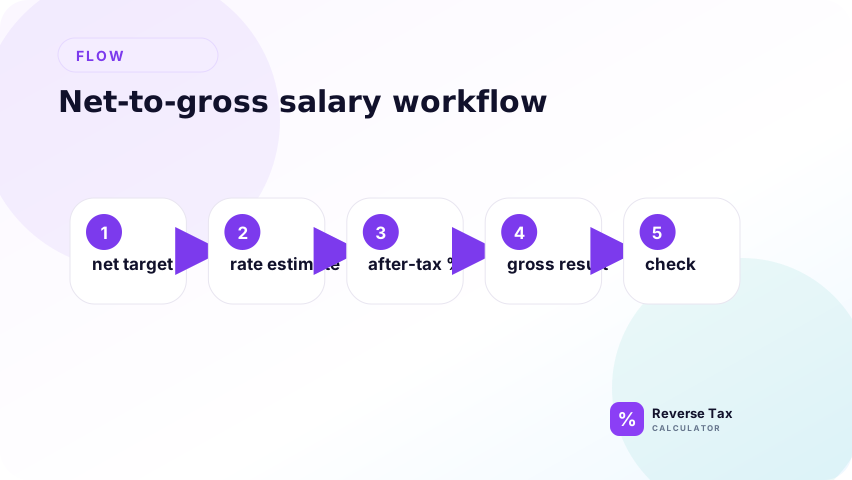
Use the steps as a model-building workflow. First define whether net pay is annual, monthly, weekly, or per paycheck. Then separate income tax, payroll taxes, pre-tax deductions, post-tax deductions, and credits. Then test a gross amount and compare the calculated net with the target. Repeat until the difference is within the acceptable tolerance.
Step 1: Choose the Net Pay Target
Start by defining the exact net pay target and the pay period. Net pay can mean monthly take-home pay, biweekly take-home pay, weekly pay, annual after-tax income, or a single paycheck amount. The gross salary result changes if the target is monthly instead of annual, or biweekly instead of semi-monthly.
Example:
Net pay = 3,000
Also define what is included in the net amount. Some users mean net after income tax only. Others mean net after income tax, payroll taxes, health insurance, retirement contributions, garnishments, and other deductions. A gross salary calculation is only as accurate as the net-pay definition.
Step 2: Estimate the Total Rate
Estimate the total rate that reduces gross pay to net pay. In a simple model, this rate can combine income tax, payroll tax, local tax, and deduction assumptions into one percentage. This shortcut is useful for explanation, but it is not the same as a real payroll calculation with brackets, wage bases, credits, and pre-tax deductions.
Example:
Tax and deduction rate = 25 percent
Decimal:
0.25
Convert the percentage to a decimal before using it in the formula. A 25 percent combined rate is written as 0.25. If a spreadsheet formula expects 0.25 and you enter 25, the calculation will be unusable. For a real estimate, document whether the rate is an assumed average rate, effective tax rate, withholding rate, or combined deduction rate.
Step 3: Find the After-Tax Percentage
Find the after-tax percentage by subtracting the combined rate from 1. The number 1 represents 100 percent of gross pay. If 25 percent is removed for taxes and deductions, 75 percent remains as net pay. This remaining percentage is the bridge between the known net amount and the unknown gross amount.
1 - 0.25 = 0.75
This means the target net pay represents 75 percent of the estimated gross pay. In plain language, you are asking: "What gross amount leaves 3,000 after 25 percent is removed?" That is why the next step divides by 0.75 instead of adding 25 percent to the net pay.
Step 4: Divide Net Pay by the After-Tax Percentage
Divide the net pay target by the after-tax percentage to estimate gross pay. This step solves backward from the amount the employee wants to keep. If 3,000 is 75 percent of gross pay, then gross pay must be 4,000 in this simplified model.
3,000 / 0.75 = 4,000
This is a flat-rate estimate. It works best when the combined rate behaves like a stable percentage of gross pay. It becomes weaker when the paycheck has progressive income tax, pre-tax retirement contributions, post-tax deductions, benefits, tax credits, wage-base-limited payroll taxes, or percentage contributions that change as gross pay changes.
Step 5: Check the Result
Check the result by calculating taxes and deductions forward from the estimated gross pay. The check should return the target net pay. If it does not, the rate, deductions, pay period, or formula structure may be wrong.
4,000 x 25 percent = 1,000
4,000 - 1,000 = 3,000
The check returns the target net pay.
For real payroll-style calculations, this check should become an iteration loop. Estimate gross pay, calculate taxes and deductions, compare calculated net pay with the target, then adjust gross pay until the result is close enough. This is why net-to-gross salary calculators often need jurisdiction, filing status, pay frequency, deductions, credits, and contribution details instead of only one tax percentage.
Example: Monthly Net to Gross
Suppose you want 5,000 monthly net pay and estimate 30 percent for taxes and deductions.
After-tax percentage:
1 - 0.30 = 0.70
Gross monthly pay:
5,000 / 0.70 = 7,142.86
Estimated tax and deductions:
7,142.86 - 5,000 = 2,142.86
| Component | Amount |
|---|---|
| Target monthly net | 5,000.00 |
| Assumed rate | 30 percent |
| Gross monthly pay | 7,142.86 |
| Estimated deductions | 2,142.86 |
Example: Annual Net to Gross
An annual net-to-gross example converts a yearly net target into an estimated gross salary. It should identify whether the net amount is after income tax only or after payroll taxes, benefits, retirement contributions, and other deductions. The more items included in net pay, the less reliable a simple formula becomes.
Suppose the desired annual net pay is 72,000 and the assumed combined rate is 28 percent.
After-tax percentage:
1 - 0.28 = 0.72
Gross annual salary:
72,000 / 0.72 = 100,000
Estimated taxes and deductions:
100,000 - 72,000 = 28,000
Example: Biweekly Net to Annual Gross
Suppose the desired biweekly net pay is 2,500 and the assumed combined rate is 25 percent.
Annual net estimate:
2,500 x 26 = 65,000
Gross annual salary:
65,000 / 0.75 = 86,666.67
Gross biweekly pay:
86,666.67 / 26 = 3,333.33
| Component | Amount |
|---|---|
| Target biweekly net | 2,500.00 |
| Pay periods | 26 |
| Annual net target | 65,000.00 |
| Estimated annual gross | 86,666.67 |
| Estimated biweekly gross | 3,333.33 |
This example shows why pay frequency must be defined before calculating.
Why Real Payroll Is More Complex
The flat-rate formula is simple, but real payroll can include:
| Payroll factor | Why it matters |
|---|---|
| Federal withholding | Uses withholding methods |
| State or local tax | Varies by location |
| Payroll taxes | May apply separately |
| Pre-tax deductions | Reduce taxable wages |
| Post-tax deductions | Reduce net pay after tax |
| Filing status | Affects withholding |
| Pay frequency | Changes withholding calculation |
| Credits and adjustments | Affect final withholding or tax |
IRS Publication 15-T provides federal income tax withholding methods for 2026. The IRS Tax Withholding Estimator asks for income, deductions, adjustments, and credits to estimate federal withholding.
What Inputs Do You Need?
| Input | Why it matters |
|---|---|
| Desired net pay | Starting target |
| Pay frequency | Converts monthly, annual, or paycheck values |
| Filing status | Affects withholding |
| Work location | Determines state and local taxes |
| Pre-tax deductions | Change taxable wages |
| Post-tax deductions | Change take-home pay |
| Benefits | May reduce or increase net pay |
| Bonus or salary type | May use different withholding treatment |
How Deductions Change the Calculation
Deductions can be pre-tax or post-tax.
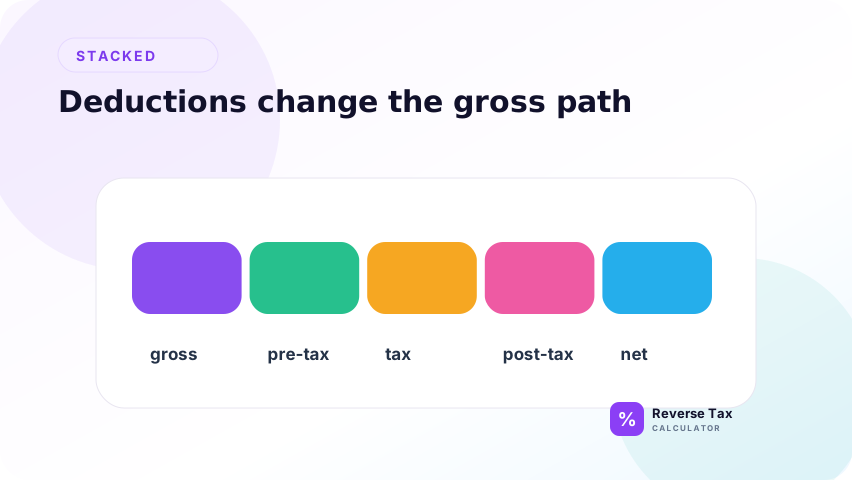
| Deduction type | Effect |
|---|---|
| Pre-tax deduction | Reduces taxable income before tax |
| Post-tax deduction | Reduces net pay after tax |
| Employer-paid benefit | May not reduce employee net |
| Garnishment | May reduce take-home pay separately |
If deductions are large, a simple flat-rate estimate may be misleading.
Example with Post-Tax Deduction
Suppose the target net pay after a 100 post-tax deduction is 3,000. The assumed tax rate is 20 percent.
First add the post-tax deduction back to the required after-tax pay:
3,000 + 100 = 3,100
Then gross up:
3,100 / 0.80 = 3,875
After tax:
3,875 - 775 = 3,100
After post-tax deduction:
3,100 - 100 = 3,000
Post-tax deductions change the net target because they happen after tax.
Example with Pre-Tax Deduction
Suppose gross pay is unknown, a pre-tax deduction is 200, and the desired net is 3,000 after 20 percent tax.
One simplified setup:
Taxable pay = Gross pay - 200
Net pay = Gross pay - 200 - tax
Because the deduction changes the taxable base, a simple one-line net-to-gross formula may not be enough. Payroll systems handle this more reliably through configured deduction rules.
How to Use an Iterative Net-to-Gross Method
An iterative net-to-gross method repeatedly tests a gross salary until calculated net pay matches the target. This is useful when taxes are progressive or deductions are percentage-based. Start with an estimate, calculate net, compare with the target, then increase or decrease gross. Spreadsheet goal seek or solver tools can automate the loop.
When taxes are progressive or deductions are complex, use iteration:
- Start with a gross pay guess.
- Estimate taxes and deductions.
- Calculate net pay.
- Compare net pay with the target.
- Increase or decrease gross pay.
- Repeat until the net pay is close.
This is how many payroll gross-up calculators behave behind the scenes.
What Official IRS Tools Add
The IRS Tax Withholding Estimator asks about income, deductions, adjustments, and credits. IRS Publication 15-T provides federal income tax withholding methods for employers and payroll systems.
That means the official process is not only:
net / after-tax percentage
It also depends on employee-specific and payroll-specific inputs.
| Official input area | Why it matters |
|---|---|
| Income | Determines taxable wages |
| Adjustments | Change taxable income |
| Deductions | Affect withholding estimate |
| Credits | Reduce tax |
| W-4 details | Inform employer withholding |
Net-to-Gross Salary Checklist
Before trusting a number, confirm:
| Check | Why it matters |
|---|---|
| Net target period | Weekly, biweekly, monthly, or annual |
| Tax rate assumption | Controls gross result |
| Pre-tax deductions | Change taxable wages |
| Post-tax deductions | Change take-home pay |
| State and local taxes | Add layers |
| Payroll taxes | May not equal income tax |
| Rounding | Affects paycheck display |
What If the Net Pay Target Is After Benefits?
If the net target is after benefits, the calculation must include the benefit deductions.
Example:
| Item | Amount |
|---|---|
| Desired cash take-home | 3,000 |
| Post-tax benefit deduction | 150 |
| Required after-tax pay before deduction | 3,150 |
At a 25 percent assumed tax rate:
3,150 / 0.75 = 4,200
The gross estimate is 4,200, not 4,000, because the post-tax deduction must also be covered.
What If the Salary Offer Is Annual but the Net Target Is Monthly?
Convert both values to the same period.
| Conversion | Formula |
|---|---|
| Monthly net to annual net | Monthly net x 12 |
| Annual gross to monthly gross | Annual gross / 12 |
| Biweekly net to annual net | Biweekly net x 26 |
| Weekly net to annual net | Weekly net x 52 |
Period mismatch is one of the easiest ways to overstate or understate gross salary.
Decision Matrix
| Situation | Best method |
|---|---|
| Simple planning estimate | Flat-rate formula |
| Bonus gross-up | Gross-up formula |
| Exact paycheck estimate | Payroll calculator |
| U.S. federal withholding planning | IRS Tax Withholding Estimator |
| Employer payroll processing | Publication 15-T or payroll system |
| Multiple jobs or credits | Official estimator or tax professional |
What a Net-to-Gross Calculation Can and Cannot Prove
| Can estimate | Cannot prove |
|---|---|
| Gross pay from assumed rate | Exact paycheck |
| Effect of a flat tax rate | Final annual tax liability |
| Difference between net and gross | Correct W-4 entries |
| Bonus gross-up math | Employer compliance |
The calculation is a planning tool unless it uses full payroll rules and current official inputs.
Common Mistakes
Common mistakes include using one flat tax rate for progressive taxes, ignoring pre-tax deductions, ignoring post-tax deductions, mixing annual and per-pay-period amounts, and treating credits like deductions. Gross salary from net pay is a model unless all withholding rules, deductions, credits, and contribution rules are known.
The highest-risk mistake is collapsing every adjustment into one tax percentage. A pre-tax retirement contribution, post-tax benefit deduction, tax credit, and payroll contribution can each change the calculation differently. A useful gross-up workflow classifies each adjustment first, then solves for gross pay with those rules rather than forcing one shortcut.
Using Net Pay as Gross Salary
Net pay is after deductions. Gross salary is before deductions.
Ignoring Pay Frequency
Monthly net pay and biweekly net pay should not be compared without converting periods.
Using One Rate for a Progressive Tax
Flat rates are estimates. Real withholding may change by income level.
Ignoring Pre-Tax Deductions
Pre-tax deductions can reduce taxable wages.
Confusing Withholding with Final Tax
Withholding is not always equal to final tax liability.
Ignoring Bonus or Supplemental Pay
Bonuses and supplemental wages may be handled differently by payroll systems. Do not assume regular salary withholding always applies.
Entity Map for Net-to-Gross Salary
| Entity | Role |
|---|---|
| Net pay target | Desired take-home amount |
| Gross salary | Amount before taxes and deductions |
| Pay period | Converts paycheck and annual values |
| Tax rate assumption | Simplifies the calculation |
| Withholding method | Controls real paycheck estimate |
| Pre-tax deduction | Changes taxable pay |
| Post-tax deduction | Changes final take-home pay |
| Payroll system | Applies official and employer rules |
The calculation is strongest when all entities are known and aligned to the same pay period.
What This Page Does Not Cover
| Topic | Better page |
|---|---|
| Reverse income tax definition | What Is a Reverse Income Tax Calculator? |
| Gross-up formula | Gross-Up Formula for Taxes |
| Reverse payroll tax | Reverse Payroll Tax Calculation |
| Reverse sales tax | Reverse Tax Formula |
Frequently Asked Questions
How do I calculate gross salary from net pay?
Divide net pay by the after-tax percentage. For example, if 75 percent remains after taxes and deductions, divide net pay by 0.75.
What gross salary gives 3,000 net?
If the assumed combined tax and deduction rate is 25 percent, 3,000 net requires 4,000 gross.
Is net-to-gross salary exact?
Only if all tax rules, deductions, pay frequency, and withholding inputs are correct.
Is gross-up the same as net-to-gross?
Gross-up is a type of net-to-gross calculation used to make the recipient whole after taxes.
Should I use IRS tools?
For U.S. federal withholding, the IRS Tax Withholding Estimator and Publication 15-T are official sources.
Sources
These sources support income-tax and withholding context, while examples on this page explain calculation logic. Use official tax authority calculators, payroll guidance, and jurisdiction-specific rules for real gross-up decisions. Use this page to understand why net-to-gross salary calculations usually need iteration and adjustment classification.
- IRS, Tax Withholding Estimator
- IRS, Publication 15-T, Federal Income Tax Withholding Methods for use in 2026