Mixed taxable and exempt items prevent one reverse tax formula from working on the full receipt total. Taxable lines must be separated from exempt lines before dividing the tax-inclusive taxable group by the tax multiplier. The final receipt total can include non-taxable products, discounts, shipping, tips, and rounded tax lines, so the taxable base must be rebuilt before calculating before-tax price and included tax. Each tax group needs its own rate.
This page explains how mixed items break simple reverse tax, how to split receipts into groups, how exemptions affect the formula, and how to check the result without overclaiming what the calculation proves.
What Are Mixed Taxable and Exempt Items?
Mixed taxable and exempt items are items on the same receipt that do not share the same tax treatment. Some items may be taxable, while others may be exempt, zero-rated, or outside the taxable base.
For example, a receipt could include taxable household goods and exempt grocery items. The grand total includes both, but tax applies only to part of the receipt.
Why Do Mixed Items Break One Reverse Formula?
One reverse formula assumes one tax-inclusive taxable base. Mixed items break that assumption because the grand total contains both taxed and untaxed amounts.
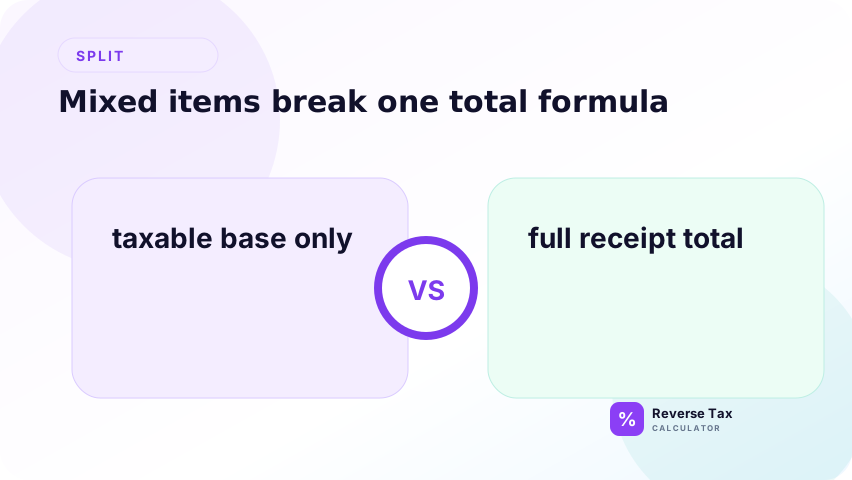
If you divide the whole receipt total by 1 plus the rate, you incorrectly treat exempt items as if they included tax. That understates the true before-tax amount for the receipt and distorts the tax amount.
The formula is not the problem. The problem is the input. A grand total containing taxed and untaxed items is not one clean tax-inclusive amount, so it should not be passed into one reverse-tax divisor.
What Is the Correct Method?
The correct method is to split the receipt into groups before calculating. Put taxable items in one group, exempt items in another group, and separately handle items with different rates.
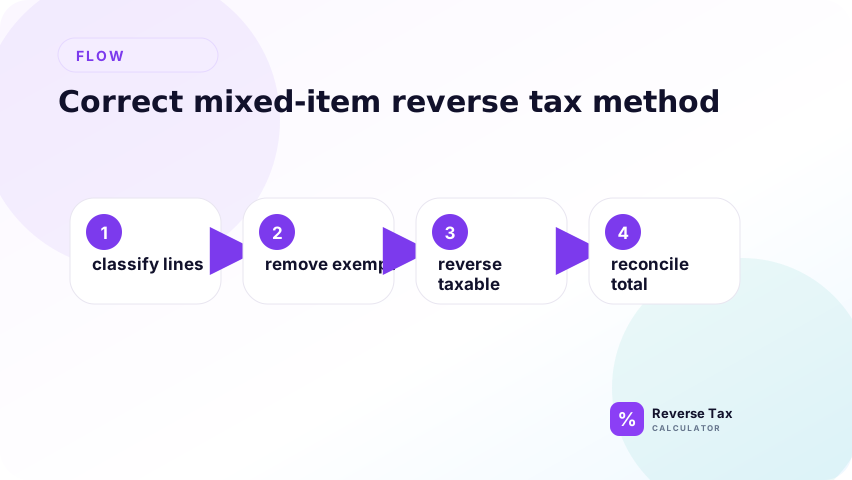
Reverse tax should apply only to the tax-inclusive taxable group. Exempt items should remain outside the divisor because no tax is being removed from them.
The method is group-first, formula-second. Identify the tax treatment of each line, group lines with the same treatment, then calculate each group. This keeps the math aligned with the receipt structure.
Simple Mixed Receipt Example
Assume a receipt has $108.00 of taxable goods including 8% tax and $20.00 of exempt goods. The grand total is $128.00.
Correct taxable base:
$108.00 / 1.08 = $100.00
Exempt amount:
$20.00
Total before tax:
$100.00 + $20.00 = $120.00
If you reverse the full $128.00, the result is wrong because the exempt $20.00 was never taxed.
The corrected receipt view has three parts: taxable before-tax sales, tax on those sales, and exempt sales. The customer paid all three, but only one part should be divided by 1 plus the tax rate.
How Exempt Items Affect the Tax Amount
Exempt items reduce the portion of the receipt that can produce tax. They may be part of the customer payment, but they are not part of the taxable base.
This distinction matters for bookkeeping. Revenue may include both taxable and exempt sales, while tax payable relates only to the taxable portion.
That means a reverse calculation can support a revenue split only when the taxable and exempt portions are separated. If they are not separated, the calculation may understate revenue and overstate tax.
How Zero-Rated Items Differ from Exempt Items
Zero-rated and exempt can both produce no visible tax on a receipt, but they can have different legal and reporting meanings depending on the tax system. A reverse calculator should not collapse them into one compliance category.
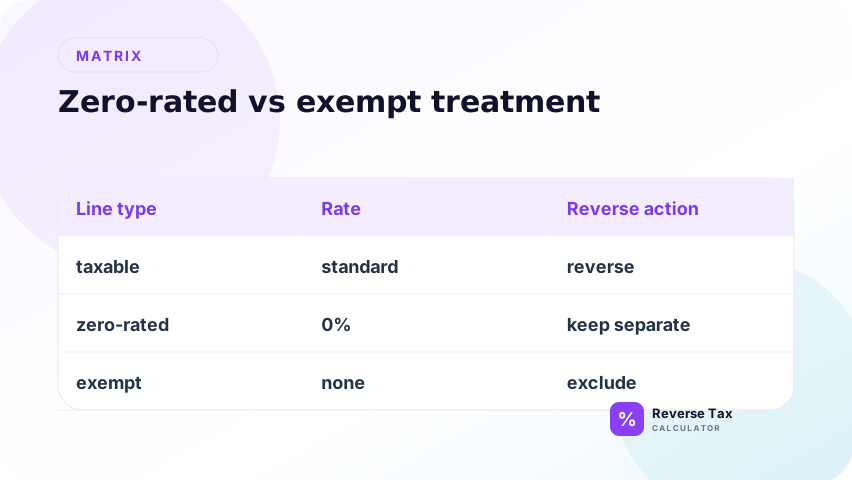
For the arithmetic, the key point is that neither should be reversed with a positive tax rate unless the source document shows tax was included.
How Multiple Rates Affect Mixed Receipts
Multiple rates create multiple taxable groups. If one item is taxed at 5% and another at 8%, each group needs its own reverse calculation.
The process is group-based: identify each taxable base, apply the correct rate to that group, calculate tax, and rebuild the receipt. Do not average the rates unless you are only doing a rough estimate.
This is closely related to the itemized receipt reverse tax workflow. The more detailed the receipt, the more the calculation should follow the receipt's line structure.
How Discounts Affect Mixed Items
Discounts can make mixed receipts harder because a discount may apply to all items, only taxable items, or only specific lines. If the discount changes the taxable base, apply it before reverse tax.
If the discount is a post-tax credit, handle it separately from the taxable base. The discounts and coupons reverse tax article explains that timing issue.
Discount allocation matters because a discount may reduce taxable and exempt items differently. If the discount applies only to taxable items, the taxable base changes. If it applies to the whole basket, the allocation method should be documented.
How Shipping Affects Mixed Items
Shipping may be taxable, exempt, or allocated across taxable and exempt items depending on the jurisdiction and transaction. A shipping line should not be forced into the taxable group unless the receipt or rule supports that treatment.
For calculation safety, identify whether shipping was taxed. If shipping has its own tax treatment, create a separate group.
Shipping should not be treated as a generic add-on. It can affect the taxable base, appear after tax, or be allocated across items. The safest calculation mirrors how the receipt or invoice treated the shipping line.
Mixed Receipt Decision Table
| Receipt condition | Reverse tax action |
|---|---|
| All items taxable at same rate | Use one formula |
| Taxable and exempt items | Split groups |
| Multiple tax rates | Reverse each rate group |
| Tax amount shown by group | Use shown amounts |
| Shipping separately taxed | Treat as its own group |
| Tip added after tax | Exclude from taxable base |
This table helps choose a calculation path, not a legal taxability classification.
How to Model Mixed Items in Spreadsheets
Use columns for item category, tax status, tax rate, tax-inclusive amount, pre-tax amount, tax amount, and group ID. Group IDs make it easier to rebuild the receipt by tax treatment.
Avoid one grand-total formula when the receipt is mixed. The spreadsheet should reflect the receipt structure rather than flattening everything into one row.
For stronger QA, add a group subtotal and group rebuilt total. The sum of group rebuilt totals should match the receipt total. If it does not, a line was likely assigned to the wrong group or a discount was allocated incorrectly.
How to Check the Result
After calculating each group, add the group pre-tax amounts, group tax amounts, exempt amounts, and non-tax payment items back together. The rebuilt total should match the original receipt total except for rounding.
If it does not match, check discount allocation, shipping, rounding, and whether every receipt line was assigned to the correct group.
The check should be performed after grouping, not before. A mismatch at the grand total level tells you little unless you can see which group caused it. Group-level checks make the error easier to find.
What This Page Does Not Decide
This page explains how mixed items affect reverse tax arithmetic. It does not decide whether a product is legally taxable, exempt, zero-rated, or outside scope.
Use official tax authority guidance and the original receipt or invoice for compliance-sensitive taxability decisions.
The page assumes tax treatment is already known or visible from the source document. It does not classify products, locations, exemptions, or rates. Those decisions belong to official guidance and tax-specific pages.
Trust Boundary
Mixed-item reverse tax is a calculation workflow. It can separate groups when the tax treatment is known, but it cannot determine the tax treatment on its own.
For business use, preserve the receipt line items and the reason each group was classified as taxable, exempt, or separately rated.
This recordkeeping note matters because mixed-item calculations are easy to misread later. The calculation should show not only the result, but also the grouping logic that produced the result.
Frequently Asked Questions
Can I reverse tax on the whole receipt if some items are exempt?
No. Split taxable and exempt items first. Reverse only the tax-inclusive taxable group. Exempt items should stay outside the divisor.
What if the receipt shows tax separately?
Use the shown tax amount when it is reliable. If the receipt shows tax by group, that is stronger evidence than reconstructing the groups from a single rate.
Can I use an average tax rate?
An average rate may be useful for rough analysis, but it should not be treated as an accurate reverse tax method for mixed receipts. Use group-level calculations for accuracy.
Sources and Notes
- IRS Publication 583 recordkeeping guidance
- Formula source: arithmetic relationship between taxable groups, exempt amounts, tax rates, and receipt total.