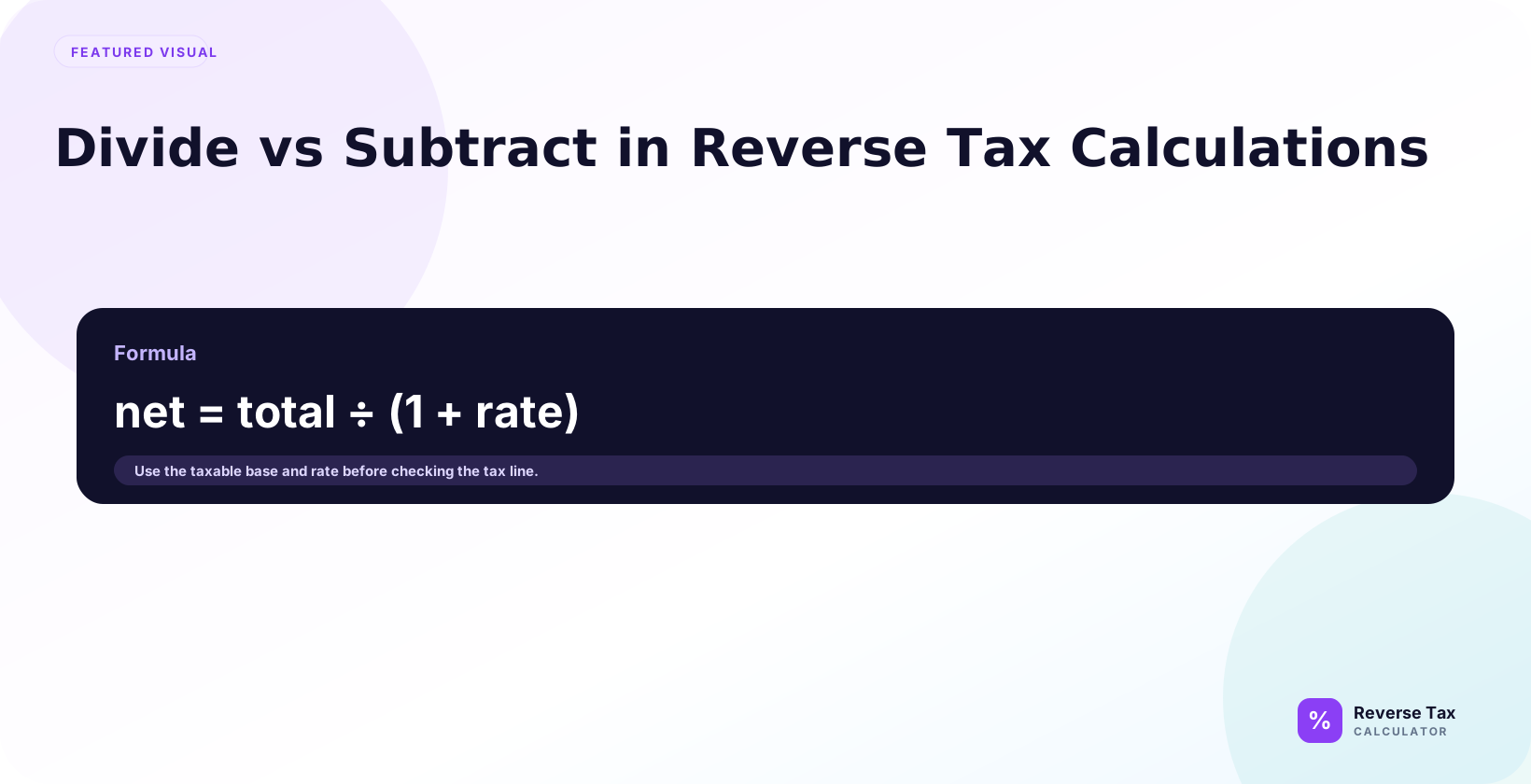
Reverse tax uses division instead of subtraction because the tax rate was applied to the pre-tax price before the final total was created. Subtracting the rate from the gross amount treats tax as a share of the final total, which overstates the tax removed. Dividing by the tax multiplier restores the original base, while mixed rates, exemptions, discounts, and rounding can still require separate taxable groups.
This page explains the difference between dividing and subtracting, shows the math with examples, explains why the wrong method looks plausible, and gives a decision workflow for receipts, invoices, VAT, GST, sales tax, and spreadsheets.
What Is the Difference Between Divide and Subtract?
Dividing reverses the tax calculation. Subtracting removes a percentage from the already-taxed total. Those are not the same operation because the tax rate was applied to the before-tax amount, not to the total after tax.

If a $100.00 item has 8% tax, the total is $108.00. To reverse it, divide $108.00 by 1.08. Subtracting 8% from $108.00 gives the wrong base.
Why Is Division Correct for Reverse Tax?
Division is correct because it undoes multiplication. Forward tax calculation multiplies the before-tax price by 1 plus the tax rate:
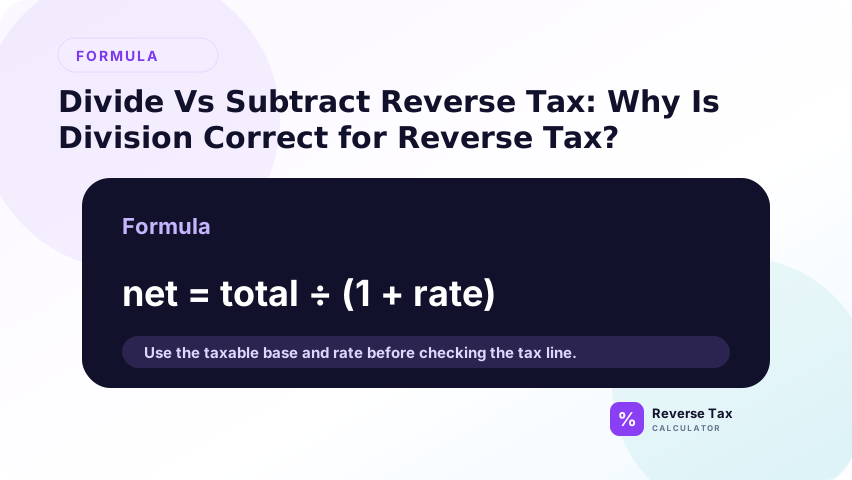
Total = Pre-tax price * (1 + Tax rate)
Reverse tax solves for the pre-tax price:
Pre-tax price = Total / (1 + Tax rate)
The formula is algebra, not a preference.
Division answers the question “what original base produced this total?” Subtraction answers a different question: “what is this total after a discount-like reduction?” Because those questions are different, the formulas cannot be swapped without changing the meaning of the result.
Why Is Subtracting the Tax Percentage Wrong?
Subtracting the tax percentage removes a percentage of the total, not the tax that was calculated on the original base. At 8%, the tax on $100.00 is $8.00, but 8% of the $108.00 total is $8.64.
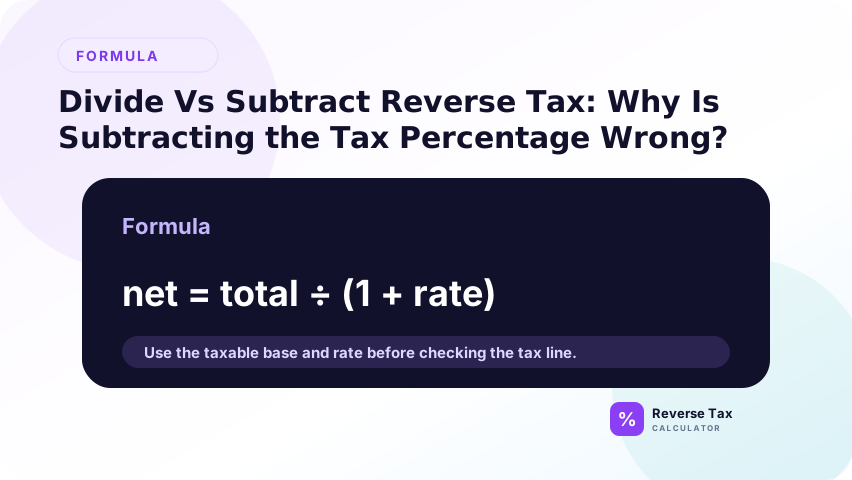
That extra $0.64 is the error. The subtraction method treats the tax-inclusive total as if it were the taxable base, which it is not.
Example: Divide vs Subtract at 8%
Assume the tax-inclusive total is $108.00 and the rate is 8%.
| Method | Calculation | Result |
|---|---|---|
| Correct division | $108.00 / 1.08 | $100.00 |
| Wrong subtraction | $108.00 - 8% | $99.36 |
| Difference | $100.00 - $99.36 | $0.64 |
The correct included tax is $8.00, not $8.64.
Example: Divide vs Subtract at 20% VAT
Assume a VAT-inclusive gross price is GBP 120.00 and the VAT rate is 20%.
Correct:
GBP 120.00 / 1.20 = GBP 100.00
Wrong:
GBP 120.00 - 20% = GBP 96.00
The wrong method removes GBP 24.00 even though the included VAT is GBP 20.00.
This VAT example is useful because the error is large enough to see immediately. It also explains why many VAT calculators ask for the gross price and VAT rate, then divide by 1 plus the rate. The same logic applies to removing UK VAT from a price.
Why the Error Gets Larger at Higher Rates
The subtraction error grows as the tax rate grows. At 5%, the difference may look small. At 20%, the difference is obvious. Across many spreadsheet rows, even small differences can accumulate into meaningful reconciliation problems.
This matters for VAT, HST, QST, and combined local rates because the divisor may be much larger than a simple state-only rate.
The error also grows with transaction size. A wrong formula on a $10 receipt may be easy to ignore, but the same formula on monthly sales exports can distort revenue and tax totals. That is why formula review belongs in spreadsheet QA.
When Is Subtraction Correct?
Subtraction is correct when the tax amount is known, not when only the tax rate is known. If a receipt total is $108.00 and tax shown is $8.00, subtract $8.00 from $108.00 to get $100.00.
The key distinction is percentage vs amount. Subtract a shown tax amount. Divide by 1 plus the rate when the tax amount is not shown.
Divide vs Subtract Decision Table
| What you know | Correct method | Reason |
|---|---|---|
| Total and tax rate | Divide by 1 plus rate | Reverses the multiplier |
| Total and shown tax amount | Subtract tax amount | Uses source evidence |
| Subtotal and total | Calculate tax or implied rate | Both values are known |
| Tax-exclusive price | Add tax forward | Tax is not included yet |
| Mixed receipt | Split groups first | One method cannot describe all items |
This table prevents the most common method-selection errors.
How This Applies to Receipts
Receipts can show subtotal, tax amount, total, or only a tax-inclusive total. If the receipt shows tax amount, subtraction is often best. If only the total and rate are known, division is required.
If the receipt includes mixed taxable and exempt items, the problem is not divide vs subtract. The problem is that the total needs to be split before any formula is used.
How This Applies to VAT and GST
VAT and GST examples often use tax-inclusive prices, so division is common. A GBP 120.00 price including 20% VAT is divided by 1.20. A New Zealand GST-inclusive total at 15% is divided by 1.15.
Official rates and categories still matter. The formula can separate tax from a known inclusive price, but it cannot decide whether the item is standard-rated, reduced-rated, zero-rated, or exempt.
How This Applies to Spreadsheets
In spreadsheets, the correct reverse formula is:
=Total/(1+Rate)
The tax amount is:
=Total-(Total/(1+Rate))
Avoid formulas such as =Total*(1-Rate) for reverse tax. That is the subtraction method and it produces the wrong before-tax amount.
A spreadsheet should make the calculation direction obvious. Use column names such as tax_inclusive_total, tax_rate, pre_tax_amount, and included_tax. Vague names like amount make it easier for a subtraction formula to survive unnoticed.
How to Audit Existing Spreadsheet Formulas
Search for formulas that multiply a total by 1-rate or subtract a percentage from a tax-inclusive total. Those formulas are likely wrong for reverse tax.
Replace them with the divisor formula, then add a rebuilt-total check. The rebuilt total should equal the original total except for rounding.
For bulk files, audit a sample of formulas before trusting the output. If one row uses a wrong subtraction formula, copied formulas may have spread the same error across the sheet. Fix the formula pattern first, then review outlier rows separately.
What This Page Does Not Cover
This page explains the math difference between dividing and subtracting. It does not determine which tax rate applies, whether an item is taxable, or whether the receipt uses one tax group or many.
For rate-selection problems, use the wrong tax rate guide. For mixed receipts, use the itemized receipt workflow.
It also does not determine refund rules, accounting treatment, or VAT recovery. Those topics may use the result of a reverse calculation, but they require source documents and tax rules beyond the divide-vs-subtract decision.
Trust Boundary
Divide vs subtract is an arithmetic issue. Division can be mathematically correct while the rate, total, or taxability assumption is still wrong.
Use the original receipt or invoice and official rate guidance for compliance-sensitive tax decisions.
Treat the divisor formula as the correct math for a clean tax-inclusive total. Then separately verify whether the total was clean, whether the rate was correct, and whether the transaction belonged in the tax category assumed by the calculation.
Frequently Asked Questions
Should I divide or subtract to remove tax?
Divide when you know the total and tax rate. Subtract only when the actual tax amount is shown separately. Do not subtract the percentage from the total.
Why does subtracting 20% VAT give the wrong answer?
Because 20% VAT is calculated on the net price, not the gross price. GBP 120.00 including 20% VAT has a net price of GBP 100.00 and VAT of GBP 20.00.
What formula should I use in Excel or Google Sheets?
Use =Total/(1+Rate) for the before-tax amount and =Total-(Total/(1+Rate)) for the tax amount.
Sources and Notes
- Formula source: algebraic relationship between pre-tax price, tax rate, and tax-inclusive total.