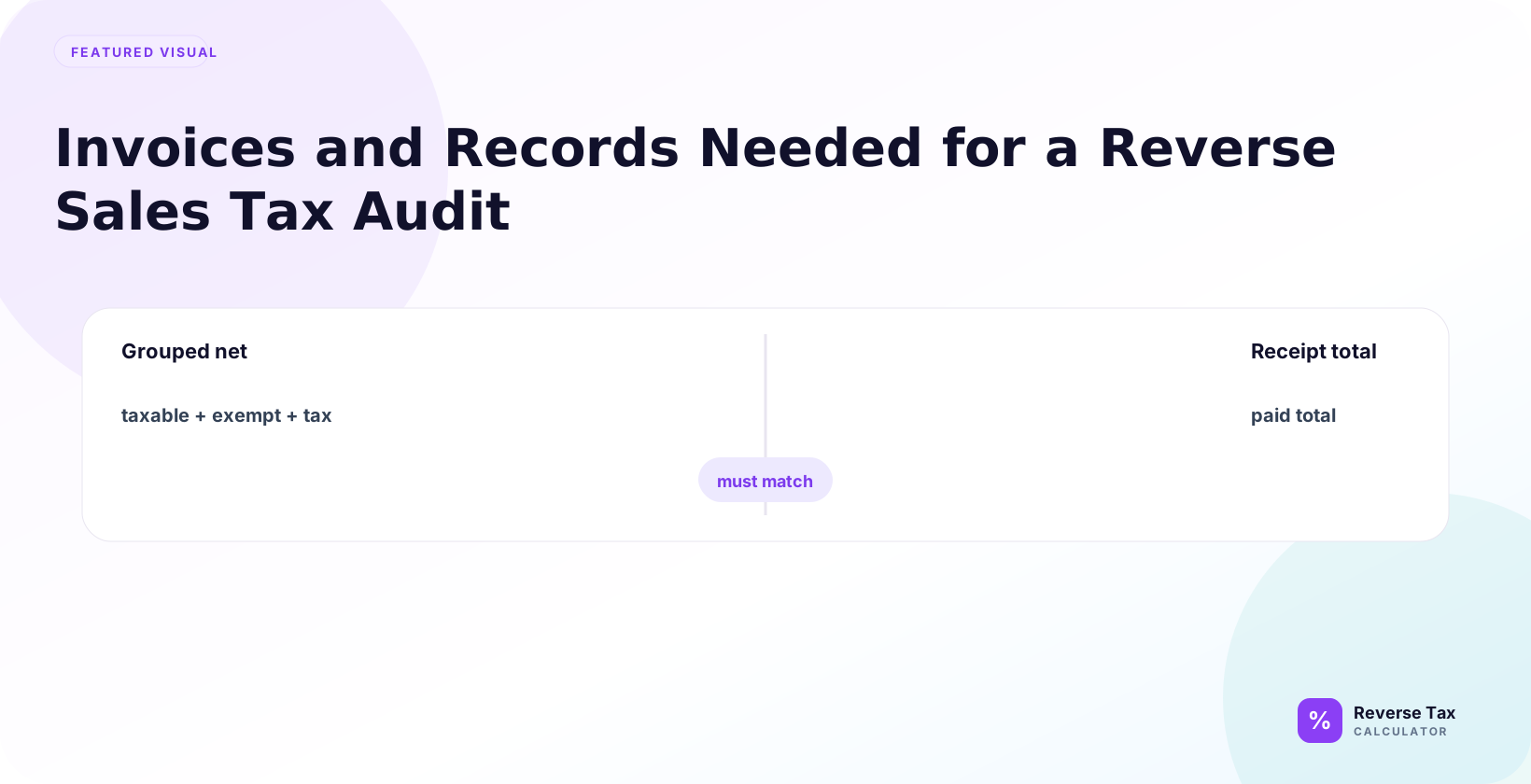
Reverse sales tax audit records document how a tax-inclusive amount was split into taxable sales and tax collected. Each record should connect the gross receipt, rate, taxable base, calculation formula, rounding method, and source document so the result can be traced. Audit support becomes weak when receipts lack tax lines, rates are outdated, exemptions are mixed into totals, refunds are missing, or marketplace tax collection is not separated.
Reverse math can identify inconsistencies, but it cannot replace missing records.
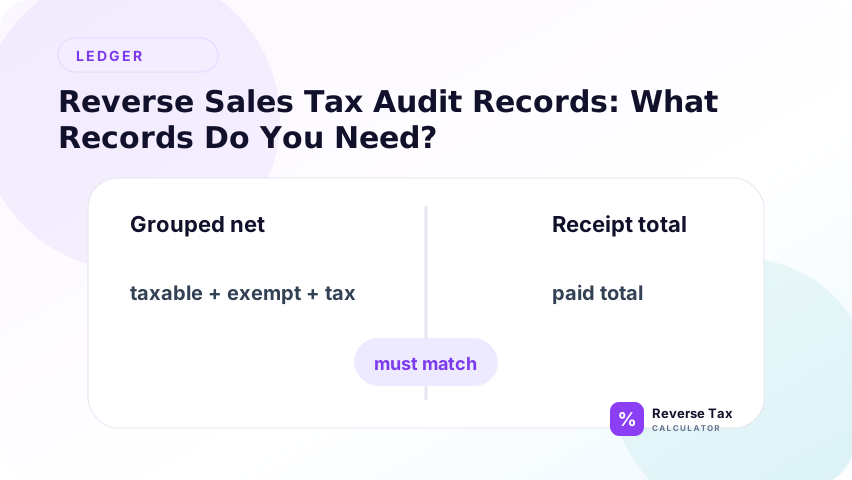
What Records Do You Need?
At minimum, collect:
- Sales invoices and receipts
- Point-of-sale transaction exports
- Tax summary reports
- Refund and return reports
- Marketplace payout statements
- Exemption certificates
- General ledger detail
- Sales Tax Payable activity
- Bank deposits and payment confirmations
- Official rate or taxability notes
IRS Publication 583 explains that business records should support income, deductions, and credits. For sales tax review, the same evidence principle applies: the numbers need source support.
Why Records Matter More Than the Formula
Records matter more than the formula because reverse tax depends on evidence. A formula can split a clean total, but invoices, receipts, reports, refund records, and rate support prove whether the total, rate, taxability, and timing assumptions are reasonable.
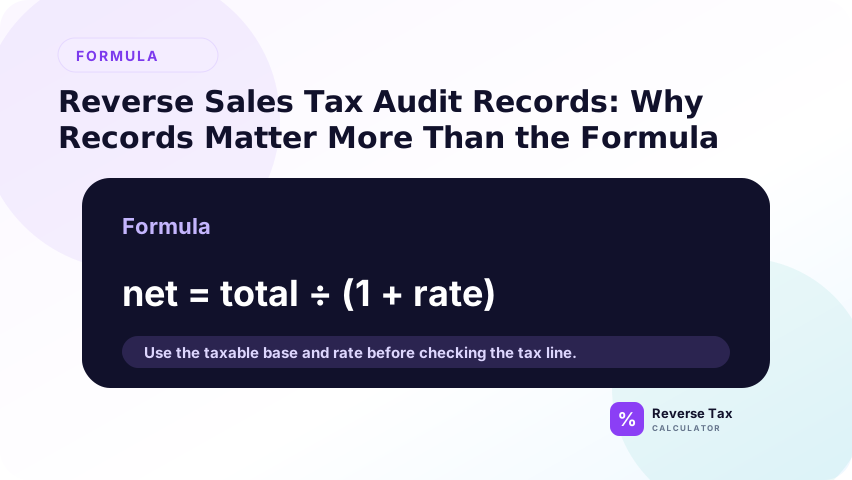
Reverse tax formulas are simple. Evidence is the hard part.
If you know the total and rate, you can calculate tax backwards. But without the invoice date, item category, customer location, exemption status, refund history, and remittance trail, you cannot know whether the calculation reflects the correct tax treatment.
What Invoice Fields Should Be Collected?
Invoices should show the facts needed to test tax.
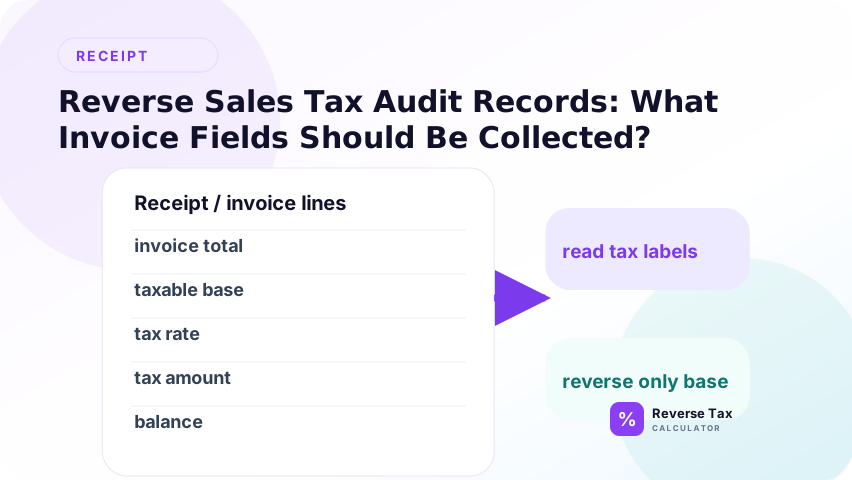
| Field | Audit purpose |
|---|---|
| Invoice number | Traceability |
| Invoice date | Rate period |
| Seller | Entity and nexus review |
| Customer | Exemption and location review |
| Ship-to or service location | Jurisdiction review |
| Line items | Taxability review |
| Discounts | Taxable base review |
| Shipping and fees | Charge classification |
| Tax rate and tax amount | Calculation review |
| Total | Payment reconciliation |
What Receipt Fields Matter?
Important receipt fields include date, location, item lines, subtotal, tax amount, total, discounts, shipping, tips, payment method, and any tax labels. These fields explain the taxable base and help determine whether reverse tax should be applied to the whole receipt or only to a group.
Receipts are often less detailed than invoices, but they still provide useful evidence.
Important fields include vendor, date, location, subtotal, tax line, tip, discounts, item lines, payment method, and final paid amount.
For restaurant or delivery receipts, separate optional tips from taxable sale amounts before reverse tax.
What POS Reports Are Needed?
POS reports should show gross sales, taxable sales, exempt sales, tax collected, refunds, discounts, voids, tips, and payment summaries. A POS deposit report alone is not enough because deposits can be net of fees or timing differences.
The best POS report set includes both summary and transaction-level exports. Summary reports help reconcile totals, while transaction-level exports explain exceptions. If only one report is saved, the audit file may show the total but not the reason behind tax differences.
Point-of-sale reports help move from individual receipts to period totals.
Transaction Detail Report
Shows each sale, tax, discount, refund, and payment.
Tax Summary Report
Shows tax collected by rate, jurisdiction, or tax code.
Item Sales Report
Shows product categories and taxability flags.
Refund Report
Shows whether refunded tax was reversed.
Cash and Card Batch Report
Helps reconcile sales records to deposits.
What Marketplace Records Are Needed?
Marketplace records should show order totals, item price, shipping, discounts, tax collected by seller, tax collected by marketplace, refunds, fees, and payouts. Marketplace-collected tax should not automatically be treated as the seller's payable.
Marketplace sales need extra care because tax may be collected by the platform.
Collect:
- Order detail
- Buyer tax paid
- Marketplace tax collected
- Marketplace tax remitted if reported
- Seller fees
- Refunds
- Reserves
- Net payout
Do not treat payout as sales. It is settlement cash after adjustments.
What Refund and Return Records Are Needed?
Refund records should show original sale reference, refund date, refunded item amount, refunded tax, restocking fees, and partial refund details. Reverse tax calculations for refunds should be matched to the original transaction whenever possible.
Refund records should show original sale, refund date, refunded item amount, refunded tax, restocking fee if any, and payment returned to customer.
Reverse tax for refunds works only if you know whether the refund includes tax.
Example:
Refund total: $108.00
Rate: 8%
Sale reversal: $100.00
Tax reversal: $8.00
What Exemption Records Are Needed?
Exemption records may include resale certificates, exemption certificates, customer exemption status, item category support, or invoice notes. These records explain why a receipt or invoice may include revenue that did not generate tax.
Exempt sales require support. The exact record depends on jurisdiction and exemption type, but common records include exemption certificates, resale certificates, customer tax ID, government or nonprofit documentation, and certificate expiration tracking.
In a reverse sales tax audit, exempt sales are not only a math category. They are documentation risk.
What General Ledger Records Are Needed?
The general ledger shows how tax was posted.
Collect detail for:
| Account | Why it matters |
|---|---|
| Sales Revenue | Confirms revenue split |
| Sales Tax Payable | Confirms liability |
| Refunds or Returns | Confirms reversals |
| Marketplace Fees | Explains payout differences |
| Cash or Bank | Confirms settlement |
| Discounts | Supports taxable base changes |
What Rate Support Is Needed?
Rate support should identify the rate used, jurisdiction, transaction date, source, and product category where relevant. Current rate pages may not support historical transactions. Rate evidence should match the transaction date and place.
Rate support documents why a rate was used. This can include official rate lookup screenshots, tax engine logs, POS rate table exports, jurisdiction mapping, or tax authority guidance.
Keep the transaction date with the rate support because current rates may differ from historical rates.
Decision Matrix: Is the Evidence Strong Enough?
| Evidence available | Audit strength | Next action |
|---|---|---|
| Invoice, tax line, rate, payment | Strong | Recalculate and reconcile |
| Receipt only with subtotal and tax | Medium to strong | Verify rate if needed |
| Total only and known rate | Medium | Reverse tax and mark assumption |
| Marketplace payout only | Weak | Pull order and tax detail |
| Exempt sale without certificate | Weak | Request support |
| Missing refund detail | Weak | Match original sale |
Evidence Collection Workflow
| Step | Action | Output |
|---|---|---|
| 1 | Define audit period | Scope |
| 2 | Pull transaction records | Sales population |
| 3 | Pull tax reports | Tax population |
| 4 | Pull refunds | Adjustment population |
| 5 | Pull marketplace statements | Remittance separation |
| 6 | Pull ledger detail | Posting trail |
| 7 | Match samples to evidence | Test file |
| 8 | Log missing records | Exception list |
Common Evidence Problems
| Problem | Why it matters | Fix |
|---|---|---|
| Missing invoice date | Cannot verify historical rate | Pull system record |
| Missing location | Cannot verify jurisdiction | Use ship-to or service address |
| Summary report only | No line-level support | Export transaction detail |
| Marketplace payout only | Tax remitter unclear | Pull marketplace tax report |
| Exemption certificate missing | Exempt sale unsupported | Request or document exception |
| Manual ledger entries | Source unclear | Attach explanation |
How Do You Organize the Audit File?
Organize the audit file by source period, transaction type, and evidence category. Keep raw exports separate from calculation workpapers. Each calculation should trace back to a receipt, invoice, POS row, marketplace order, or refund record.
Use folders by period and source.
Recommended structure:
- Sales reports
- Tax reports
- Refunds
- Marketplace statements
- Exemptions
- Ledger
- Bank and payments
- Workpapers
- Exceptions
This structure helps another reviewer rebuild the audit without asking where the numbers came from.
What Historical Invoice Problems Should You Watch For?
Historical invoices may have outdated rates, missing tax labels, manual discounts, rounding differences, old customer addresses, or product category changes. These problems can make a current-rate reverse calculation look plausible while still being wrong.
Historical problems are especially risky because the person reviewing the file may not know the original transaction context. Keep the original invoice date, ship-to location, product description, customer exemption status, and rate support together so the reverse calculation is not judged only by today's assumptions.
Older invoices often create the largest audit friction because systems change, rate tables are overwritten, and attachments disappear.
Missing Tax Rate
If the tax amount and taxable base are available, calculate the implied rate and compare it with historical rate support.
Missing Item Detail
If only a subtotal remains, you may not be able to prove whether the subtotal included taxable and exempt items.
Missing Ship-To Address
Without location, rate verification is weak for destination-based transactions.
Missing Discount Detail
Discount timing can change taxable base. A summary discount line may not show whether it applied before or after tax.
Evidence Scoring Table
| Score | Evidence quality | Example |
|---|---|---|
| 5 | Complete source record | Invoice with lines, rate, tax, payment |
| 4 | Strong but missing one field | Receipt with subtotal and tax but no rate |
| 3 | Reconstructable | Total, tax amount, and location available |
| 2 | Estimate only | Total and assumed rate |
| 1 | Unsupported | Bank deposit without transaction detail |
Prioritize low-score transactions for follow-up because they carry the most uncertainty.
How Long Should Records Be Kept?
Record retention periods vary by jurisdiction and tax type. The practical audit rule is to keep enough historical detail to support the filed returns, refunds, exemptions, and payable balances for the periods that may still be reviewed.
For a reverse sales tax audit, the most important retention issue is not only how long records exist. It is whether the saved records still include line-level tax facts.
Example: Rebuilding One Historical Invoice
To rebuild one historical invoice, start with the invoice date, item subtotal, tax line, discount, shipping, total, and rate evidence. Recalculate the tax from the documented base, rebuild the total, and compare the result with the invoice. Document any variance.
Historical invoice:
Customer paid: $540.00
Tax shown: $40.00
Invoice date: April 15
Ship-to city: available
Pre-tax sale = $540.00 minus $40.00 = $500.00
Implied rate = $40.00 divided by $500.00 = 8%
The audit file should save the invoice, the calculation, the location support, and the reason 8% was accepted for that date.
What Should the Exception Log Include?
An exception log turns missing evidence into an action list.
| Exception | Impact | Owner |
|---|---|---|
| Missing exemption certificate | Exempt sale unsupported | Sales or accounting |
| Missing historical rate | Rate cannot be verified | Tax or finance |
| Missing refund tax line | Payable adjustment uncertain | Bookkeeping |
| Missing marketplace remitter field | Double count risk | Ecommerce manager |
| Missing invoice attachment | Source support weak | Accounts receivable |
How Should Evidence Be Matched to Calculations?
Each calculation should have a source ID that matches the underlying invoice, receipt, or export row. The workpaper should show the source total, rate, formula, output, rebuilt total, variance, and reviewer note. This turns reverse tax into an auditable trail.
Each calculation should point back to a source record. Use invoice number, order ID, receipt ID, refund ID, payout ID, or journal entry number. This allows another reviewer to trace from the workpaper to the original transaction without relying on file names or memory.
What If Evidence Conflicts?
If evidence conflicts, prioritize source documents over summaries, shown tax amounts over reconstructed amounts, and transaction-date evidence over current assumptions. Do not erase the conflict. Document it and mark the calculation as unresolved or estimated until reviewed.
When invoice, POS, marketplace, and ledger records disagree, keep all versions and identify the system of record. Do not overwrite the conflict silently. The difference may reveal timing, configuration, or posting errors that matter to the audit. Preserve the original export file too.
Information Gain: Evidence Quality Controls Calculation Quality
The main information gain is that calculation quality cannot exceed evidence quality. A perfect formula cannot fix a missing receipt, wrong rate, unclear exemption, or payout total that does not represent taxable sales. Evidence controls the reliability of reverse tax.
Most reverse tax content focuses on removing tax from totals. A reverse sales tax audit needs one more layer: evidence quality scoring.
A mathematically correct calculation based on the wrong source record is still weak. A strong audit ties each number to a record, each record to a transaction, and each exception to an action.
Trust Boundary
This page explains audit support records, not audit defense strategy or legal advice. Reverse tax workpapers can support reconciliation, but they do not decide taxability, exemptions, filing positions, or whether a tax authority will accept a treatment.
this page explains record collection for an internal reverse sales tax audit. It does not define official audit procedure, statutory record retention, exemption validity, or legal defense strategy.
Use the relevant tax authority rules and professional support for formal audit responses.
For the audit concept, start with what a reverse sales tax audit is.
For source-to-total checks, use sales tax reconciliation from gross receipts.
For platform records, review ecommerce and marketplace payout reverse tax.
Frequently Asked Questions
What records are needed for a reverse sales tax audit?
Invoices, receipts, sales reports, tax reports, refunds, marketplace statements, exemption support, ledger detail, and payment records.
Are bank deposits enough?
No. Bank deposits show cash settlement, not the full sales tax calculation.
Are marketplace payout reports enough?
Usually no. You also need order-level tax detail and remittance information.
Why do exemption certificates matter?
They support why tax was not charged on a transaction that might otherwise appear taxable.
Can reverse tax fix missing records?
No. It can estimate or test math, but it cannot create evidence.
Sources and Notes
- Formula source: arithmetic relationship between tax-inclusive totals, taxable base, tax, and rate.
- IRS Publication 583, Starting a Business and Keeping Records
- Accuracy note: official sales tax record retention and audit evidence rules vary by jurisdiction.