
Sales tax reconciliation matches tax collected, taxable sales, refunds, exemptions, and tax payable so accounting records agree with receipts and filing reports. Reverse tax helps when sales totals are tax-inclusive by separating gross receipts into net sales and tax collected before comparing the figures. Reconciliation depends on rates, filing period, marketplace remittance, discounts, shipping, exempt sales, rounded receipt lines, payment fees, and whether reports use cash or accrual timing.
The goal is not only to calculate tax. The goal is to explain why gross receipts, taxable sales, collected tax, deposits, and payable balances agree or differ.
How Do You Reconcile Sales Tax from Gross Receipts?
Use this sequence:
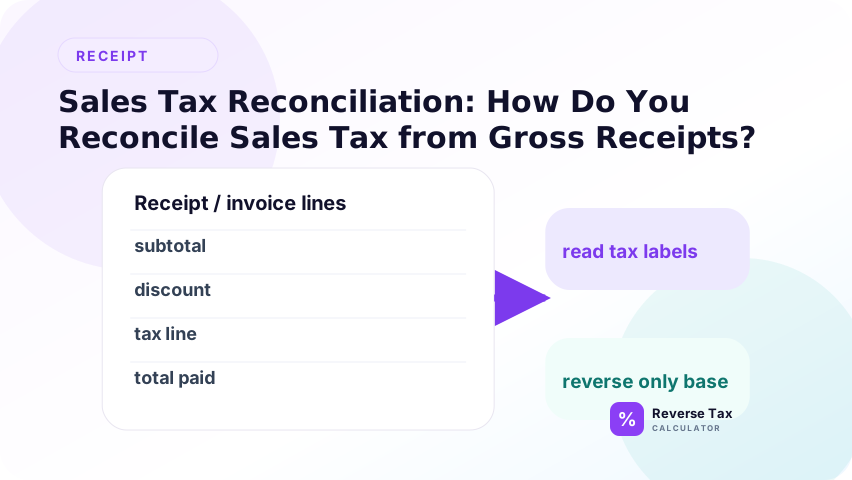
- Start with gross receipts.
- Remove non-sale items, tips, gift cards, and deposits that are not current sales.
- Group sales by tax rate and taxability.
- Reverse tax from tax-inclusive taxable receipts.
- Add exempt sales separately.
- Adjust for refunds, discounts, and marketplace-collected tax.
- Compare calculated tax to Sales Tax Payable and filing reports.
What Are Gross Receipts?
Gross receipts can mean different things depending on the system. In a point-of-sale report, gross receipts may include sales before discounts. In a bank account, receipts may mean deposits after fees. In a tax return, gross receipts may have a legal definition.

Before reconciling, define the source.
| Source | What it may include |
|---|---|
| POS gross sales | Sales before tax, refunds, or discounts |
| POS gross receipts | Sales plus tax, maybe tips |
| Bank deposits | Payouts after fees and timing |
| Marketplace report | Orders, tax, fees, reserves, refunds |
| Tax return report | Taxable sales, exempt sales, tax due |
Why Gross Receipts Are Not Enough by Themselves
Gross receipts are a starting point, not a finished reconciliation number. They can include taxable sales, exempt sales, collected tax, refunds, discounts, tips, shipping, marketplace adjustments, and payment fees. Before reverse tax is applied, the gross receipt total must be mapped to the amounts that actually belong in the taxable base.

Gross receipts may include tax collected from customers. If you treat all gross receipts as revenue, revenue is overstated. If you calculate tax from all gross receipts without exclusions, tax may be overstated too.
Reverse tax works only after the receipts are cleaned and grouped correctly.
Formula for Tax-Inclusive Gross Receipts
When gross receipts include tax and the rate is known, use the reverse tax formula to estimate net taxable sales: gross tax-inclusive amount divided by 1 plus the tax rate. The included tax is the gross amount minus the calculated net amount. This formula should be applied only to the taxable portion, not to exempt sales or non-tax payment items.
Use:
Net taxable sales = Tax-inclusive taxable receipts divided by (1 plus rate)
Collected tax = Tax-inclusive taxable receipts minus net taxable sales
Example:
Tax-inclusive receipts: $10,800.00
Rate: 8%
Net taxable sales = $10,000.00
Collected tax = $800.00
How Do You Build a Reconciliation Bridge?
A reconciliation bridge starts with one number and explains every adjustment to reach another number.
Example:
| Line | Amount |
|---|---|
| Customer charges including tax | $12,960.00 |
| Less collected tax | ($960.00) |
| Net taxable sales | $12,000.00 |
| Add exempt sales | $1,500.00 |
| Less refunds before tax | ($700.00) |
| Adjusted sales | $12,800.00 |
This bridge is easier to audit than a single reverse tax result.
How Do You Reconcile Multiple Tax Rates?
Group receipts by rate before calculation.
| Rate group | Tax-inclusive receipts | Rate | Net taxable sales | Tax |
|---|---|---|---|---|
| Area A | $5,400.00 | 8% | $5,000.00 | $400.00 |
| Area B | $3,225.00 | 7.5% | $3,000.00 | $225.00 |
| Area C | $2,100.00 | 5% | $2,000.00 | $100.00 |
| Total | $10,725.00 | Mixed | $10,000.00 | $725.00 |
Do not use one blended rate unless the task is a rough estimate and not a filing reconciliation.
How Do Exempt Sales Fit Into the Reconciliation?
Exempt sales should be separated before the reverse calculation. They may be part of total revenue, but they are not part of the taxable amount that generated collected sales tax. If exempt sales remain inside the reversed gross amount, the calculation can overstate tax and understate revenue.
Exempt sales are revenue but do not create sales tax. They should be included in total sales but excluded from taxable sales.
Examples can include exempt food, clothing, medicine, resale transactions, government purchases, or other category-specific exemptions depending on jurisdiction.
Keep exemption certificates or other support when required.
How Do Refunds Affect Sales Tax Reconciliation?
Refunds reduce or reverse part of a prior sale, and they can also reverse tax that was collected on that sale. A reconciliation should match refund tax to the original transaction whenever possible. If the refund report shows tax separately, use the shown amount before reconstructing it from a rate.
Refunds can reduce revenue and tax liability if the tax was returned to the customer and the jurisdiction allows the adjustment.
Example:
Refund paid to customer: $108.00
Rate: 8%
Sales reversal = $100.00
Tax reversal = $8.00
If the refund appears in the sales report but not the bank deposit until another day, timing differences should be documented.
How Do Discounts Affect Sales Tax Reconciliation?
Discounts affect reconciliation by changing the taxable base before or after tax. A pre-tax discount reduces taxable sales. A post-tax credit may reduce the customer payment without changing the original taxable base. The reconciliation should preserve that distinction instead of treating every discount as the same adjustment.
Discounts can reduce the taxable base before tax, or they can be treated differently if reimbursed by a third party.
Reconciliation should separate:
Retailer Discounts
Usually reduce sales and taxable base when applied before tax.
Manufacturer Coupons
May keep the taxable base higher than customer cash paid depending on the rule.
Post-Sale Credits
May affect payment or customer balance without changing the original taxable sale.
How Do Marketplace Sales Affect Reconciliation?
Marketplace reports can be tricky because the customer order, tax collected, fees, and payout are separate layers.
For each marketplace, identify:
- Gross order amount
- Tax collected from buyer
- Tax remitted by marketplace
- Seller fees
- Refunds and reserves
- Net payout
Marketplace-collected tax may not belong in the seller's Sales Tax Payable account. It may still appear in customer-facing order totals.
How Do Bank Deposits Fit?
Bank deposits are not the same as gross receipts. Deposits can be net of card fees, marketplace fees, chargebacks, reserves, refunds, and timing differences. Use deposits to reconcile cash movement, but use receipts, POS reports, or sales reports to separate sales tax from taxable sales.
Bank deposits are a cash check, not the source of truth for tax calculation.
A deposit can be lower than gross sales because fees were withheld. It can be higher than revenue because it includes tax or tips. It can also include timing differences from prior days.
Use bank deposits to confirm settlement, not to replace transaction reports.
How Does Sales Tax Payable Fit?
Sales Tax Payable should reflect tax collected by the seller and not yet remitted.
Reconciliation should compare:
| Item | Source |
|---|---|
| Tax collected this period | Sales report |
| Refunded tax | Refund report |
| Marketplace-remitted tax | Marketplace statement |
| Tax paid | Bank and filing confirmation |
| Ending payable | General ledger |
If the ending payable does not match expected unpaid tax, investigate before filing or closing.
Decision Matrix: Which Reconciliation Method Fits?
| Situation | Best method | Risk |
|---|---|---|
| One rate, no exempt sales | Reverse total by rate | Low |
| Multiple local rates | Group by rate | Medium |
| Exempt and taxable sales | Separate exempt first | Medium |
| Marketplace sales | Use settlement reports | High |
| Restaurant with tips | Remove optional tips first | Medium |
| Missing rate | Use official rate lookup | Medium |
| Filing support | Use transaction-level report | Lowest audit risk |
Operational Reconciliation Workflow
| Step | Action | Evidence |
|---|---|---|
| 1 | Pull POS sales report | Sales source |
| 2 | Pull tax report | Tax source |
| 3 | Pull refund report | Adjustments |
| 4 | Pull marketplace statements | Facilitator treatment |
| 5 | Group by jurisdiction and rate | Tax calculation |
| 6 | Reverse tax from tax-inclusive groups | Net sales and tax |
| 7 | Compare to payable | Ledger support |
| 8 | Compare to return | Filing support |
| 9 | Save bridge | Audit trail |
Common Reconciliation Errors
| Error | Effect | Fix |
|---|---|---|
| Using bank deposits as sales | Misses fees and timing | Use transaction reports |
| Reversing all receipts at one rate | Misstates tax | Group by rate |
| Including optional tips | Overstates sales and tax | Remove tips |
| Ignoring exempt sales | Overstates tax | Separate exempt categories |
| Double counting marketplace tax | Overstates payable | Identify remitter |
| Posting remittance as expense | Distorts profit | Debit payable |
What If Calculated Tax Does Not Match the Report?
If calculated tax does not match the report, do not immediately change the rate. First check whether the gross amount includes exempt sales, refunds, tips, shipping, marketplace-collected tax, or payment fees. Then compare receipt-level tax lines with the report-level totals to find the source of the variance.
The mismatch should be assigned to a cause before the reconciliation is closed. Common causes include rounding, wrong combined rate, marketplace tax excluded from seller payable, refunds posted in a different period, or deposits net of processor fees. A documented cause is better than a forced adjustment.
Investigate in layers.
Rounding
One-cent differences may come from line-level versus total-level rounding.
Rate Mapping
Wrong ZIP, city, county, or district mapping can create larger differences.
Taxability Mapping
Item categories may be marked taxable or exempt incorrectly.
Timing
Refunds and settlements may appear in different periods.
Manual Adjustments
Journal entries can change payable without changing sales reports.
Example: Full Month Reconciliation
Assume a store has these records:
Tax-inclusive taxable receipts: $54,000.00
Exempt sales: $4,000.00
Refunds including tax: $1,080.00
Rate: 8%
Taxable sales before refunds = $54,000.00 divided by 1.08 = $50,000.00
Tax before refunds = $4,000.00
Refund sales reversal = $1,080.00 divided by 1.08 = $1,000.00
Refund tax reversal = $80.00
Net taxable sales = $49,000.00
Net tax collected = $3,920.00
Total sales including exempt sales = $53,000.00
This shows why reconciliation should include tax, taxable sales, exempt sales, and refunds in one bridge.
How Do You Set a Difference Threshold?
Not every difference has the same risk.
| Difference | Likely treatment |
|---|---|
| One cent per transaction | Rounding review |
| Small monthly penny variance | Rounding adjustment |
| Rate group mismatch | Mapping review |
| Large tax shortfall | Priority investigation |
| Payable does not clear after payment | Ledger review |
A threshold keeps the team from wasting time on harmless rounding while still catching structural errors.
What Controls Prevent Future Reconciliation Problems?
Good controls keep taxable sales, exempt sales, collected tax, refunds, marketplace tax, and deposits in separate fields. They also require a rebuilt-total check and a review note for exceptions. These controls prevent reverse tax from becoming a monthly guessing exercise.
The strongest control is source separation at import. If POS exports and marketplace reports already separate tax, revenue, refunds, and fees, the reverse tax calculation becomes a check rather than the only evidence. That reduces the risk of posting calculated estimates as if they were source records.
Use controls that prevent bad data before month end.
Tax Category Review
Review item taxability when new products or services are added.
Rate Mapping Review
Check new store locations, delivery zones, and marketplace settings.
Refund Review
Confirm refunded tax is handled consistently.
Marketplace Review
Separate seller-remitted and marketplace-remitted tax each month.
Ledger Review
Limit manual entries to Sales Tax Payable and document every adjustment.
Source Data Map for Reconciliation
| Data source | Best use | Weakness |
|---|---|---|
| POS transaction export | Taxable sales and tax by line | Can have setup errors |
| Tax summary report | Filing support | May hide transaction detail |
| Bank feed | Cash settlement | Net of fees and timing |
| Marketplace statement | Facilitator and payout detail | Different naming conventions |
| General ledger | Booked revenue and payable | Can include manual entries |
| Filing confirmation | Paid tax | May not show source calculation |
Using all six sources gives a stronger reconciliation than relying on the bank feed alone.
How Should Reconciliation Differences Be Documented?
Document the source total, rate, formula, variance, reason for variance, and reviewer decision. A short note such as “one-cent rounding difference accepted” or “marketplace tax excluded from payable” is stronger than silently forcing the numbers to match.
Each difference should have a category, amount, source, explanation, and owner.
Example categories include rounding, timing, rate mapping, exempt sales, refund timing, marketplace remittance, and manual journal entry. This makes the reconciliation useful next month instead of becoming a one-time cleanup file.
Information Gain: Reconciliation Is a Control, Not a Formula
The information gain of this page is that reconciliation is not only a reverse tax formula. It is a control process that connects source documents, tax reports, deposit records, and accounting entries. The formula supports the control, but the evidence trail proves whether the split is reliable.
The reverse tax formula answers one question: how much tax is inside this tax-inclusive amount?
Sales tax reconciliation answers a broader control question: do sales records, tax reports, bank activity, marketplace statements, and liability balances tell the same story?
That broader framing is what makes the content stronger than a generic calculator article.
Trust Boundary
Sales tax reconciliation is accounting support, not legal tax advice. Reverse tax can separate included tax from a clean taxable gross amount, but it cannot decide taxability, marketplace collection treatment, filing obligations, or whether a report is legally correct.
this page explains reconciliation mechanics and arithmetic. It does not determine legal nexus, filing obligations, exemption validity, marketplace facilitator responsibility, or official return treatment.
Use official tax authority guidance and accounting review for filing.
For bookkeeping entries after the reconciliation, use separating sales tax for bookkeeping.
If the issue is revenue classification, use separating revenue from collected tax.
If the variance affects the liability account, review how reverse tax affects sales tax payable.
Frequently Asked Questions
How do I reconcile sales tax from gross receipts?
Clean the receipts, group by rate, reverse tax from tax-inclusive groups, adjust refunds, and compare the result with Sales Tax Payable and filing reports.
Can I use one rate for all gross receipts?
Only when every taxable sale truly used one rate. Multi-location sales need grouping.
Should exempt sales be included?
Yes, in total revenue, but not in taxable sales or collected tax.
Why does my payable not match collected tax?
Refunds, marketplace tax, timing, manual entries, and remittances can create differences.
Is reverse tax enough for filing?
No. It is one calculation inside a full reconciliation process.
Sources and Notes
- Formula source: arithmetic relationship between tax-inclusive receipts, net taxable sales, collected tax, and rate.
- IRS Publication 583, Starting a Business and Keeping Records
- Accuracy note: use official state and local sales tax reports for filing and jurisdiction-specific rules.