A reverse tax invoice example separates a gross invoice total into the net amount and tax already included by using the invoice’s tax rate and taxable subtotal. The calculation divides the tax-inclusive amount by one plus the rate, then subtracts the net figure to confirm the tax line. Reliable invoice checking also needs the issue date, currency, VAT or sales tax wording, exempt lines, discounts, delivery charges, and rounding method.
This is useful when an invoice shows a gross total but the net amount or tax line is missing, unclear, or needs to be checked.
What Is a Reverse Tax Invoice Example?
A reverse tax invoice example is a worked calculation that separates a gross invoice amount into net amount and included tax. It is useful when an invoice is tax-inclusive, when a tax line is missing, or when a bookkeeper wants to verify whether the invoice math is internally consistent.
The key condition is simple: the invoice amount must include tax. If the invoice already shows a net amount before tax, reverse tax is not needed for that field.
What Invoice Number Should You Use?
Use the invoice total only if it includes tax.
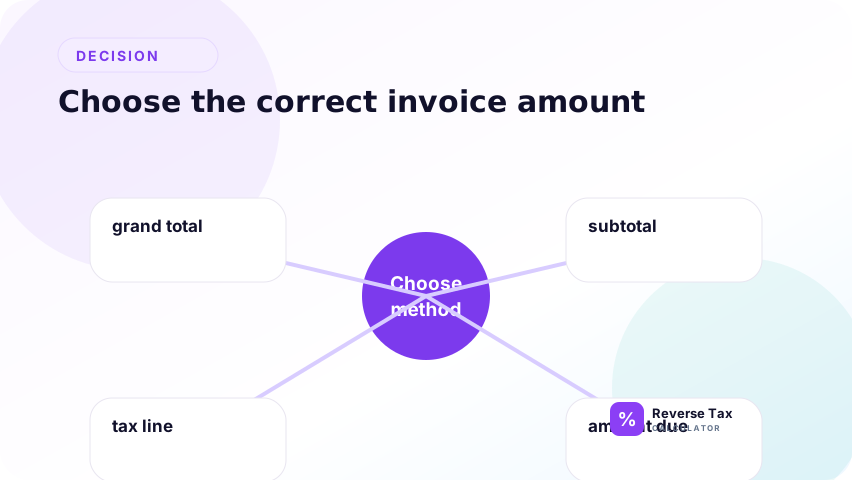
Invoices may show net amount, tax amount, gross amount, balance due, credits, or payments. The number you reverse should be the tax-inclusive invoice amount, not a remaining balance after payment.
| Invoice label | Meaning | Use for reverse tax? |
|---|---|---|
| Net amount | Before tax | Usually no |
| Tax amount | Tax line | No |
| Gross amount | Often includes tax | Usually yes |
| Invoice total | Final invoice amount | Yes if tax-inclusive |
| Balance due | After payments or credits | Not usually |
How to Read an Invoice Before Reversing Tax
Read the invoice in this order:
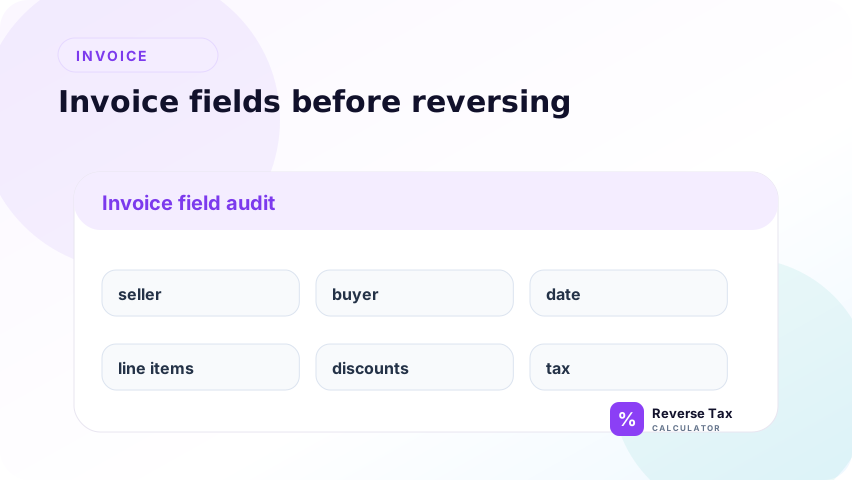
- Identify the gross amount or invoice total.
- Confirm whether the amount includes VAT, GST, HST, sales tax, or another tax.
- Find the applicable rate.
- Check whether credits, deposits, or payments have already been applied.
- Check whether line items use one rate or multiple rates.
This prevents a common accounting error: reversing tax from the balance due instead of the original gross invoice amount.
Example Invoice
Suppose an invoice shows:
| Line | Amount |
|---|---|
| Gross invoice total | 1,130.00 |
| Tax rate | 13 percent |
The net amount and tax amount are not shown. Reverse tax can estimate both.
Invoice Example Inputs
| Input | Value | Meaning |
|---|---|---|
| Gross invoice total | 1,130.00 | Tax-inclusive amount |
| Tax rate | 13 percent | Rate applied to net amount |
| Tax multiplier | 1.13 | Reverse calculation divisor |
| Desired output | Net and tax | Bookkeeping split |
Step-by-Step Reverse Tax Calculation
The step-by-step invoice calculation starts by identifying the gross invoice amount, the tax rate, and whether the gross amount truly includes tax. Then divide gross by 1 plus the rate to get net, subtract net from gross to find tax, and reconcile the result to the invoice lines. This workflow prevents using balance due or partial payment as if it were the tax-inclusive base.
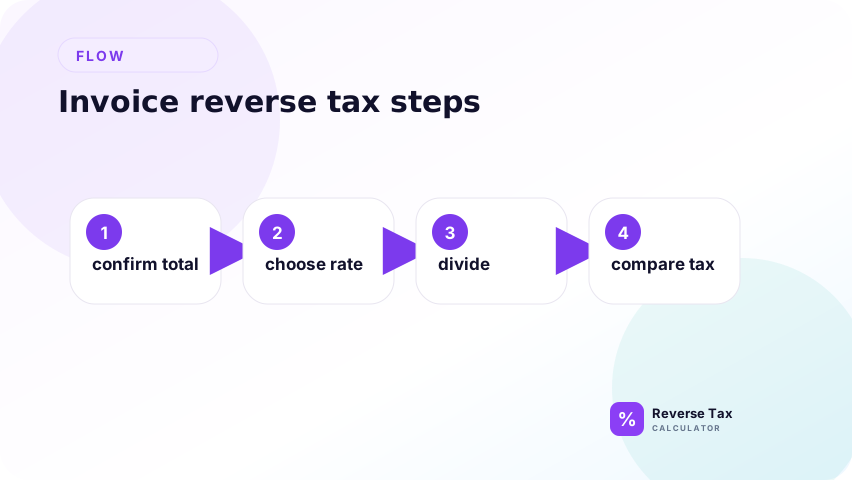
Use the steps as an invoice evidence workflow. The gross invoice amount must be the tax-inclusive invoice value, not the amount due after payments, deposits, or credits. The rate must match the invoice date, location, and tax label. After calculating net and tax, reconcile the numbers back to invoice fields so the example proves the invoice structure, not just the formula.
Use the total of 1,130.00 and rate of 13 percent.
Step 1: Convert the Rate to a Multiplier
Convert the rate to a multiplier that matches the invoice tax label and date. If the invoice has several rates or separate tax groups, build a multiplier for each group instead of using one rate for the whole invoice. This prevents a clean formula from hiding mixed tax treatment.
Convert the rate to a multiplier because the gross invoice amount contains both net amount and tax. A 13 percent rate means the gross amount equals 113 percent of the net amount, so the divisor is 1.13. This step prevents subtracting 13 percent from the gross invoice amount, which would remove too much.
13 percent becomes 1.13.
Step 2: Find the Net Amount
Divide the gross invoice amount by the multiplier to recover the net amount before tax. This is the invoice's taxable base if the whole gross amount is subject to one rate. If the invoice has multiple rates or exempt lines, this step should be done by line group.
1,130 / 1.13 = 1,000
The net amount before tax is 1,000.00.
Step 3: Find the Tax Amount
Subtract the net amount from the gross invoice amount to find included tax. This verifies the tax line that should appear on the invoice or explains a missing tax line when only gross and rate are known.
1,130 - 1,000 = 130
The included tax is 130.00.
As a check, add the net amount and tax amount back together. If the result does not match the gross invoice total, review rounding, partial payments, discounts, multiple rates, or whether the invoice total was actually a balance due.
What Does This Invoice Example Prove?
This invoice example proves the arithmetic relationship between gross invoice total, net amount, tax rate, and tax amount. It does not prove that the invoice used the legally correct tax rate or taxability rule. The example is useful because it shows how to reconstruct missing net or tax values when the invoice has enough clean fields.
This example proves that a 1,130.00 gross invoice is consistent with a 1,000.00 net amount and 130.00 tax when the tax rate is 13 percent.
It does not prove that 13 percent was the legally correct rate for the invoice. Taxability depends on jurisdiction, date, customer type, product type, place of supply, and exemptions.
How to Verify the Invoice
Check the result by calculating forward.
| Check | Amount |
|---|---|
| Net amount | 1,000.00 |
| Tax at 13 percent | 130.00 |
| Gross total | 1,130.00 |
If the forward check returns the invoice total, the arithmetic is consistent.
What If the Invoice Shows Net and Gross Only?
If the invoice shows net and gross only, subtract net from gross to find the tax amount. Then divide that tax amount by net to calculate the implied rate. This is stronger than guessing because the invoice already gives both sides of the tax relationship. If the implied rate looks unusual, review rounding, fees, discounts, and multiple tax lines.
If the invoice shows net and gross, the tax amount is found by subtraction:
Tax amount = Gross amount - net amount
Example:
1,130.00 - 1,000.00 = 130.00
The implied rate is:
130.00 / 1,000.00 = 0.13
0.13 x 100 = 13 percent
This is a useful invoice audit step because it verifies the percentage behind the invoice.
What If the Invoice Shows Tax and Gross Only?
If the invoice shows tax and gross only, subtract the tax amount from gross to find net. Then calculate the implied rate by dividing tax by net. This workflow answers the query where subtotal is missing but tax is visible. It works best when the tax amount belongs to one base and one rate.
If the invoice shows tax and gross, the net amount is:
Net amount = Gross amount - tax amount
Example:
1,130.00 - 130.00 = 1,000.00
Then the rate can be checked:
130.00 / 1,000.00 = 13 percent
Use this method when the invoice tax line exists but the net line is missing.
What Can Make Invoice Reverse Tax Harder?
Invoice reverse tax becomes harder when the gross total includes partial payments, deposits, discounts, multiple rates, exempt lines, currency conversions, shipping, or rounding. These elements change the base or the evidence path. The safest workflow is to reverse by invoice line or tax group, then reconcile the group totals to the invoice gross.
Invoices may be more complex than receipts.
Partial Payments
Do not reverse the balance due if payments or credits have already been applied.
Discounts
Discounts may change the taxable base.
Multiple Tax Rates
Invoices may contain different tax rates for different goods or services.
Exempt Lines
Some invoice lines may be exempt or zero-rated.
Currency and Rounding
Invoices may include currency conversion or line-level rounding.
Invoice Fields That Change Reverse Tax
| Invoice field | Why it matters | Risk if ignored |
|---|---|---|
| Net amount | Amount before tax | Reversing it would remove tax twice |
| Gross amount | Amount after tax | Usually the correct reverse-tax input |
| Credit note | Reduces invoice value | May need separate reversal |
| Deposit | May be paid before final invoice | Balance due may not equal gross total |
| Shipping | May be taxable or exempt | Can change taxable base |
| Discount | May reduce taxable amount | Rate must apply to discounted base |
| Withholding | Not consumption tax | Do not treat as included sales tax |
| Currency conversion | Changes rounding | Verify exchange-rate timing |
Invoice Reverse Tax Decision Matrix
| Invoice situation | Best action |
|---|---|
| One gross total and one rate | Use simple reverse tax |
| Net amount and tax already shown | Verify by adding forward |
| Multiple line items and rates | Reverse by line or group |
| Balance due after payment | Use original invoice total |
| Credit note included | Separate credit from invoice |
| Missing tax rate | Find or verify rate first |
When Should You Reverse Tax by Invoice Line?
Reverse by invoice line when different lines have different tax rates or tax treatments. One invoice can include taxable services, exempt reimbursements, shipping, discounts, and zero-rated items.
| Invoice pattern | Total-level method | Line-level method |
|---|---|---|
| One gross total and one rate | Best fit | Optional |
| Multiple product categories | Risky | Better |
| Mixed taxable and exempt lines | Not reliable | Required |
| Credit note on same invoice | Risky | Separate first |
| Currency conversion | Depends | Often better |
Invoice Example with a Discount
Suppose an invoice shows:
| Line | Amount |
|---|---|
| Services before discount | 1,100.00 |
| Discount | 100.00 |
| Net taxable amount | 1,000.00 |
| Tax at 13 percent | 130.00 |
| Gross invoice total | 1,130.00 |
Reverse tax from 1,130.00 at 13 percent returns 1,000.00. It does not return 1,100.00 because the tax was applied after the discount.
Invoice Example with a Partial Payment
A partial payment is not the same as the gross invoice amount. Reverse tax should usually use the invoice total or taxable line total, not the amount currently due after deposits or payments. If you reverse tax from balance due, you may calculate tax on only the unpaid portion rather than the original taxable sale.
Suppose the original gross invoice total is 1,130.00, and the customer already paid 300.00. The balance due is 830.00.
Do not reverse tax from 830.00 if you are trying to reconstruct the original invoice. Reverse tax from 1,130.00. The balance due is a payment status, not the full tax-inclusive invoice amount.
Invoice Example with Multiple Rates
Suppose an invoice includes:
| Line group | Gross amount | Rate |
|---|---|---|
| Taxable service A | 565.00 | 13 percent |
| Taxable service B | 1,200.00 | 20 percent |
Do not combine 1,765.00 and divide by one rate. Reverse each group separately:
565.00 / 1.13 = 500.00
1,200.00 / 1.20 = 1,000.00
Then combine the net amounts and tax amounts after each group is calculated.
Operational Table: Invoice Fields and Reverse Tax
| Field | Role |
|---|---|
| Net amount | Amount before tax |
| Tax amount | Tax added |
| Gross amount | Net plus tax |
| Invoice total | Usually gross amount |
| Amount paid | Payment record |
| Balance due | Remaining amount |
Bookkeeping Use Case
Reverse tax can help split a tax-inclusive invoice into revenue or expense and tax collected or tax paid. The output is usually:
| Accounting output | From reverse tax |
|---|---|
| Net sale or expense | Pre-tax amount |
| Tax collected or paid | Included tax |
| Gross invoice total | Original tax-inclusive total |
This is an arithmetic split. For tax filing, verify the rate, taxability, registration status, and reporting rules with the relevant tax authority or accountant.
What This Page Does Not Cover
| Topic | Better page |
|---|---|
| Full invoice verification | How to Verify Tax on an Invoice |
| Bookkeeping | How to Separate Sales Tax for Bookkeeping |
| Revenue and tax split | How to Separate Revenue from Collected Tax |
| Rounding | How to Round Reverse Tax Calculations |
Frequently Asked Questions
Is invoice net amount before tax?
Usually, yes. Net amount often means before tax, but always check the invoice labels.
Is gross invoice amount after tax?
Usually, yes. Gross amount often includes tax.
Can I reverse tax from balance due?
Usually no. Balance due may reflect payments, credits, or adjustments.
Why does my invoice not match the reverse tax result?
Rounding, discounts, exempt lines, multiple rates, credits, or partial payments may affect the result.
Can reverse tax prove the invoice tax is correct?
No. It can check arithmetic, but it cannot prove the legal rate or tax treatment is correct.
Should I reverse tax from gross or net?
Reverse tax from gross if gross includes tax. Do not reverse tax from net because net is already before tax.
Can I reverse tax from an invoice balance due?
Usually no. Balance due may reflect a payment, deposit, credit, or adjustment. Use the original gross invoice amount when reconstructing invoice tax.
What if the invoice has several tax rates?
Group the invoice lines by rate, reverse each group separately, then add the results.
Sources and Verification Notes
These notes support verification rather than legal compliance. The formula proves whether invoice arithmetic is internally consistent, but it cannot determine whether the seller selected the correct jurisdiction, tax category, exemption, or filing treatment. Use invoice source fields, official rate support, and professional review for compliance-sensitive decisions.
- Formula source: arithmetic relationship between net amount, tax rate, and gross amount.
- Rate note: verify the actual rate and taxability with the relevant official tax authority for the invoice location and date.