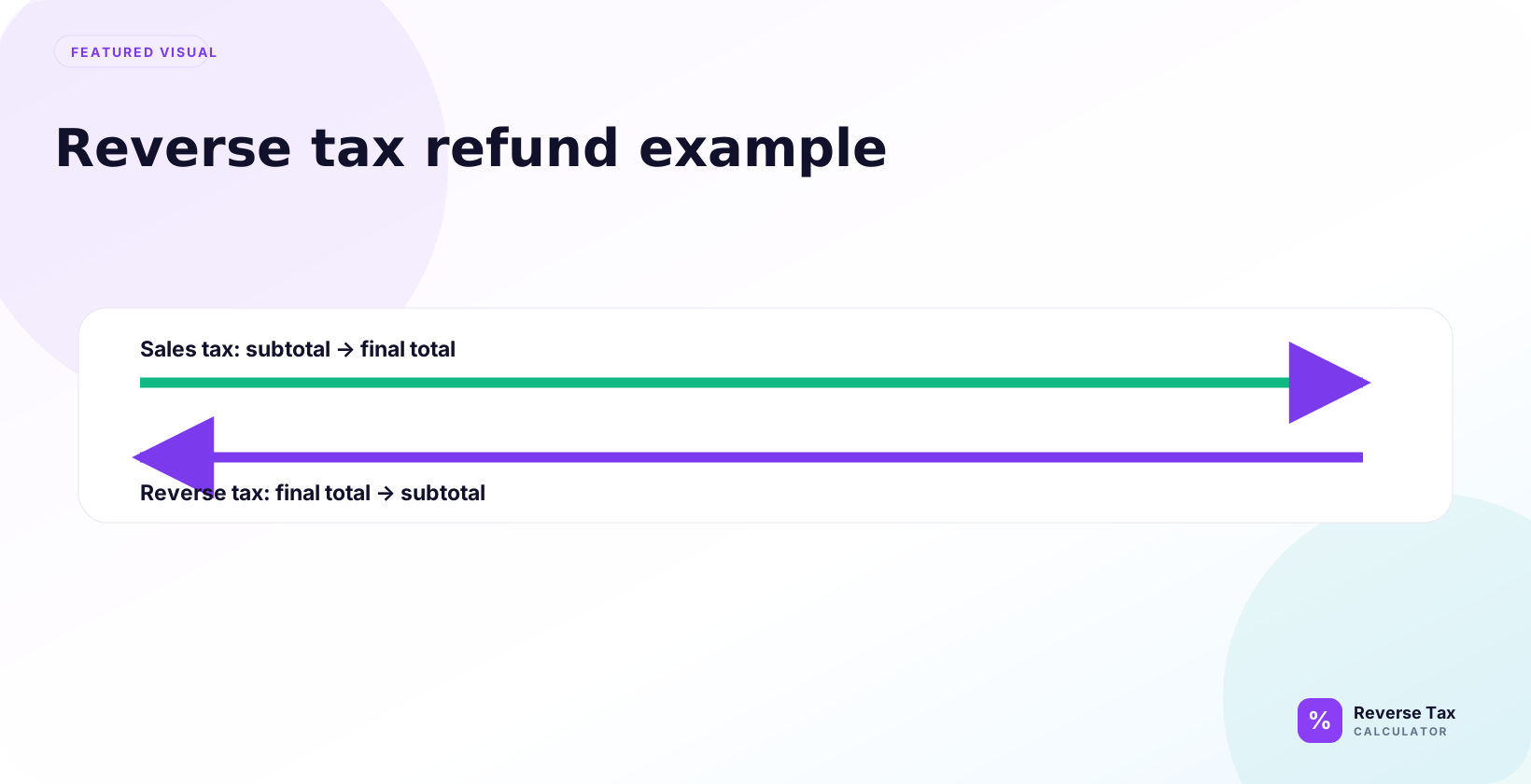
A reverse tax refund example separates the tax portion of a refunded tax-inclusive amount so the returned net price and returned tax can be checked. The calculation uses the same rate and taxable base from the original sale, then divides the refunded gross amount by one plus the rate. Partial returns, restocking fees, coupons, shipping refunds, exempt items, and rounded receipt lines can make the refund tax differ from a simple full-return calculation.
The basic formula is:
Pre-tax refund = Tax-inclusive refund total / (1 + rate / 100)
Then:
Refunded tax = Refund total - pre-tax refund
What Is a Reverse Tax Refund Example?
A reverse tax refund example shows how to unpack a refund that includes sales tax, VAT, GST, HST, or another consumption tax. It answers a practical question: if the customer receives 108.00 back and the rate was 8 percent, how much was the returned item value and how much was tax?
The answer is:
108.00 / 1.08 = 100.00
108.00 - 100.00 = 8.00
So the refund contains 100.00 of pre-tax value and 8.00 of refunded tax.
When Do You Need to Reverse Tax on a Refund?
Use reverse tax on a refund when the refund number is tax-inclusive and the tax line is not already separated.
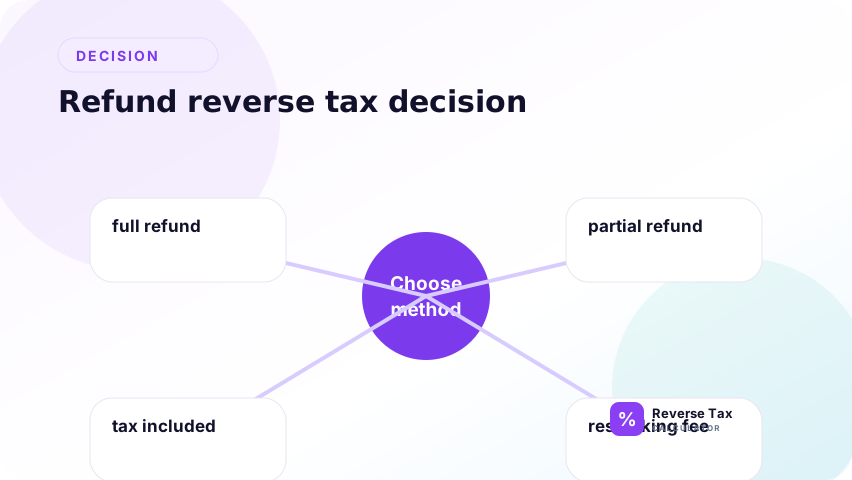
| Refund situation | Use reverse tax? | Reason |
|---|---|---|
| Refund total includes tax | Yes | The tax is inside the refund |
| Refund shows item amount and tax separately | Usually no | The split is already visible |
| Refund is only a store credit balance | Maybe | It may include adjustments |
| Refund includes restocking fee | Be careful | The fee changes the base |
| Refund covers only some items | Maybe | Reverse only the taxable refunded part |
| Refund includes shipping | Be careful | Shipping taxability varies |
Refund Example Inputs
Suppose a refund confirmation shows:
| Input | Value |
|---|---|
| Tax-inclusive refund total | 108.00 |
| Tax rate | 8 percent |
| Tax multiplier | 1.08 |
| Desired output | Pre-tax refund and refunded tax |
This example assumes the full refund amount is taxable at one rate.
Step-by-Step Refund Calculation
The step-by-step refund calculation starts by matching the refund to the original sale, confirming whether the refund includes tax, identifying the original rate, dividing the tax-inclusive refund by 1 plus that rate, and subtracting to find refunded tax. If the refund includes shipping, restocking fees, store credit, or marketplace adjustments, separate those lines before calculating.
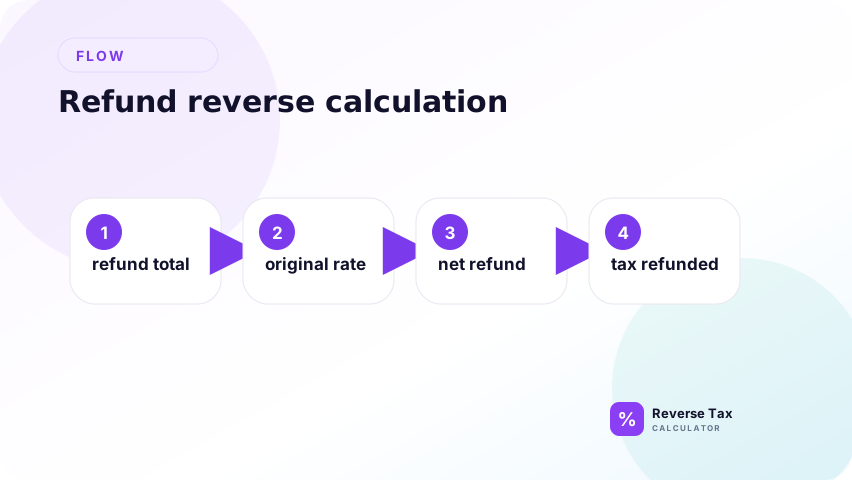
Use the steps as a refund evidence workflow. A refund total can include item refund, tax refund, shipping refund, store credit, restocking fee, or marketplace adjustment. Before applying the formula, confirm that the 108.00 refund is the tax-inclusive refund for a taxable item and that the original sale used the 8 percent rate.
Use the refund total of 108.00 and the rate of 8 percent.
Step 1: Confirm the Refund Total Includes Tax
Confirm that the refund amount you are reversing actually includes tax from the original taxable sale. A refund can include item refund, tax refund, shipping refund, store credit, restocking fee, or marketplace adjustment. Use the refund line tied to the returned taxable item, not automatically the final cash movement.
The refund total must include tax. If the refund system already shows 100.00 item refund and 8.00 tax refund, you do not need to reverse tax.
Step 2: Convert the Rate to a Multiplier
Use the original sale rate and convert it into a multiplier. The refund reverses the original tax-inclusive sale, so the same rate relationship should be used unless the source refund document shows tax separately. Do not use a current rate for an old sale without verifying the original transaction.
Convert the original tax rate to a decimal and then to a multiplier. The refund reverses the original tax-inclusive sale, so the same multiplier used to build the original total is used to remove tax from the refund.
8 percent becomes 0.08 as a decimal.
1 + 0.08 = 1.08
The multiplier is 1.08.
Step 3: Divide the Refund Total
Divide the tax-inclusive refund total by the multiplier to find the pre-tax refund. This amount is the revenue reversal before tax. If the refund amount is net of restocking fees or marketplace deductions, separate those adjustments before dividing.
Divide the tax-inclusive refund total by the multiplier to find the pre-tax refund. This step should use the refund amount tied to the returned taxable item, not a net payout reduction after marketplace fees or restocking adjustments.
108.00 / 1.08 = 100.00
The pre-tax refund is 100.00.
Step 4: Subtract to Find Refunded Tax
Subtract the pre-tax refund from the total refund to find refunded tax. This amount is the part that may affect tax payable or a tax clearing account when tax was actually returned to the customer.
108.00 - 100.00 = 8.00
The refunded tax is 8.00.
As a final check, add the pre-tax refund and refunded tax back together. If they do not equal the refund total, review rounding, restocking fees, shipping refunds, store credit, or marketplace adjustments before posting the refund split.
How to Check the Refund
Check the calculation by adding tax forward:
| Check | Amount |
|---|---|
| Pre-tax refund | 100.00 |
| Tax at 8 percent | 8.00 |
| Refund total | 108.00 |
The forward check returns the original refund total, so the reverse calculation is consistent.
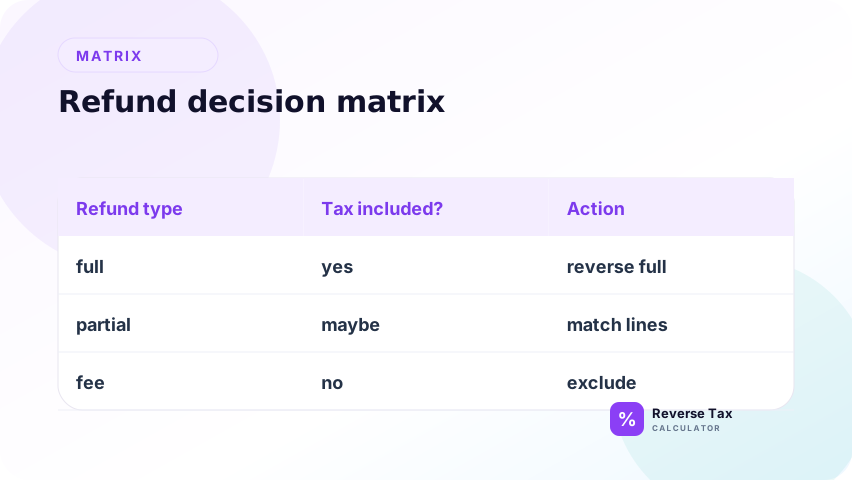
Refund Decision Matrix
| Question | If yes | If no |
|---|---|---|
| Does the refund include tax? | Use reverse tax | Do not remove tax |
| Does one rate apply to the whole refund? | Use one multiplier | Split by rate |
| Is the refund partial? | Reverse only the refunded taxable amount | Use the original full amount if fully refunded |
| Is a restocking fee deducted? | Separate the fee first | Use the visible refund total |
| Is shipping refunded? | Check shipping treatment | Exclude shipping if not refunded |
| Is store credit used? | Check whether it reflects tax | Do not assume it equals refund value |
Partial Refund Example
Suppose the original purchase included two taxable items:
| Item | Tax-inclusive price |
|---|---|
| Item A | 54.00 |
| Item B | 54.00 |
| Total | 108.00 |
The customer returns only Item A. The refund total is 54.00 at an 8 percent rate.
54.00 / 1.08 = 50.00
54.00 - 50.00 = 4.00
The partial refund contains 50.00 of item value and 4.00 of refunded tax.
Do not reverse the original 108.00 total if only half the purchase was refunded.
Refund Example with Taxable and Exempt Items
Suppose a customer bought one taxable item and one exempt item:
| Line | Amount |
|---|---|
| Taxable item after tax | 108.00 |
| Exempt item | 40.00 |
| Original total | 148.00 |
If the customer returns only the exempt item, the refund is 40.00 and there is no tax to reverse.
If the customer returns only the taxable item, reverse 108.00:
108.00 / 1.08 = 100.00
108.00 - 100.00 = 8.00
The important rule is to match the refund calculation to the item being returned, not to the original order total.
Refund Example with a Changed Tax Rate
Sometimes the tax rate changes after the original purchase. For a refund, the safest arithmetic assumption is usually to use the rate that applied to the original sale, because the refund reverses that sale.
Example:
| Event | Rate |
|---|---|
| Original sale | 8 percent |
| Later current rate | 8.5 percent |
| Refund calculation | Use original sale rate if refund reverses original sale |
This page does not decide the legal rule for every jurisdiction. It explains the calculation logic. For compliance, verify the original transaction record and official refund rules.
Store Credit and Restocking Fee Example
Refunds can become messy when the merchant deducts a fee.
Suppose the tax-inclusive return value is 108.00, but the store deducts a 10.00 restocking fee and issues 98.00.
If the goal is to split the original returned item value, use 108.00:
108.00 / 1.08 = 100.00
If the goal is to understand the actual cash or credit issued, 98.00 is the customer-facing refund amount, but it may not represent a clean tax-inclusive sale reversal.
| Goal | Number to analyze |
|---|---|
| Returned taxable item value | 108.00 |
| Customer refund after fee | 98.00 |
| Fee impact | Separate adjustment |
This distinction is important for bookkeeping. A fee is not the same thing as included tax.
Refund Record Checklist
Before using a refund amount in a reverse tax calculator, collect these fields:
| Field | Why it matters |
|---|---|
| Original receipt or invoice number | Connects refund to original sale |
| Original tax rate | Prevents using a later or wrong rate |
| Refunded items | Shows whether refund is full or partial |
| Refunded total | Main tax-inclusive input |
| Refunded tax line | Avoids unnecessary reverse calculation |
| Fees deducted | Separates refund policy from tax |
| Store credit issued | Confirms whether refund was cash or credit |
| Exempt item status | Prevents removing tax from non-taxed items |
This checklist is useful for customer support, bookkeeping, and personal recordkeeping.
How Refunds Differ from Receipts and Invoices
A receipt records a sale. An invoice records a billed amount. A refund reverses all or part of a prior sale.
| Document | Main number | Reverse tax purpose |
|---|---|---|
| Receipt | Total paid | Find tax included in purchase |
| Invoice | Gross invoice amount | Split net and tax |
| Refund | Refund issued | Split refunded base and refunded tax |
The formula is the same, but the interpretation is different.
Common Mistakes
Common refund mistakes include reversing the net cash refund after a restocking fee, using the current tax rate instead of the original rate, reducing Sales Tax Payable when tax was not refunded, ignoring marketplace remittance, and treating store credit as a cash refund. The safest workflow is to start with the returned taxable line, not the payout impact.
The practical correction is to preserve both the original sale and the refund document. The original sale tells you rate, taxability, and taxable base. The refund document tells you whether tax was actually returned. If those two records do not match, document the difference before changing revenue or payable accounts.
Reversing the Original Sale Instead of the Refund
Use the refund amount if the refund is partial. The original sale total may be too high.
Treating Store Credit as a Clean Refund
Store credit can include policy adjustments, fees, promotions, or non-cash value. Confirm whether it represents the tax-inclusive return amount.
Ignoring Restocking Fees
A restocking fee can reduce the amount issued. Separate it before interpreting the tax split.
Reversing Exempt Items
If the refunded item was not taxed, there is no tax to remove.
Using the Wrong Rate
Use the rate that applied to the original sale, not a rate from a different location or later date.
What This Page Does Not Cover
| Topic | Better page |
|---|---|
| Receipt totals | Reverse Tax Example Using a Receipt |
| Invoice totals | Reverse Tax Example Using an Invoice |
| Multiple returned items | Reverse Tax Example with Multiple Items |
| Rounding differences | How to Round Reverse Tax Calculations |
| Bookkeeping split | How to Separate Sales Tax for Bookkeeping |
Frequently Asked Questions
How do I calculate tax on a refund backwards?
Divide the tax-inclusive refund amount by the tax multiplier, then subtract the pre-tax refund from the refund total.
Do I use the original receipt total or the refund total?
Use the refund total if only part of the purchase was refunded. Use the original receipt total only if the entire purchase was refunded.
Is refunded tax always returned to the customer?
Not always. Refund policy, jurisdiction rules, fees, and the type of transaction can affect the final refund. The reverse tax example only explains the arithmetic.
Can I reverse tax on a store credit?
Only if the store credit represents a tax-inclusive refund amount. If it includes adjustments, separate those first.
What if the refund differs by one cent?
Check rounding. Refund systems may reverse line-level tax rather than total-level tax.
Sources and Verification Notes
These notes support refund verification, not legal refund entitlement. The formula can split a tax-inclusive refund into pre-tax refund and refunded tax, but it cannot decide whether a seller may adjust a filed return or whether marketplace tax was remitted by another party. Use source refund reports and official guidance for filing-sensitive decisions.
- Formula source: arithmetic relationship between pre-tax amount, tax rate, and tax-inclusive total.
- Accuracy note: refund tax treatment varies by jurisdiction, merchant policy, product type, and original transaction. Verify legal treatment with the relevant tax authority or accountant.