An implied tax rate spreadsheet calculates the rate hidden between a before-tax amount and a tax-inclusive total. The cell formula subtracts the before-tax price from the total, divides the tax amount by the before-tax price, and formats the result as a percentage. Spreadsheet outputs need clean numeric cells, consistent currency formatting, one taxable base per row, and checks for discounts, rounded receipts, and mixed-rate totals.
This page explains how to calculate implied tax rate, when it helps, why it differs from reverse tax, and how to avoid mistakes when receipts include discounts, shipping, tips, exempt items, or multiple tax rates.
What Is an Implied Tax Rate?
An implied tax rate is the tax rate inferred from a known subtotal and total. It answers the question: “What rate would turn this subtotal into this total?”
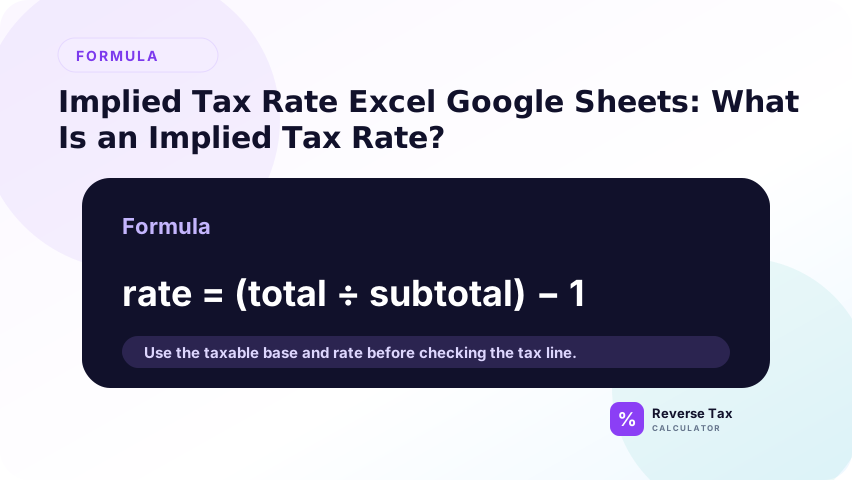
If subtotal is $100.00 and total is $108.00, the implied tax rate is 8%. This is useful when the receipt does not label the rate clearly but does show enough values to calculate it.
What Is the Formula?
Use:
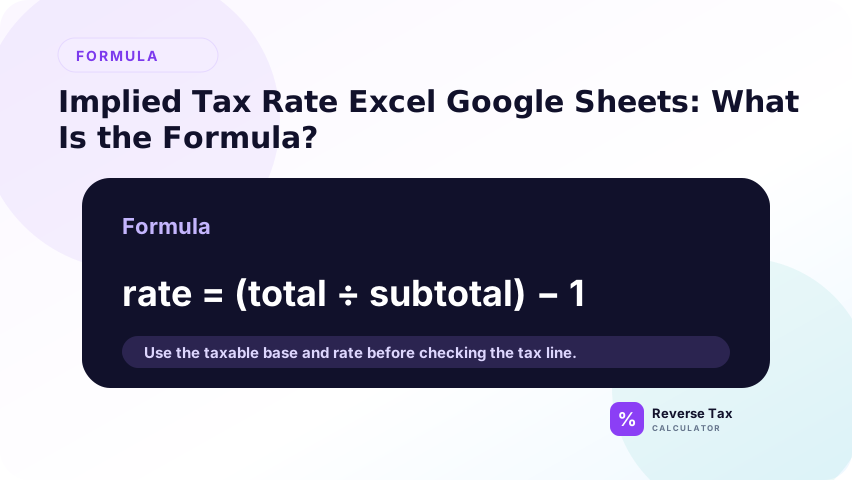
Implied tax rate = (Total - Subtotal) / Subtotal
In Excel or Google Sheets:
=(B2-A2)/A2
Where A2 is subtotal and B2 is total. Format the result as a percentage.
The formula assumes the subtotal is truly before tax and the total is the same subtotal plus tax. If either value includes tips, shipping, discounts, or exempt items that do not belong in the same base, the implied rate may be misleading.
Why Implied Rate Is Not the Same as Reverse Tax
Reverse tax finds the before-tax amount from a total and rate. Implied rate finds the rate from subtotal and total. The known and unknown values are different.
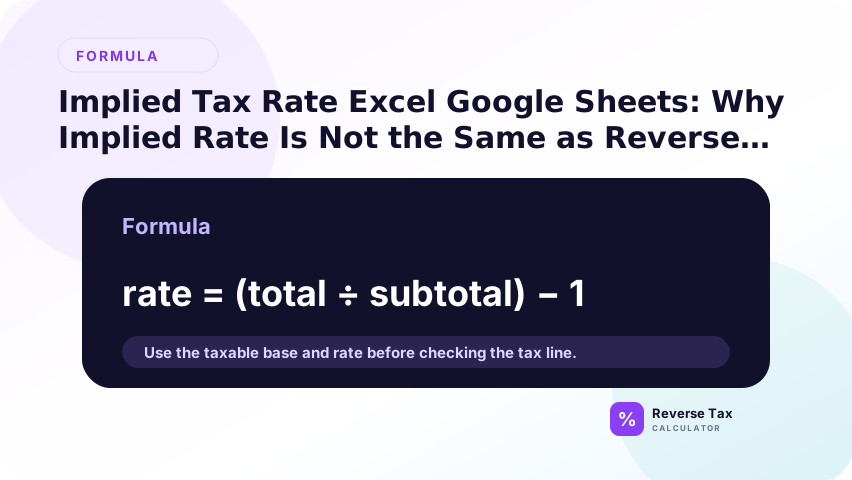
Use reverse tax when you know total and rate. Use implied rate when you know subtotal and total. The reverse tax formula page owns the total-and-rate calculation.
This distinction prevents formula cannibalization. Implied rate finds a rate from two known amounts. Reverse tax finds a before-tax amount from a total and rate. They are related, but they answer different user intents.
Example in Excel
Subtotal in A2: $100.00
Total in B2: $108.00
Formula:
=(B2-A2)/A2
Result:
8%
The formula calculates tax amount first, then divides that tax amount by the subtotal.
This is why the subtotal must be the correct base. If A2 includes an exempt item or excludes taxable shipping, the formula still returns a percentage, but that percentage may not represent the actual tax rate.
Example in Google Sheets
The Google Sheets formula is the same:
=(B2-A2)/A2
Format the result cell as percent. If the result shows 0.08, that means 8%. If it shows 8, the cell is not formatted or normalized correctly.
For shared sheets, label A2 as subtotal and B2 as total so users do not reverse the order.
Google Sheets users should also format the result column as percent. Without percent formatting, a correct 8% result may display as 0.08, which can confuse users who expect to see a percentage.
What Columns Do You Need?
Use columns for source ID, subtotal, total, tax amount, implied rate, expected rate, variance, and notes. The expected rate column is useful when checking whether a receipt matches a known jurisdiction rate.
The variance column can compare implied rate with expected rate. Large differences should be reviewed for local tax, mixed items, or wrong source values.
If the sheet compares expected and implied rates, add a source column for the expected rate. That source might be a receipt label, internal tax table, official rate page, or manual assumption. The source tells reviewers how much confidence to place in the comparison.
How to Compare Implied Rate with Expected Rate
After calculating implied rate, compare it with the rate you expected from the receipt, location, or tax system. A small difference may be rounding. A larger difference may indicate a local rate, mixed items, or a subtotal that is not truly before tax.
Do not change the expected rate only to match the formula. Check the source document first.
This comparison is diagnostic. A mismatch can reveal a local rate, a receipt structure issue, or a taxability issue. It should start a review rather than automatically overwrite the expected rate.
How Discounts Affect Implied Rate
Discounts can distort implied rate if the subtotal and total do not use the same discounted base. If the subtotal is before discount but tax was calculated after discount, the implied rate will look too low.
Use the taxable subtotal after applicable discounts. If the receipt structure is unclear, review the discount timing before trusting the implied rate.
Discount timing is one of the easiest ways to create a false implied rate. A subtotal before discount and a total after discount do not describe the same base, so the formula answers the wrong question.
How Shipping Affects Implied Rate
Shipping can distort implied rate when it is included in total but not subtotal, or when it is taxed differently from items. The formula assumes total and subtotal describe the same taxable base plus tax.
If shipping is separate, create separate columns for item subtotal, shipping, taxable shipping, tax, and final total.
This keeps the taxable base explicit. If shipping is taxable, it may belong in the base. If it is not taxable, including it in the denominator can make the implied rate look lower than the actual rate.
How Mixed Items Affect Implied Rate
Mixed taxable and exempt items can make the implied rate look lower than the actual tax rate. The receipt total may include exempt items, but tax applies only to the taxable portion.
In that case, the implied rate describes the whole receipt, not the legal tax rate. Use group-level calculations instead.
Mixed items are one reason implied rates should not be treated as official rate evidence. The formula can be useful for detecting inconsistencies, but it may blend taxable and exempt amounts into one misleading percentage.
Implied Rate Decision Table
| What you know | Formula to use |
|---|---|
| Subtotal and total | Implied rate formula |
| Total and rate | Reverse tax formula |
| Total and shown tax | Subtract shown tax |
| Mixed items | Group-level calculation |
| Missing subtotal and rate | Cannot verify reliably |
This table prevents confusing implied rate with reverse tax.
How to Audit Implied Rate Results
Filter rows where implied rate is negative, unusually high, blank, or different from expected rate. Then review source labels and receipt structure.
A common error is using final paid amount as total when the card charge includes a tip. That can inflate the implied rate even though tax was calculated correctly.
Another useful audit is to filter rates that are close to known local rates but not exact. Those rows may reflect rounding, but they may also show missing local components or mixed receipt structure. Review them before changing formulas.
If the rate is missing from a receipt and you are not sure whether implied rate is appropriate, the guide on finding the tax rate from total and subtotal explains the same concept from the receipt user's perspective.
Trust Boundary
Implied tax rate is a diagnostic calculation. It does not prove the legal tax rate, item taxability, exemption status, or filing treatment.
Use official rate sources, receipts, invoices, and transaction context before treating an implied rate as verified.
An implied rate is evidence for review, not proof of legal rate. It can help detect mismatches, but official taxability, jurisdiction, and rate decisions must come from authoritative sources and source records.
Frequently Asked Questions
What is the implied tax rate formula?
Use (Total - Subtotal) / Subtotal. In Excel or Google Sheets, use =(B2-A2)/A2 when A2 is subtotal and B2 is total.
Why is my implied rate different from the sales tax rate?
The receipt may include local tax, mixed taxable and exempt items, discounts, shipping, tips, or rounding. Review the source structure before assuming the rate is wrong.
Can implied tax rate find the rate from total alone?
No. You need both subtotal and total, or another known value such as tax amount. A total alone does not contain enough information to identify the rate.
Sources and Notes
- Formula source: arithmetic relationship between subtotal, tax amount, total, and implied rate.