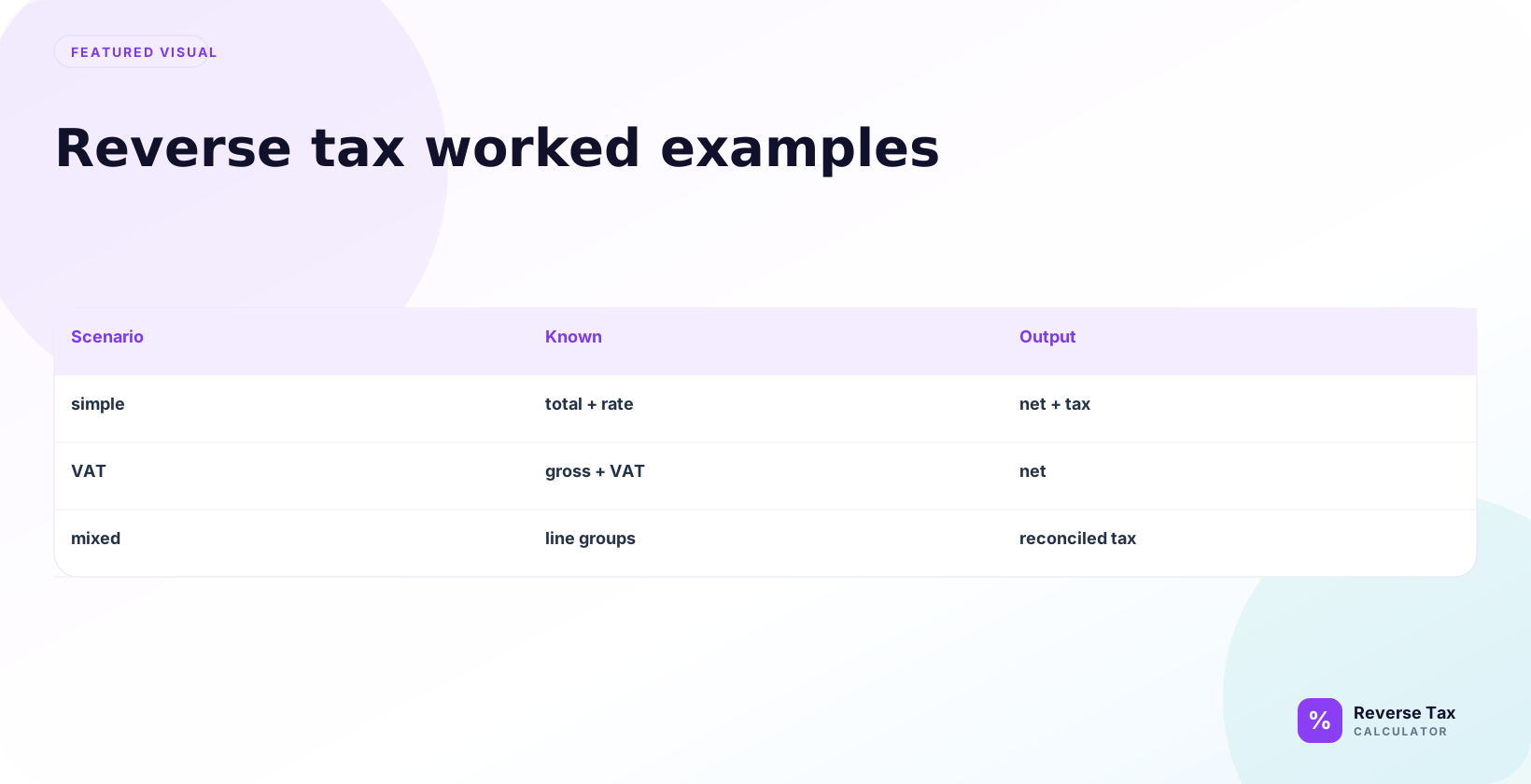
Reverse tax worked examples show the formula in real receipt, invoice, refund, discount, shipping, and multi-item situations where the taxable base affects the answer. Each example starts with a tax-inclusive amount, divides by the correct multiplier, and compares the net price plus included tax back to the original total. The examples only stay accurate when the rate, taxable lines, exemptions, and rounding match the transaction being checked.
Formula:
Pre-tax price = Total / (1 + Rate / 100)
Then:
Included tax = Total - Pre-tax price
How to Read These Examples
Read these examples by first identifying the known values, then choosing the matching formula. Some examples start from tax-inclusive total, some start from tax amount, and others involve refunds, invoices, exemptions, or rounding. The goal is not to memorize one example. The goal is to learn which evidence belongs in which formula.
Each example starts with a total and a tax rate.
The total is assumed to include tax. The rate is assumed to apply to the full taxable amount. If a real receipt has exempt items, discounts, multiple rates, or rounding differences, the result may not match perfectly.
What These Worked Examples Are Designed to Answer
These examples cover the common search patterns behind reverse tax:
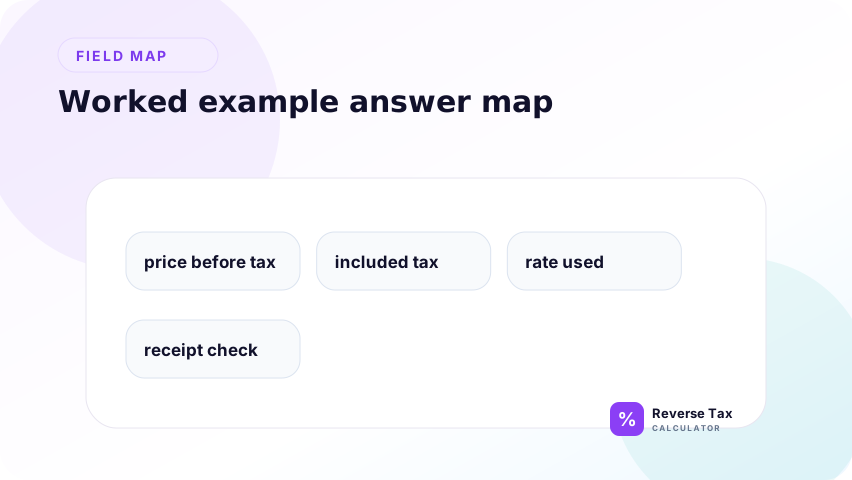
| Searcher question | Example type |
|---|---|
| How do I calculate tax backwards from total? | Simple total and rate |
| How do I remove sales tax from a total? | Sales tax example |
| How do I reverse VAT from a gross price? | VAT example |
| How do I find tax included in a price? | Included tax example |
| How do I find original price from tax amount? | Tax amount example |
| Why is my result off by one cent? | Rounding example |
The goal is not to repeat the same formula eight times. The goal is to show how the same formula changes when the document, tax type, or known value changes.
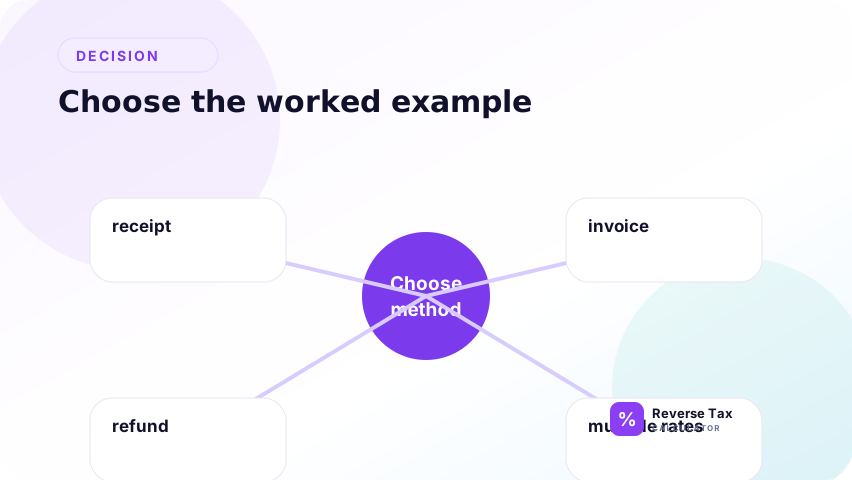
How to Choose the Right Worked Example
Use the example that matches what you already know.
| Known information | Use this method |
|---|---|
| Total and tax rate | Divide by multiplier |
| Total and tax amount | Subtract tax from total |
| Tax amount and rate | Divide tax by rate |
| Gross VAT price and VAT rate | Divide by VAT multiplier |
| Receipt with mixed items | Split taxable and exempt amounts |
| Multiple taxes | Combine or separate based on tax bases |
This prevents the most common mistake: using a simple total-and-rate example for a receipt that is not actually simple or fully taxable in actual practice.
Example 1: Simple Reverse Tax
Total: 110.00
Tax rate: 10 percent
Multiplier:
1 + 10 / 100 = 1.10
Pre-tax price:
110 / 1.10 = 100
Included tax:
110 - 100 = 10
| Component | Amount |
|---|---|
| Total | 110.00 |
| Rate | 10 percent |
| Pre-tax price | 100.00 |
| Included tax | 10.00 |
Example 2: Reverse Sales Tax
Total after sales tax: 216.00
Sales tax rate: 8 percent
Multiplier:
1.08
Pre-tax price:
216 / 1.08 = 200
Sales tax included:
216 - 200 = 16
| Component | Amount |
|---|---|
| Total after sales tax | 216.00 |
| Sales tax rate | 8 percent |
| Price before sales tax | 200.00 |
| Sales tax included | 16.00 |
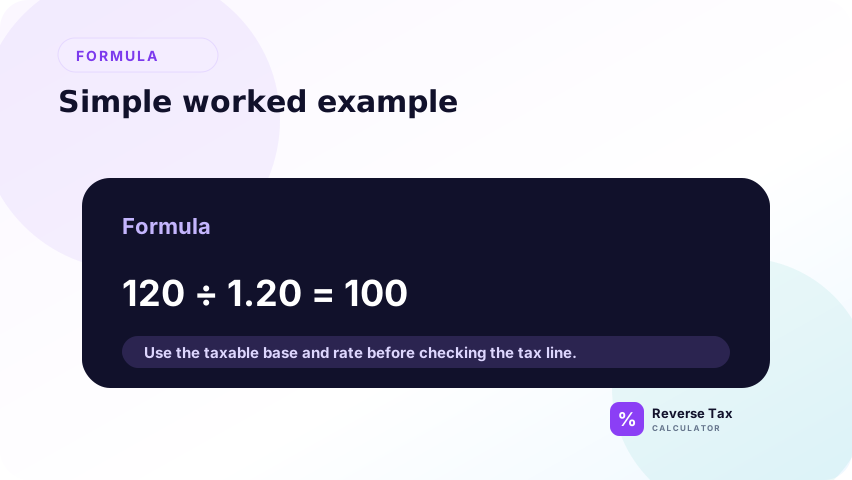
Example 3: Reverse VAT at 20 Percent
GOV.UK lists the UK standard VAT rate as 20 percent.
Suppose a VAT-inclusive price is 120.00.
Multiplier:
1.20
Price before VAT:
120 / 1.20 = 100
VAT included:
120 - 100 = 20
| Component | Amount |
|---|---|
| VAT-inclusive price | 120.00 |
| VAT rate | 20 percent |
| Price before VAT | 100.00 |
| VAT included | 20.00 |
Example 4: Reverse GST or HST
Suppose a tax-inclusive total is 113.00 and the tax rate is 13 percent.
Multiplier:
1.13
Pre-tax price:
113 / 1.13 = 100
Included tax:
113 - 100 = 13
| Component | Amount |
|---|---|
| Tax-inclusive total | 113.00 |
| Rate | 13 percent |
| Pre-tax price | 100.00 |
| Included tax | 13.00 |
How to Check a GST or HST Example
Check the answer by calculating forward:
100 x 13 percent = 13
100 + 13 = 113
If the forward calculation returns the original total, the reverse arithmetic is consistent.
Example 5: Find Tax Amount from Total
This example answers the query "how do I find tax included in a total?" First divide the total by 1 plus the rate to get the pre-tax amount. Then subtract the pre-tax amount from the total to find included tax. Do not multiply the total by the rate because the rate applies to the pre-tax amount.
Total: 120.00
Rate: 20 percent
First find the pre-tax price:
120 / 1.20 = 100
Then find the tax:
120 - 100 = 20
The included tax is 20.00.
Why the Tax Amount Is Not 24.00
Multiplying 120.00 by 20 percent gives 24.00, but that is 20 percent of the final total. The tax rate applies to the pre-tax amount of 100.00.
| Wrong method | Correct method |
|---|---|
120 x 20 percent = 24 | 120 / 1.20 = 100 |
| Treats total as base | Finds the actual base |
| Overstates tax | Returns 20.00 tax |
Example 6: Find Original Price from Tax Amount
This example starts from the tax amount rather than the gross total. If you know the tax amount and the tax rate, divide the tax amount by the decimal rate to find the original taxable price. This is a different formula from removing tax from a total, so the example helps users choose the right method.
Tax amount: 16.00
Tax rate: 8 percent
Convert rate to decimal:
8 / 100 = 0.08
Original price:
16 / 0.08 = 200
Total:
200 + 16 = 216
When This Example Is Useful
Use this method when the tax amount is known but the original taxable price is missing. It often appears in invoice checks, bookkeeping cleanup, and receipt reconstruction.
| Known | Missing |
|---|---|
| Tax amount | Pre-tax price |
| Tax rate | Tax-inclusive total |
This method is different from reversing a total because it starts with the tax line, not the final total.
Example 7: Multiple Additive Taxes
Revenu Quebec states that GST is 5 percent on the selling price and QST is 9.975 percent on the selling price excluding GST.
For a simple Quebec-style example with a 100.00 selling price:
GST:
100 x 0.05 = 5.00
QST:
100 x 0.09975 = 9.975
Total before rounding:
100 + 5 + 9.975 = 114.975
To reverse:
114.975 / 1.14975 = 100
| Component | Amount |
|---|---|
| Selling price | 100.000 |
| GST | 5.000 |
| QST | 9.975 |
| Total before rounding | 114.975 |
Real receipts usually round to cents.
Why This Example Uses a Combined Additive Rate
The combined rate is:
5 + 9.975 = 14.975 percent
The multiplier is:
1.14975
This works only because the cited Revenu Quebec rule calculates both GST and QST on the selling price excluding GST. If one tax is applied on top of another tax, or if one tax applies to a different base, the formula must change.
Example 8: Rounding Difference
This example shows why a result can differ by one cent even when the rate is correct. Rounding can happen by item, by line, by tax group, or by total. The example should be read as a rounding diagnosis, not as proof that every receipt must match a calculator exactly.
Suppose the total is 100.00 and the tax rate is 7 percent.
Pre-tax price:
100 / 1.07 = 93.457943925
Rounded pre-tax price:
93.46
Included tax:
100 - 93.46 = 6.54
The raw tax is about 6.542056075. The displayed tax is 6.54.
This is why reverse tax results may differ slightly depending on rounding method.
Example 9: Reverse Tax with an Exempt Item
Suppose a receipt total is 158.00, but 50.00 is exempt and 108.00 is taxable at 8 percent.
Do not reverse the full 158.00.
Reverse only the taxable part:
108.00 / 1.08 = 100.00
Included tax:
108.00 - 100.00 = 8.00
Full receipt interpretation:
| Component | Amount |
|---|---|
| Taxable pre-tax amount | 100.00 |
| Included tax | 8.00 |
| Exempt item | 50.00 |
| Receipt total | 158.00 |
This example answers the real receipt problem better than a pure formula example.
Example 10: Reverse Tax After a Discount
Suppose an item was 120.00 before discount. A discount reduces the taxable price to 100.00, and tax at 8 percent is added. The final tax-inclusive total is 108.00.
Reverse tax:
108.00 / 1.08 = 100.00
Included tax:
108.00 - 100.00 = 8.00
Reverse tax returns the taxable price after discount. It does not return the original 120.00 price unless the discount is known separately.
Example 11: Reverse Tax on a Refund
This refund example uses the original sale logic in reverse. If the refund includes tax, divide the tax-inclusive refund by 1 plus the original rate, then subtract to find refunded tax. If the refund includes restocking fees, shipping credits, store credit, or marketplace adjustments, separate those lines before calculating.
Suppose a refund amount is 54.00 and the tax rate from the original sale was 8 percent.
54.00 / 1.08 = 50.00
54.00 - 50.00 = 4.00
The refund reverses 50.00 of pre-tax value and 4.00 of tax.
Use the refund amount, not the original sale total, if only part of the purchase was returned.
Example 12: Reverse Tax on an Invoice Total
Suppose an invoice shows a gross total of 1,130.00 and a rate of 13 percent.
1,130.00 / 1.13 = 1,000.00
1,130.00 - 1,000.00 = 130.00
| Invoice field | Amount |
|---|---|
| Gross invoice total | 1,130.00 |
| Net amount | 1,000.00 |
| Included tax | 130.00 |
This example is useful when the invoice total is tax-inclusive but the net amount is not shown.
Example Decision Matrix
| User need | Best example |
|---|---|
| Simple total and rate | Example 1 |
| Sales tax total | Example 2 |
| VAT-inclusive price | Example 3 |
| GST or HST total | Example 4 |
| Tax amount from total | Example 5 |
| Original price from tax amount | Example 6 |
| Multiple taxes | Example 7 |
| Rounding issue | Example 8 |
| Exempt item receipt | Example 9 |
| Discounted item | Example 10 |
| Refund | Example 11 |
| Invoice total | Example 12 |
Operational Workflow for Any Worked Example
Use this workflow before choosing a formula:
- Confirm the total includes tax.
- Identify the applicable rate.
- Separate exempt, zero-rated, and non-taxable amounts.
- Separate tips, fees, credits, discounts, and shipping if needed.
- Group remaining amounts by tax rate.
- Reverse each group using the correct multiplier.
- Add the reconstructed parts back together.
- Check by calculating forward.
This workflow is what prevents a neat worked example from becoming wrong on a messy real receipt.
How to Validate Any Example Manually
After reversing the total, calculate forward once.
| Reverse result | Forward check |
|---|---|
| Pre-tax price found | Multiply by tax rate |
| Included tax found | Add tax to pre-tax price |
| Total reconstructed | Compare with original total |
Example:
200 x 8 percent = 16
200 + 16 = 216
If the forward check does not return the original total, the rate, taxable base, rounding method, or input total may be wrong. This final check turns each example into a repeatable audit pattern for receipts, invoices, refunds, and price checks.
What a Worked Example Can and Cannot Prove
| Worked example can prove | Worked example cannot prove |
|---|---|
| Arithmetic from the entered rate and total | Legal taxability |
| How to split total into base and tax | Correct official rate |
| Why division is used | Exemption status |
| How rounding affects display | Compliance treatment |
| How to check forward | Seller reporting requirements |
The examples teach the calculation pattern. They do not replace official tax guidance.
Common Mistakes in Reverse Tax Examples
Common example mistakes include subtracting the rate from total, using the wrong rate, confusing tax-inclusive and tax-exclusive price, mixing exempt items with taxable items, and expecting every receipt to match exactly despite rounding. The fix is to identify the known values and the goal before copying an example.
The safest way to use examples is to match the structure, not just the numbers. If your receipt has multiple rates, do not copy a single-rate example. If your starting point is tax amount, do not copy a gross-total example. If your receipt has exempt items or rounding, use an example that preserves those entities. Examples should guide method selection, not replace source review.
Subtracting the Rate from Total
Do not subtract the percentage directly from the total.
Using the Wrong Rate
The example only works with the rate that actually applies.
Ignoring Tax-Inclusive vs Tax-Exclusive Price
Reverse tax needs a tax-inclusive total.
Mixing Exempt Items with Taxable Items
If some items are exempt, the whole total may not use one rate.
Expecting Every Receipt to Match Exactly
Rounding and item-level tax can create small differences.
> Accuracy note: these are worked arithmetic examples. Real tax treatment depends on jurisdiction, item type, exemptions, rate rules, and receipt rounding.
What This Page Does Not Cover
| Topic | Better page |
|---|---|
| Examples by common tax rate | Reverse Tax Examples by Tax Rate |
| Receipt example | Reverse Tax Example Using a Receipt |
| Invoice example | Reverse Tax Example Using an Invoice |
| Refund example | Reverse Tax Example for a Refund |
| Multiple items | Reverse Tax Example with Multiple Items |
Frequently Asked Questions
What is the easiest reverse tax example?
A 110.00 total at 10 percent tax reverses to 100.00 before tax and 10.00 included tax.
How do I reverse a 20 percent VAT-inclusive price?
Divide the VAT-inclusive price by 1.20 to find the price before VAT.
Why is tax not the rate times the total?
Because the tax rate applies to the pre-tax price, not the final total.
Why do examples sometimes show more than two decimals?
Reverse tax division can produce long decimals. Money values are usually rounded for display.
Can I use these examples for real receipts?
Yes, as arithmetic patterns, but verify the rate, taxability, and rounding method for the actual receipt.
Sources
These examples are based on arithmetic relationships between tax-inclusive totals, rates, tax amounts, and pre-tax amounts. Use official tax authority guidance for rate selection, taxability, exemptions, and filing-sensitive decisions. Use this page for calculation patterns, then verify real receipts against their source lines and official rules.
- GOV.UK, VAT rates
- Revenu Quebec, Basic Rules for Applying the GST/HST and QST